SVG -> base64 Batch conversion?
-
Does anyone know if theres a way to do batch conversions of SVG's to HISE compatible base64 strings? I know its a reach but I also know there are some pretty smart people here so I thought i'd just ask around!

-
@Chazrox What output are you looking for, Base64 Path or Base64 SVG?
I find myself switching between the two because Base64 Path can't handle a lot of the SVGs I use, but Base64 SVG can.
UPDATE: I asked Claude what the difference is, and it all makes sense now.
Base64 Path
- What it is: Just the geometry - the raw path outline. HISE parses the SVG's path data, serializes it as JUCE binary path data (Path::writePathToStream), and Base64-encodes that. No compression.
- What it drops: All styling. Colours, fills, strokes, gradients, groups, multiple shapes - gone. You get a single monochrome outline.
- Best for: UI icons and shapes you want to recolour/tint yourself, LAF buttons, anything where you control the fill. Smaller and simpler.
- How you use it:
const var iconData = "....";        // pasted output
var p = Content.createPath();
p.loadFromData(iconData);
// in a paint routine:
g.fillPath(p, area);                // you pick the colour
Base64 SVG
- What it is: The entire SVG document (the XML text) ZSTD-compressed, then Base64-encoded. It preserves everything - multiple paths, fill/stroke colours, gradients, groups, transforms.
- Best for: Multi-colour logos, splash graphics, pre-designed artwork you want rendered exactly as drawn.
- How you use it:
const var svgData = "....";         // pasted output
var svg = Content.createSVG(svgData);
// in a paint routine:
g.drawSVG(svg, area, 1.0);          // renders with its own colours/styling
Which to choose
  ┌───────────────────────────┬───────────────────────────────────┬────────────────────────────────────┐
  │                           │            Base64 Path            │             Base64 SVG             │
  ├───────────────────────────┼───────────────────────────────────┼────────────────────────────────────┤
  │ Preserves colours/styling │ No                                │ Yes                                │
  ├───────────────────────────┼───────────────────────────────────┼────────────────────────────────────┤
  │ Multiple shapes/groups    │ Flattened to one outline          │ Kept intact                        │
  ├───────────────────────────┼───────────────────────────────────┼────────────────────────────────────┤
  │ You recolour it in script │ Yes (you must)                    │ No (uses embedded colours)         │
  ├───────────────────────────┼───────────────────────────────────┼────────────────────────────────────┤
  │ Size                      │ Smaller, uncompressed             │ Larger source, but ZSTD-compressed │
  ├───────────────────────────┼───────────────────────────────────┼────────────────────────────────────┤
  │ Loads via                 │ Content.createPath + loadFromData │ Content.createSVG + g.drawSVG      │
  └───────────────────────────┴───────────────────────────────────┴────────────────────────────────────┘
Rule of thumb: if it's a single-colour icon you want to tint from the script (e.g. active/inactive states), use Base64 Path. If it's a designed, multi-colour graphic that should look exactly like the artwork, use Base64 SVG.
(Me again now) This is exactly what should be in the help doc for the tool, instead of just this
 :
:
HISE dev latest / herdr + Claude Code / Figma + Affinity
Meat Beats: https://meatbeats.com
Klippr Video: https://klippr.video -
-
@Chazrox Nice!

HISE dev latest / herdr + Claude Code / Figma + Affinity
Meat Beats: https://meatbeats.com
Klippr Video: https://klippr.video -
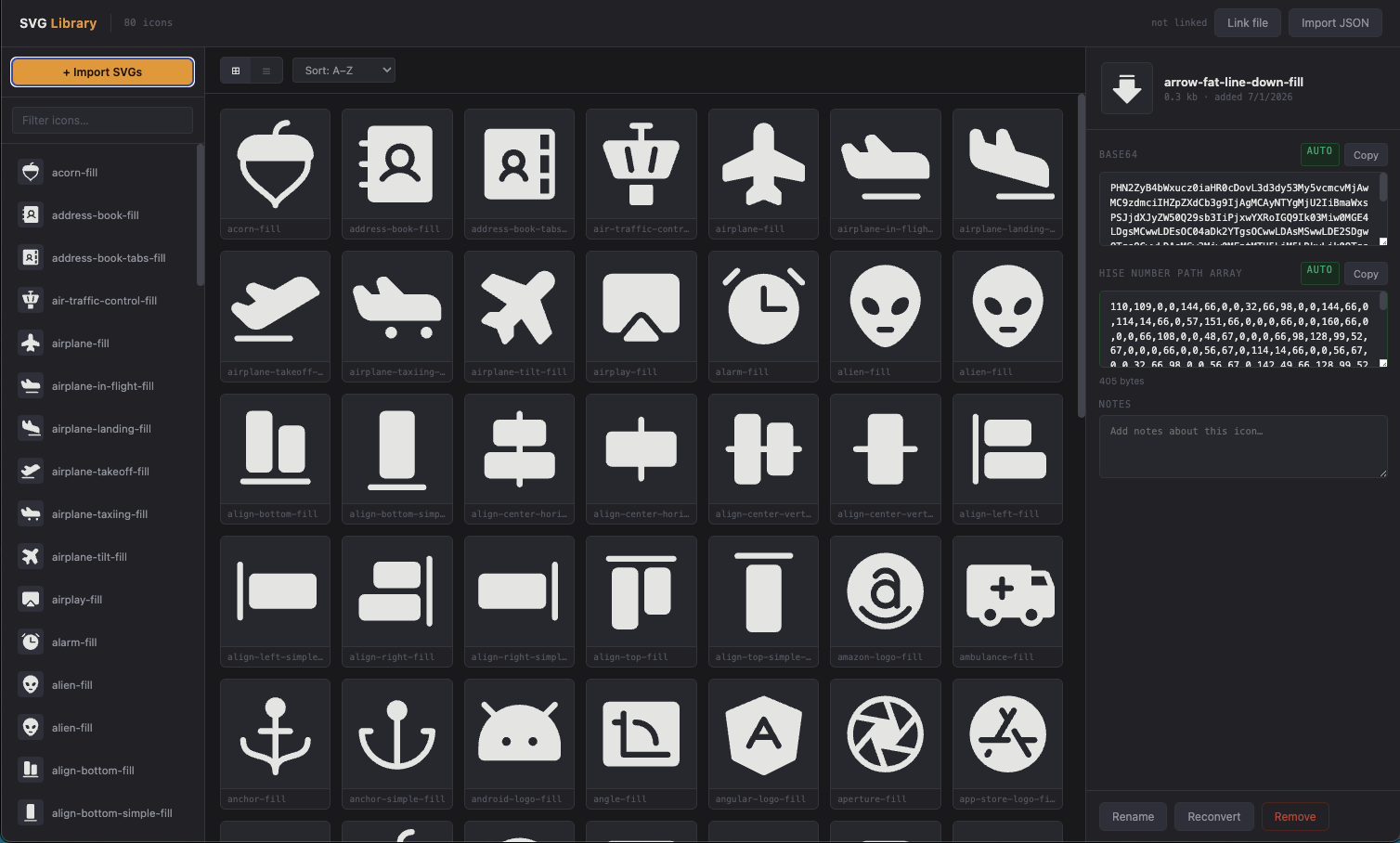
@dannytaurus I had such a hard time finding any info on base64 I just went with path number arrays. It works great. This converter/library can convert a whole folder all at once. I swear the 5 steps it takes to convert an SVG takes too long especially when you want to test out different svgs, the process is painful. This helps. I just loaded all my svg's into this converter and now I can just browse and copy the numbers. Way less painless for me. Im very impatient sometimes but I think its a gift. lolol
-
@Chazrox Yeah. Looks like the number array is just a different format of the Base4 Path option. Number array is just a less efficient way of representing it.
The only format that respects SVG internal styles is Base64 SVG.
The other three formats all drop the styles and only convert the path.
HISE dev latest / herdr + Claude Code / Figma + Affinity
Meat Beats: https://meatbeats.com
Klippr Video: https://klippr.video -
I tried to load a 'duo-tone' svg with Base64SVG and this is the result?
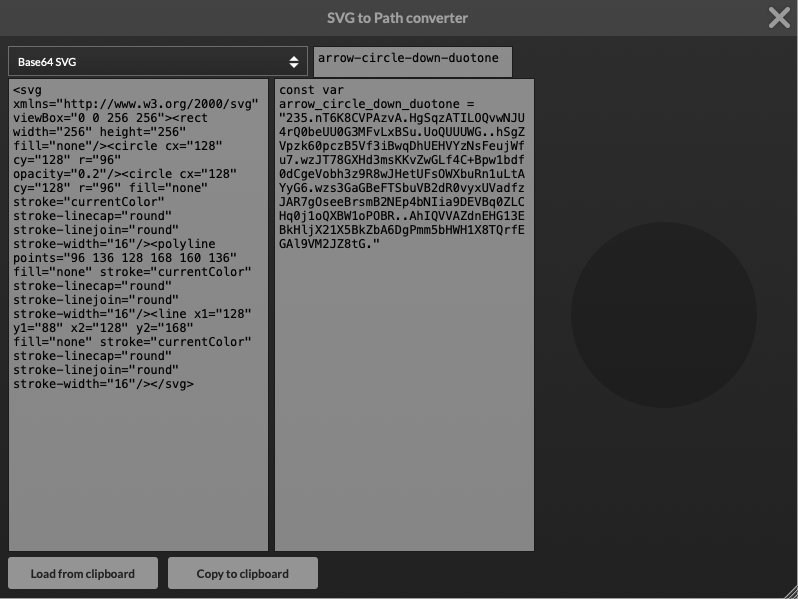
SVG file:

Am I doing something wrong or not understanding something?