Forum
    • Categories
    • Register
    • Login

    Rotation around center of mass is weird.

    Scheduled Pinned Locked Moved Solved Scripting
    14 Posts 3 Posters 54 Views
    Loading More Posts
    • Oldest to Newest
    • Newest to Oldest
    • Most Votes
    Reply
    • Reply as topic
    Log in to reply
    This topic has been deleted. Only users with topic management privileges can see it.
    • ustkU
      ustk @Chazrox
      last edited by ustk

      @Chazrox It's even more obvious with 3 branches:
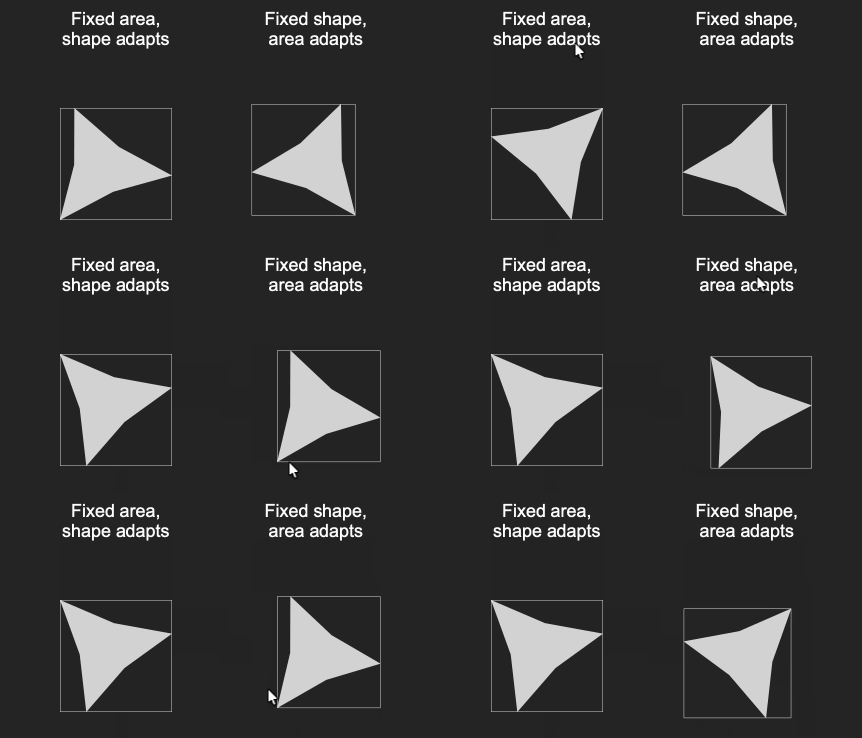
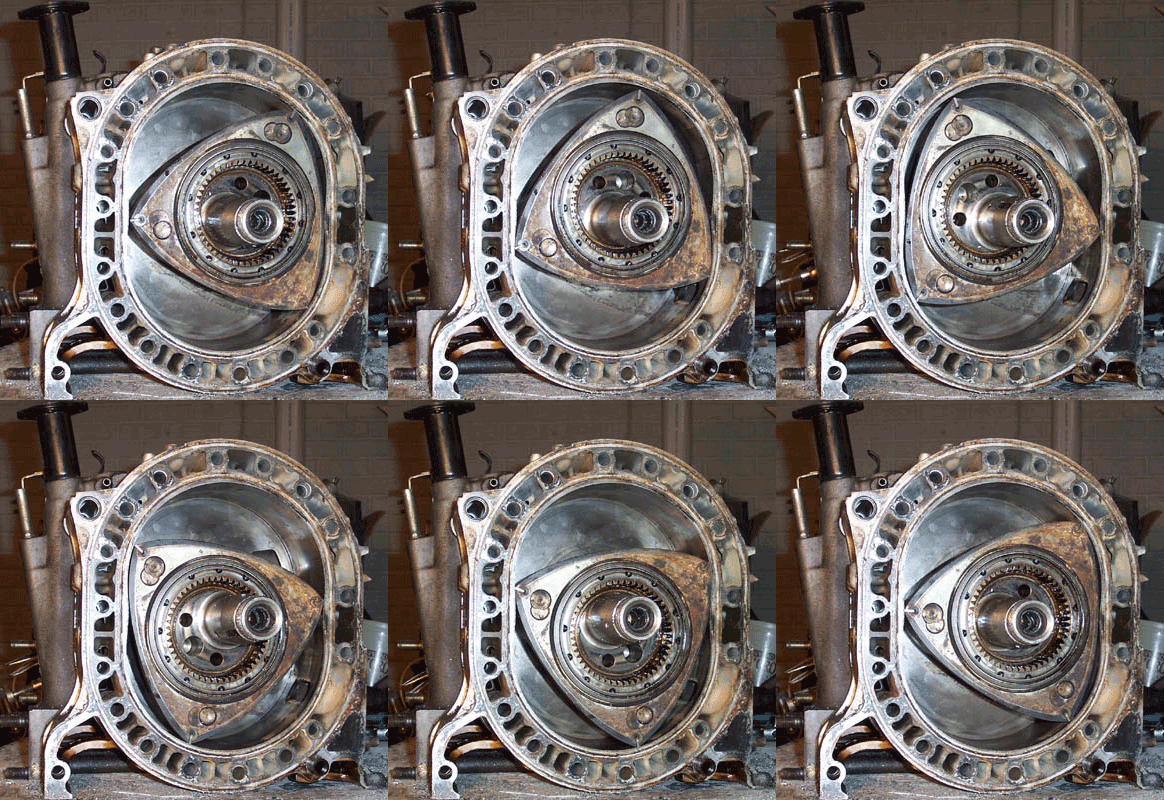
      modvalue.gif

      I love this one because it reminds me of the Wankel engine 😁

      6658daf57700d0e65101e98aa6b08572.gif

      Hise made me an F5 dude, any other app just suffers...

      ChazroxC 2 Replies Last reply Reply Quote 3
      • ChazroxC
        Chazrox @ustk
        last edited by

        @ustk Thank you! You're a beast. 🙏

        @ustk said in Rotation around center of mass is weird.:

        the Wankel engine

        hahaha 🔥 🔥

        1 Reply Last reply Reply Quote 0
        • ChazroxC
          Chazrox @ustk
          last edited by

          @ustk I get error : unknown function 'translated'. Is this a new function I dont have??

          David HealeyD 1 Reply Last reply Reply Quote 0
          • David HealeyD
            David Healey @Chazrox
            last edited by

            @Chazrox said in Rotation around center of mass is weird.:

            I get error : unknown function 'translated'. Is this a new function I dont have??

            It's part of the rectangle class.

            https://docs.hise.dev/scripting/scripting-api/rectangle/index.html

            Free HISE Bootcamp Full Course for beginners.
            YouTube Channel - HISE tutorials
            My Patreon - More HISE tutorials

            ChazroxC 1 Reply Last reply Reply Quote 0
            • ChazroxC
              Chazrox @David Healey
              last edited by

              @David-Healey I see it in my api list but its not working in this snippet for me.

              David HealeyD 1 Reply Last reply Reply Quote 0
              • David HealeyD
                David Healey @Chazrox
                last edited by

                @Chazrox

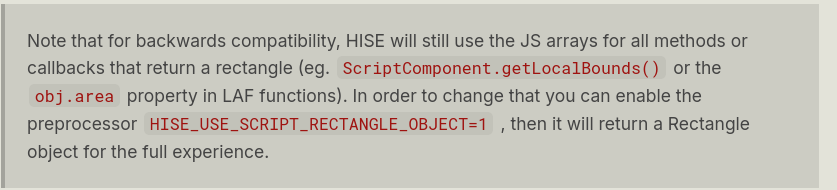
                1adb8b86-13af-411e-a0a8-5f5b4607c3e0-image.png

                Free HISE Bootcamp Full Course for beginners.
                YouTube Channel - HISE tutorials
                My Patreon - More HISE tutorials

                ChazroxC 2 Replies Last reply Reply Quote 1
                • ChazroxC
                  Chazrox @David Healey
                  last edited by

                  @David-Healey Goooot it. 👍 Thank you sir. I didnt read enough. Will do better. ha.

                  1 Reply Last reply Reply Quote 0
                  • ChazroxC
                    Chazrox @ustk
                    last edited by Chazrox

                    @ustk Working and looking great! Thank you big time! 🙏 ⚡

                    This is the shape i've been after for a while because I want to make analog knob shapes. This helps so much. Thank you.

                    Thank you @Christoph-Hart for the new api as well! Sick.
                    Screenshot 2026-06-27 at 8.21.28 AM.png

                    1 Reply Last reply Reply Quote 0
                    • ChazroxC
                      Chazrox @David Healey
                      last edited by

                      @David-Healey Im embedding this exact warning in my knob designer so people will know this if they dont. 🙏

                      1 Reply Last reply Reply Quote 2
                      • ChazroxC
                        Chazrox @ustk
                        last edited by Chazrox

                        EDIT: See fix below!

                        @ustk Now im having trouble getting a mask layer to clip the noise to the shape and rotate. Can you help me with this too please? Claude cannot figure this out for to save the world. lol

                        
                        MyKnobLaf.registerFunction("drawRotarySlider", function(g, obj)
                        {
                        var a = obj.area;
                        var range = obj.max - obj.min;
                        var stableSize = a[2] * (1.0 - 2.0 * 0.15);
                        var ox = a[0] + (a[2] - stableSize) / 2;
                        var oy = a[1] + (a[2] - stableSize) / 2;
                        var cx = ox + stableSize / 2;
                        var cy = oy + stableSize / 2;
                        var sw = stableSize / 200.0;
                        var startOffset = 2.5;
                        var totalSweep = 2.0 * startOffset;
                        var endOffset = -startOffset + totalSweep * (obj.value - obj.min) / range;
                        
                        var cStarTop = 0xff888888;
                        var cStarBot = 0xff333333;
                        var cStarOutline = 0x4d000000;
                        
                        var starW = stableSize * 0.65;
                        var starX = cx - starW * 0.5;
                        var starY = cy - starW * 0.5;
                        var starBounds = [starX, starY, starW, starW];
                        
                        // One path, rotation baked in — no g.rotate anywhere
                        var starPath = Content.createPath();
                        starPath.addStar([0.5, 0.5], 8, 0.44, 0.5, endOffset);
                        starPath.roundCorners(1);
                        
                        // PASS 1: Fixed gradient rect masked to rotating star shape
                        g.beginLayer(false);
                        g.setGradientFill([cStarTop, cx, starY, cStarBot, cx, starY + starW, false]);
                        g.fillRect(starBounds);
                        g.applyMask(starPath, starBounds, false);
                        g.endLayer();
                        
                        // PASS 2: Noise + shadow — mask baked, noise rotates
                        g.beginLayer(false);
                        g.drawDropShadow(starBounds, Colours.withAlpha(Colours.black, 0.6), 8);
                        g.applyMask(starPath, starBounds, false);
                        g.rotate(endOffset, [cx, cy]);
                        g.addNoise({"alpha": 0.2, "monochromatic": true, "area": starBounds});
                        g.rotate(-endOffset, [cx, cy]);
                        g.endLayer();
                        
                        // PASS 3: Outline
                        g.beginLayer(false);
                        g.setColour(cStarOutline);
                        g.drawPath(starPath, starBounds, 3.0 * sw);
                        g.endLayer();
                        
                        
                        });


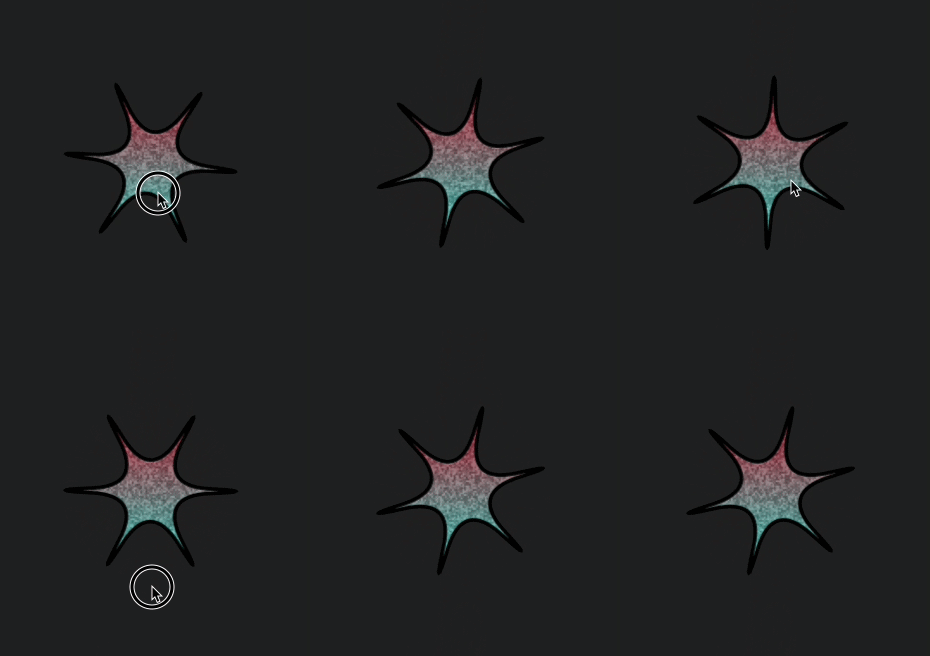
                        The masks are rotating and matching up but the whole shape in general now is doing that dynamically changing thing....

                        1 Reply Last reply Reply Quote 0
                        • ChazroxC
                          Chazrox
                          last edited by Chazrox

                          StarKnobNoiseMaskLayerFixed.gif

                          Heres the fix:

                          MyKnobLaf.registerFunction("drawRotarySlider", function(g, obj)
                          {
                              var a = obj.area;
                              var range = obj.max - obj.min;
                              var stableSize = a[2] * (1.0 - 2.0 * 0.15);
                              var ox = a[0] + (a[2] - stableSize) / 2;
                              var oy = a[1] + (a[2] - stableSize) / 2;
                              var cx = ox + stableSize / 2;
                              var cy = oy + stableSize / 2;
                              var sw = stableSize / 200.0;
                              var startOffset = 2.5;
                              var totalSweep = 2.0 * startOffset;
                              var endOffset = -startOffset + totalSweep * (obj.value - obj.min) / range;
                          
                          
                              var cStarBody3Top = 0xffFF0000;
                              var cStarBody3Bot = 0xff00FBFF;
                              var cStarBody3Outline = 0xfa000000;
                          
                          
                              var starBody3Size = stableSize * 0.76;
                              var starBody3X = cx - starBody3Size * 0.5;
                              var starBody3Y = cy - starBody3Size * 0.5;
                          
                              var starBody3Static = Content.createPath();
                              starBody3Static.addStar([0.5, 0.5], 3, 0.13, 0.5, 0);
                              starBody3Static.roundCorners(1);
                              var starBody3StaticBounds = starBody3Static.getBounds(starBody3Size).translated(starBody3X, starBody3Y);
                          
                              var starBody3Star = Content.createPath();
                              starBody3Star.addStar([0.5, 0.5], 6, 0.05, 0.6, endOffset);
                              starBody3Star.roundCorners(1);
                              var starBody3RotBounds = starBody3Star.getBounds(starBody3Size).translated(starBody3X, starBody3Y);
                          
                          	// PASS 1: gradient fill
                          	g.beginLayer(false);
                          	g.setGradientFill([cStarBody3Top, cx, starBody3Y, cStarBody3Bot, cx, starBody3Y + starBody3Size, false]);	
                          	g.fillPath(starBody3Star, starBody3RotBounds);	
                          	g.endLayer();
                          
                              // PASS 2: noise — use full obj.area so noise fills behind mask cleanly
                              g.beginLayer(false);
                              g.applyMask(starBody3Star, starBody3RotBounds, false);
                              g.rotate(endOffset, [cx, cy]);
                              g.addNoise({"alpha": 0.3, "monochromatic": true, "area": [a[0], a[1], a[2] * 2, a[3] * 2]});
                              g.rotate(-endOffset, [cx, cy]);
                              g.endLayer();
                          
                              // PASS 3: outline
                              g.beginLayer(false);
                              g.setColour(cStarBody3Outline);
                              g.drawPath(starBody3Star, starBody3RotBounds, 3.06 * sw);
                              g.endLayer();
                          });
                          
                          1 Reply Last reply Reply Quote 0
                          • ChazroxC Chazrox has marked this topic as solved
                          • First post
                            Last post

                          21

                          Online

                          2.4k

                          Users

                          13.8k

                          Topics

                          120.3k

                          Posts