HISE Update broke my project.
-
@David-Healey Thank you kindly sir.

-
@Chazrox Are you using version control (git) in your projects?
HISE dev latest / herdr + Claude Code / Figma + Affinity
Meat Beats: https://meatbeats.com
Klippr Video: https://klippr.video -
@dannytaurus Im barely getting a grip on changing versions with git commands n stuff so im guessing your asking if I used that method to install hise? If you are, I did. But Im not sure exactly what 'version control' is.
-
@Chazrox He's asking if you use git to keep track of different versions of your own projects.
Free HISE Bootcamp Full Course for beginners.
YouTube Channel - HISE tutorials
My Patreon - More HISE tutorials -
@David-Healey No. Havent made it there yet.
-
@Chazrox said in HISE Update broke my project.:
No. Havent made it there yet.
Claude can help you with that too. I'll make a post about my whole setup. Might be useful for you.
HISE dev latest / herdr + Claude Code / Figma + Affinity
Meat Beats: https://meatbeats.com
Klippr Video: https://klippr.video -
@dannytaurus Sweet! Please do!
Thanks! -
@Chazrox Did you find a problem in the xml?
Free HISE Bootcamp Full Course for beginners.
YouTube Channel - HISE tutorials
My Patreon - More HISE tutorials -
@David-Healey I dont know what im looking for tbh.
-
@Chazrox Did you run the xmls through a validator?
Free HISE Bootcamp Full Course for beginners.
YouTube Channel - HISE tutorials
My Patreon - More HISE tutorials -
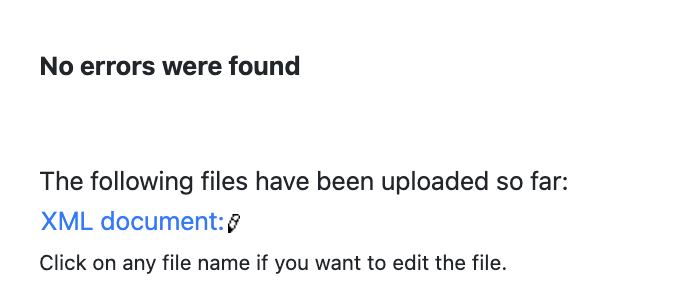
@David-Healey Yes I pasted the results above. I pasted the .xml into the validator and thats what it gave back to me.
-
@Chazrox said in HISE Update broke my project.:
Yes I pasted the results above.
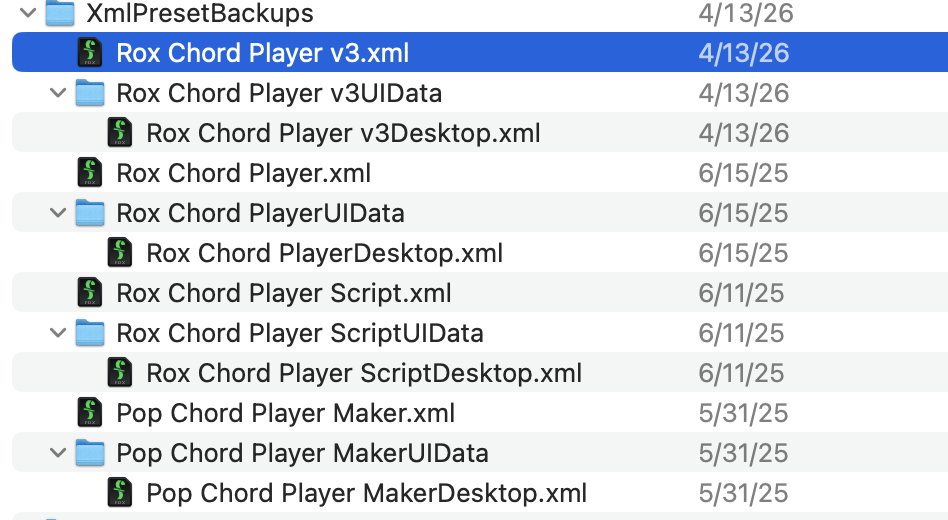
I only see the post about your project settings xml not the actual project files from the backups folder
Free HISE Bootcamp Full Course for beginners.
YouTube Channel - HISE tutorials
My Patreon - More HISE tutorials -
Just drop in these files? I run them thru the validator and it just gives me back text thats in the .xml.
im using https://codebeautify.org/xmlvalidator and just dropping the .xml in the text field. Am i doing this right?
-
@Chazrox Paste the contents of the xml file into the text box, then click Validate XML. If it's valid it will show underneath

I use this one which I show in the video I posted above.
Free HISE Bootcamp Full Course for beginners.
YouTube Channel - HISE tutorials
My Patreon - More HISE tutorials -
-
@Chazrox So probably not an xml related issue. Generally you should only have one xml back per project - that's where git comes in for handling different versions.
Free HISE Bootcamp Full Course for beginners.
YouTube Channel - HISE tutorials
My Patreon - More HISE tutorials -
@David-Healey Ok I'll learn how to do that asap. If its not an xml problem whats my next move?
-
@Chazrox said in HISE Update broke my project.:
If its not an xml problem whats my next move?
If it was me I'd crack open a debugger and see what it says, not a simple thing to explain how to here though.