Forum
    • Categories
    • Register
    • Login

    Show value on knob, but not editable

    Scheduled Pinned Locked Moved Scripting
    28 Posts 4 Posters 736 Views
    Loading More Posts
    • Oldest to Newest
    • Newest to Oldest
    • Most Votes
    Reply
    • Reply as topic
    Log in to reply
    This topic has been deleted. Only users with topic management privileges can see it.
    • David HealeyD
      David Healey @svkpowa
      last edited by

      @svkpowa

      alt text

      Free HISE Bootcamp Full Course for beginners.
      YouTube Channel - Public HISE tutorials
      My Patreon - HISE tutorials

      S 1 Reply Last reply Reply Quote 0
      • S
        svkpowa @David Healey
        last edited by

        @David-Healey hope it won't cause the gpu eating, there are twice as many knobs 😸

        David HealeyD 1 Reply Last reply Reply Quote 0
        • David HealeyD
          David Healey @svkpowa
          last edited by

          @svkpowa It's not the best way of doing it, but have fun, if you hit problems you'll learn something new.

          Free HISE Bootcamp Full Course for beginners.
          YouTube Channel - Public HISE tutorials
          My Patreon - HISE tutorials

          S 2 Replies Last reply Reply Quote 0
          • S
            svkpowa @David Healey
            last edited by

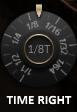
            @David-Healey today I learned how to edit knobs in knobman. knob jumping through actual values is much better looking than a normal 0-10 scale like in the original5a357cd1-2fa5-4ea1-b884-96512c3da37b-image.png

            I'm addicted to it right now

            1 Reply Last reply Reply Quote 1
            • S
              svkpowa @David Healey
              last edited by

              @David-Healey

              A little update.

              I plotted 16 VSTs with all 23 (46) knobs, with automation on every channel, playing like 50+ sounds at the same time, and nothing happened - for three hours of work I didn't even have a single RAM glitch, which is sometimes happening on a single channel with Serum, for example...

              HISE is wonderful and perfectly optimized, so my way on displaying values is doing great. Editing knob's value is also very comfortable, you don't need to try hard to twist on the exact number you want.

              Thanks for your help David!

              ChazroxC 1 Reply Last reply Reply Quote 1
              • ChazroxC
                Chazrox @svkpowa
                last edited by Chazrox

                @svkpowa That was a major hack job tho tbh. You can do it a lot easier with script and a label. End user would never know the difference but just for your own sanity a simple script would have worked. There are enough posts about it floating around the forum to help you figure it out.

                David HealeyD 1 Reply Last reply Reply Quote 0
                • David HealeyD
                  David Healey @Chazrox
                  last edited by

                  @Chazrox said in Show value on knob, but not editable:

                  You can do it a lot easier with script and a label.

                  If you're going to add a label for each knob might as well add a knob for each knob. There's no real benefit.

                  Free HISE Bootcamp Full Course for beginners.
                  YouTube Channel - Public HISE tutorials
                  My Patreon - HISE tutorials

                  1 Reply Last reply Reply Quote 1
                  • ChazroxC
                    Chazrox @svkpowa
                    last edited by Chazrox

                    @David-Healey @svkpowa I was referring to this Spire example you posted which only needs one label no? js.

                    1 Reply Last reply Reply Quote 0
                    • First post
                      Last post

                    91

                    Online

                    2.2k

                    Users

                    13.5k

                    Topics

                    117.5k

                    Posts