How do I remove or mask out sections of a path?
-
namespace UILFOPlotter
{

    const lfoPlotters = [
        Content.getComponent("PlotterLFO1"),
        Content.getComponent("PlotterLFO2"),
        Content.getComponent("PlotterLFO3")
    ];

    reg laf = undefined;

    inline function init()
    {
        laf = UILAF.ids.LFOPlotter;

        if (laf != undefined)
        {
            laf.registerFunction("drawAnalyserBackground", function(g, obj)
            {
                g.fillAll(UIColours.modPanelBackground);
            });

            laf.registerFunction("drawAnalyserGrid", function(g, obj)
            {

            });

            laf.registerFunction("drawAnalyserPath", function(g, obj)
            {
                g.setColour(UIColours.modLFOLine);

                // draw the analyser path as a stroked line instead of a filled area
                g.drawPath(obj.path, obj.area, 2.0);
            });
        }

        for (plotter in lfoPlotters)
        {
            plotter.setLocalLookAndFeel(laf);
            plotter.set("itemColour3", 0);
            plotter.set("bgColour", 0);
            plotter.set("itemColour", 0);
            plotter.set("itemColour2", 0);
            plotter.set("textColour", 0);
        }
    }
}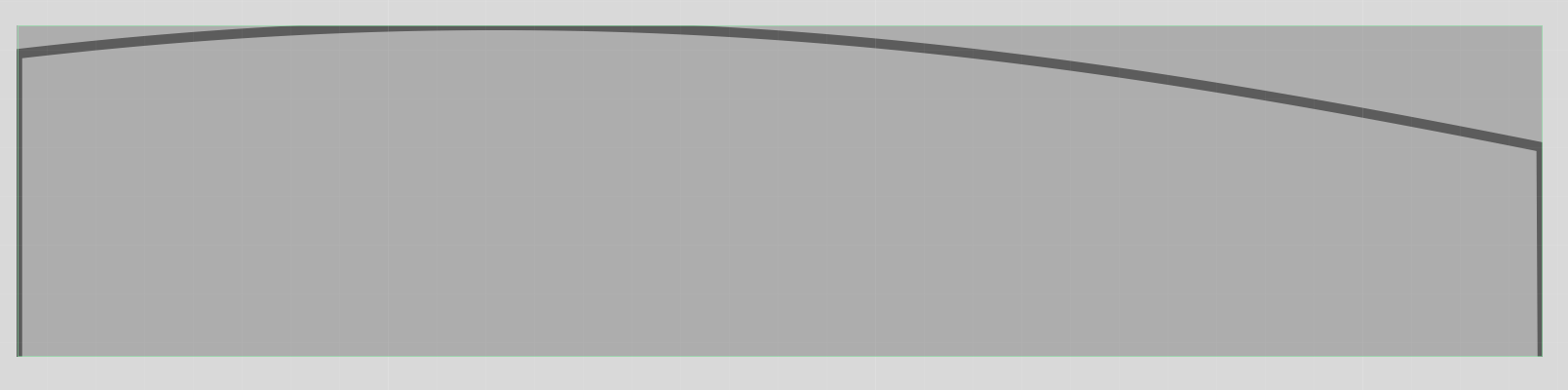
I have a floating tile set to plot the output of an LFO. I am setting up a look and feel and I'm registering the drawAnalyserPath function. As you can see it is working, but the drawn path has two issues:
1 - It draws too far on the vertical axis; meaning my line gets clipped by the bounding box of the panel.
2 - It draws the, presumably zero, data points at the far left and far right edges of the panel.How can I fix these two issues?
Musician - Instrument Designer - Sonic Architect - Creative Product Owner
Crafting sound at every level. From strings to signal paths, samples to systems. -
Oh... wait... I get it.... tweak the draw area for the vertical fix, and draw coloured boxes over the edges to mask it all out.
laf.registerFunction("drawAnalyserPath", function(g, obj) { var a = obj.area; var stroke = 2.0; var pad = 2; var a2 = [ a[0], a[1] + pad, a[2], a[3] - 2*pad ]; g.setColour(UIColours.modLFOLine); g.drawPath(obj.path, a2, stroke); var cover = 4; g.setColour(UIColours.modPanelBackground); g.fillRect([a[0] - cover, a[1] - 1, cover * 2, a[3] + 2]); g.fillRect([a[0] + a[2] - cover, a[1] - 1, cover * 2, a[3] + 2]); }); -
@Orvillain I put the floating tile inside a panel then resize and offset the plotter.
Panel = 180x50
Plotter = 182x48 at x,y -1,1Making the plotter wider by 2px and shifting left by 1px cuts off the lines down to zero on each side.
Making the plotter 2px shorter than the panel and sitting it 1px down on the y stops the curve cutting off at the top and bottom.
HISE dev latest / herdr + Claude Code / Figma + Affinity
Meat Beats: https://meatbeats.com
Klippr Video: https://klippr.video -
@dannytaurus Pretty similar to my fix above too. I just wanted a LAF solution rather than another panel hierarchy!
-
@Orvillain You can set up the hierarchy in your script I guess. Then at least you have it all in one place.

