Stock Table Upgrade?
-
@Christoph-Hart I searched for as long as I could, but I couldn't find how to reset the points, their position, and/or the tension between them. It would be nice to be able to set a modifier key if this is not the case.
-
@It_Used
I am not in front of my computer but there is a .reset() function. -
@Oli-Ullmann Thanks
-
@Christoph-Hart The tables really, really need an update
All value currently set above 85% are shifting up at each mouse click !

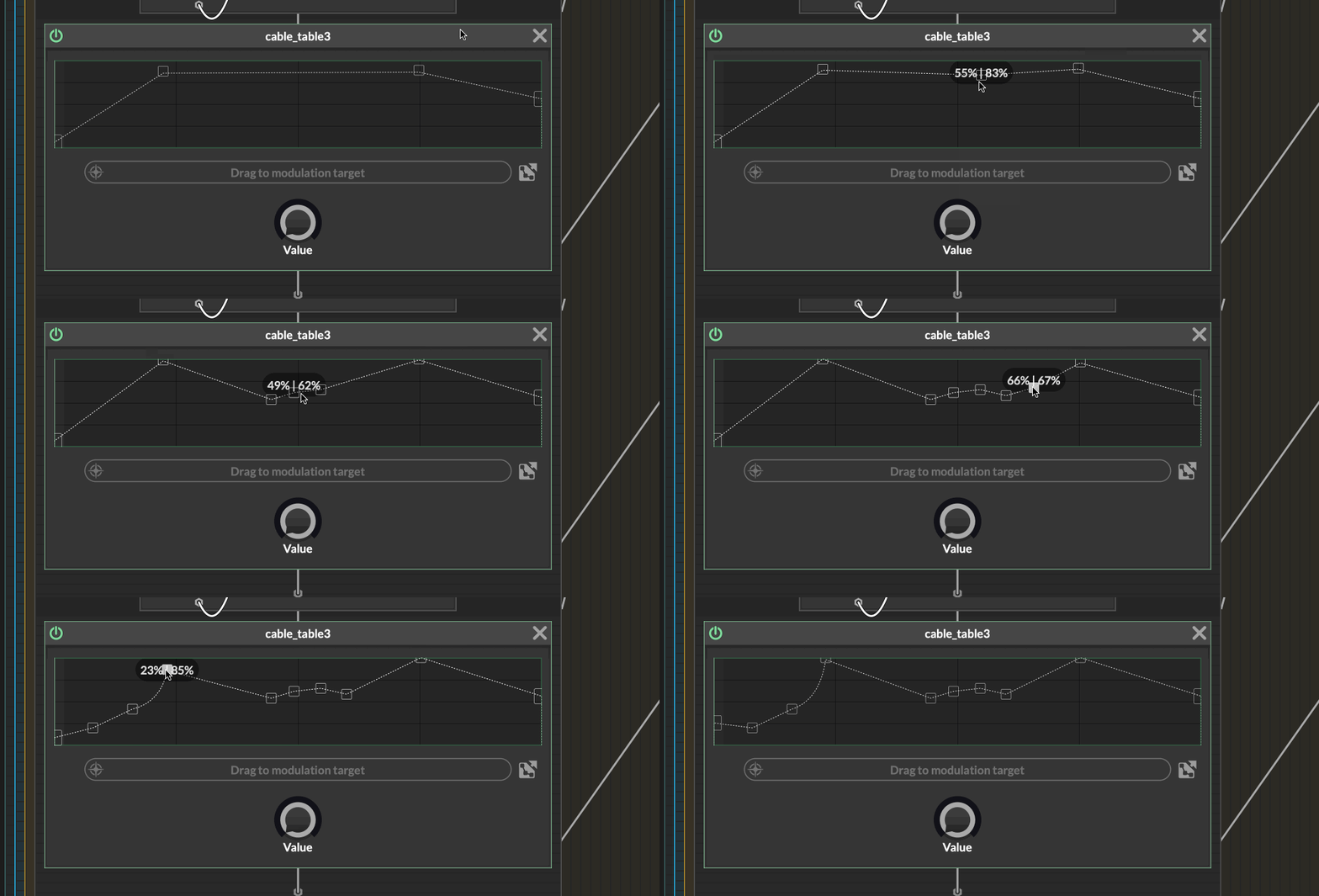
And setting the value is so rough, often jumping by 2% with no possibilities to get more precision.
This is making me think
-
What about the possibility of opening all current point in an array/table like popup so we can edit the point numerically?
-
Or expand the area for more precision? (or popup)
-
would it be possible to show the values with a custom range (even if 0-1 behind the scene) so we would be able for instance to set frequencies or gains precisely?
A table for the real guys

Of course all of that can be made from the UI, but when you design a network, you might not have/need a connection. And I can't imagine making a connection, dropping the table because you make another design choice, put back a table because, well, wasn't so bad...
 In short, network design is no time for creating a UI connection + script just for testing things...
 -
-
@Christoph-Hart Considering my post right above about the issues and limitation of the scriptnode table, could the upgraded UI table be ported to scriptnode with at least a default behaviour if a customisable one isn't convenient to add?
Linking a UI table for each one we want in scriptnode is not really an option so much it is cumbersome during development...