Forum
    • Categories
    • Register
    • Login

    Export Error - JUCE VST3 Wrapper

    Scheduled Pinned Locked Moved General Questions
    27 Posts 3 Posters 4.1k Views
    Loading More Posts
    • Oldest to Newest
    • Newest to Oldest
    • Most Votes
    Reply
    • Reply as topic
    Log in to reply
    This topic has been deleted. Only users with topic management privileges can see it.
    • trillbillyT
      trillbilly @David Healey
      last edited by

      @d-healey OK.

      Right Now my tools/sdk folder looks like this.

      ASIOSDK2.3
      VST3 SDK
      sdk.zip

      I deleted the VST3 SDK folder, leaving my tools/sdk folder looking like:

      ASIOSDK2.3
      sdk.zip

      When I try to export like this, it says "VST SDK File Is Missing"

      David HealeyD orangeO 2 Replies Last reply Reply Quote 0
      • David HealeyD
        David Healey @trillbilly
        last edited by

        @trillbilly

        When I try to export like this, it says "VST SDK File Is Missing"

        So a different error to the previous one?

        1 Reply Last reply Reply Quote 0
        • orangeO
          orange @trillbilly
          last edited by orange

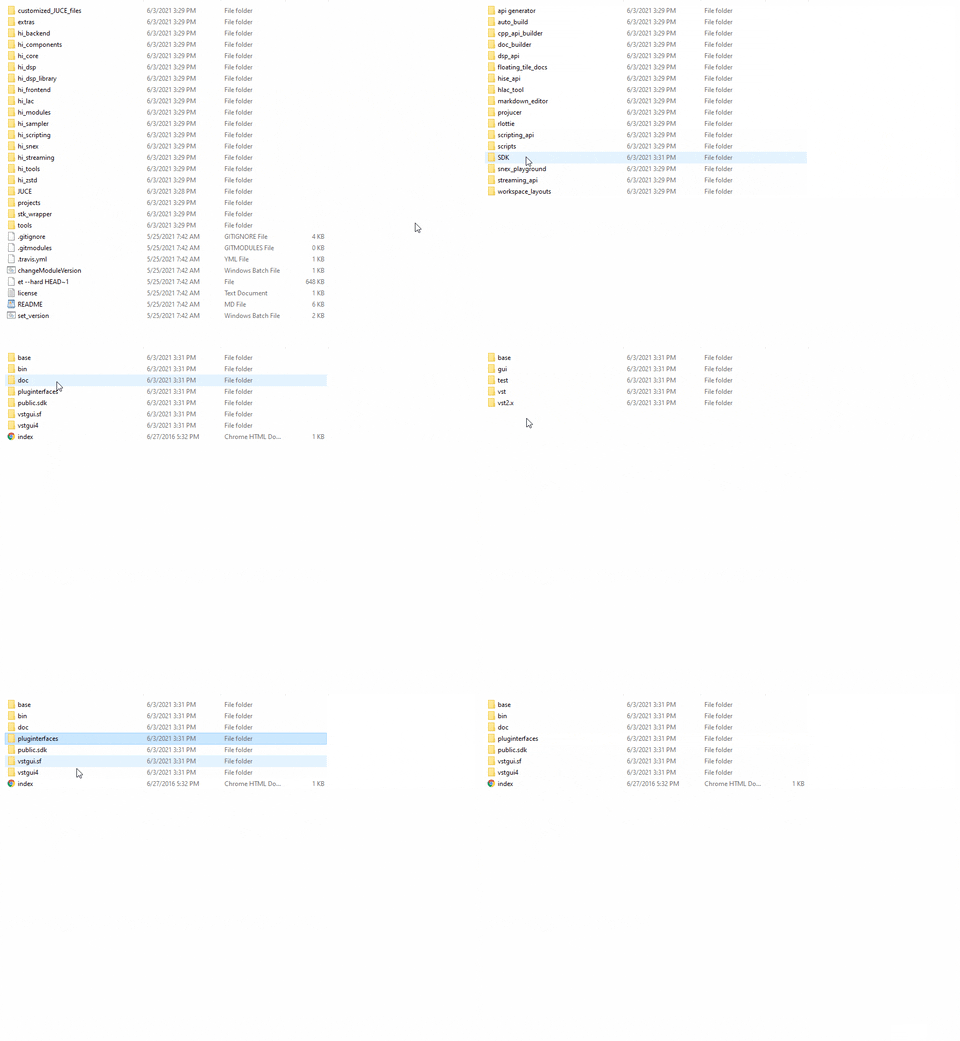
          @trillbilly Go to the VST3 SDK folder, do you see this structure? You should see "pluginterfaces" folder and it's folder structure like this:
          alt text

          develop Branch / XCode 13.1
          macOS Monterey / M1 Max

          David HealeyD trillbillyT 2 Replies Last reply Reply Quote 0
          • David HealeyD
            David Healey @orange
            last edited by David Healey

            @orange

            Go to the VST3 SDK folder, do you see this structure

            No, that's for VST2, he's exporting VST3 which doesn't use that folder. It uses the SDK that comes with JUCE that's in JUCE/modules/juce_audio_processors/format_types

            You do not need the VST3 SDK in the tools/sdk folder.

            orangeO 1 Reply Last reply Reply Quote 0
            • orangeO
              orange @David Healey
              last edited by orange

              @d-healey Are you sure?

              If you see the error it says this:

              error C1083: Cannot open include file: 'pluginterfaces/vst2.x/vstfxstore.h': No such file or directory
              

              So it means the pluginterfaces folder in JUCE SDK?

              develop Branch / XCode 13.1
              macOS Monterey / M1 Max

              David HealeyD 1 Reply Last reply Reply Quote 0
              • David HealeyD
                David Healey @orange
                last edited by

                @orange Ignore me. Apparently that folder needs to be there before HISE will let you export. But it isn't used when exporting VST3 as far as I know. @Christoph-Hart ??

                1 Reply Last reply Reply Quote 0
                • David HealeyD
                  David Healey @trillbilly
                  last edited by

                  This post is deleted!
                  1 Reply Last reply Reply Quote 0
                  • trillbillyT
                    trillbilly @orange
                    last edited by

                    @orange it looked a little different as I had downloaded the newest SDK. It had some extra folders but everything else looked the same.

                    @d-healey Thanks for the Password. Now that I am able to use the included sdk.zip contents, it has completed an export of VST3.

                    The help is much appreciated!

                    David HealeyD 1 Reply Last reply Reply Quote 2
                    • David HealeyD
                      David Healey @trillbilly
                      last edited by David Healey

                      @trillbilly said in Export Error - JUCE VST3 Wrapper:

                      I had downloaded the newest SDK.

                      Steinberg no longer provides the VST2 SDK.

                      @Christoph-Hart You need to remove the requirement to have the VST2 SDK present to be able to export.

                      Done https://github.com/christophhart/HISE/pull/216 :)

                      trillbillyT 1 Reply Last reply Reply Quote 1
                      • trillbillyT
                        trillbilly @David Healey
                        last edited by

                        @d-healey Ahhhh, I see now. Thanks again, all seems well on Windows. My Mac Mini is another story though. I'll be scouring the forum today for some answers!


                        1 Reply Last reply Reply Quote 0
                        • First post
                          Last post

                        40

                        Online

                        2.1k

                        Users

                        13.0k

                        Topics

                        113.1k

                        Posts