Does everyone turn HISE_COMPLAIN_ABOUT_ILLEGAL_BUFFER_SIZE off?
-
@dannytaurus said in Does everyone turn HISE_COMPLAIN_ABOUT_ILLEGAL_BUFFER_SIZE off?:
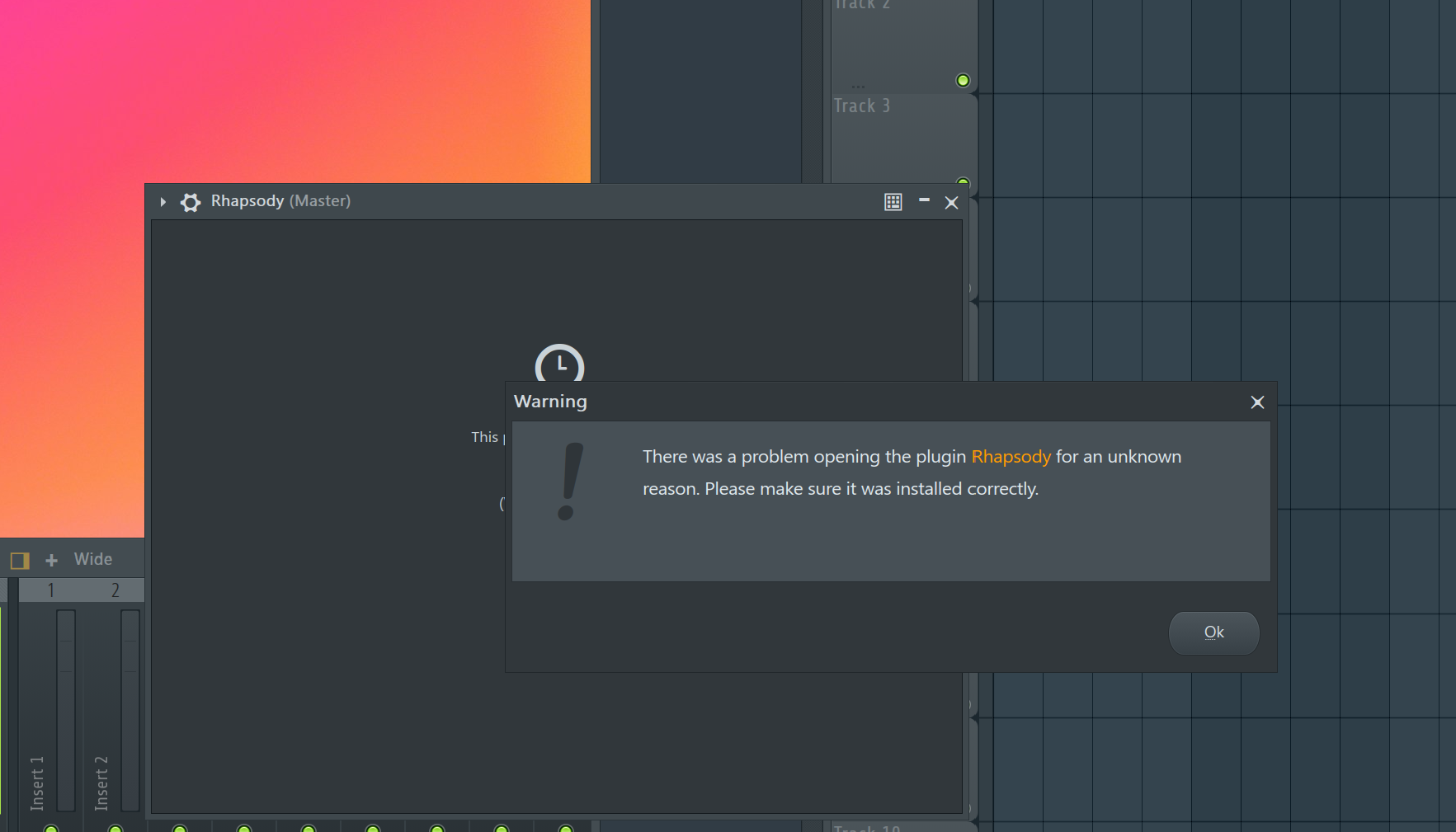
I just tested Rhapsody in FL and it didn't show the UI-blocking message. I wonder why?
I don't see it either. FL Studio is so temperamental, I have another user who gets this
Free HISE Bootcamp Full Course for beginners.
YouTube Channel - HISE tutorials
My Patreon - More HISE tutorials -
FL Studio is so temperamental
Ugh, indeed. And not really something I can ignore.
I just did a user survey and FL Studio users are 8%, third largest after Live 61% and Logic 14%.
HISE dev latest / herdr + Claude Code / Figma + Affinity
Meat Beats: https://meatbeats.com
Klippr Video: https://klippr.video -
Here's a tiny PR that sets the macro to zero by default for instrument plugins.
If you set it yourself in the plugin preprocessors, that will override this default, so it's safe.
It uses the confusingly named
FRONTEND_IS_PLUGIN(which returns false for instruments ).
).https://github.com/christophhart/HISE/pull/1039
In 2022 Christoph said:
I fixed this recently so now it should cope with any buffer size you throw at it (with a slight performance hit at weird buffer sizes). You can safely deactivate the macro.
https://forum.hise.audio/post/59057Since then the standard forum answer has been to set the macro to 0 (for example 8478, 12569).
HISE dev latest / herdr + Claude Code / Figma + Affinity
Meat Beats: https://meatbeats.com
Klippr Video: https://klippr.video -
@dannytaurus I've noticed your Claude commits have a lot of comments. I've told mine to minimise them so it doesn't bloat the commits. Most of the time no comments are needed or only a single line.
Free HISE Bootcamp Full Course for beginners.
YouTube Channel - HISE tutorials
My Patreon - More HISE tutorials -
@David-Healey I like plenty of context in the commit and PR so they stand alone and I don't need to remember what caused it, why I fixed it, and what options we discarded.
What do you mean by 'bloat'? A couple hundred more bytes of text?
HISE dev latest / herdr + Claude Code / Figma + Affinity
Meat Beats: https://meatbeats.com
Klippr Video: https://klippr.video -
@dannytaurus said in Does everyone turn HISE_COMPLAIN_ABOUT_ILLEGAL_BUFFER_SIZE off?:
What do you mean by 'bloat'? A couple hundred more bytes of text?
When I'm reading through code I find comments get in the way, I lean more towards self documenting code. In general the HISE codebase is self documenting with very few comments, but sometimes a line or two can help. I think the commit message provides more detailed context when needed.
Free HISE Bootcamp Full Course for beginners.
YouTube Channel - HISE tutorials
My Patreon - More HISE tutorials -
@David-Healey Oh, you mean comments in the code! I thought you were talking about commit and PR messages.
I checked the comments in my last two PRs and stand by them. I feel both require more explanation than the code alone provides.
With confusingly named stuff like
FRONTEND_IS_PLUGINyou have to write a comment, because that macro name is the very opposite of self documenting code!
And FL Studio is a special case where the UI warning message is misleading because FL provides per-plugin buffer sizes.
I'll ask Claude to keep comments restricted to explaining non-obvious or contradictory things.
-
@David-Healey Done

- ABSOLUTE RULES now has a MINIMAL CODE COMMENTS entry. It says to comment only what is non-obvious, contradictory, or missing from self-documenting code, to keep needed comments to one line, and to point at the forum topic or GitHub issue/PR for more context.
- Comments & Documentation under Code Style carries the detail with three examples. The FL Studio comment from PR 1040 and the instrument-plugin note beside the confusingly named macro in PR 1039 are listed as good comments. The multi-line host-echo paragraphs from PR 1037 are listed as too much, with the one-line-plus-reference guidance. It also bans comments that restate code, narrate control flow, mark edits, or leave investigation notes behind.
-
I just had another user run into an issue on FL Studio. Again the solution was the troubleshooting tab. Definitely something that seems to be unique to HISE plugins.
Free HISE Bootcamp Full Course for beginners.
YouTube Channel - HISE tutorials
My Patreon - More HISE tutorials -
@David-Healey What was the issue?
HISE dev latest / herdr + Claude Code / Figma + Affinity
Meat Beats: https://meatbeats.com
Klippr Video: https://klippr.video -
@dannytaurus Keeps crashing apparently, didn't get much detail. He (or perhaps an AI he used) found the same solution as the other guy though:
Open Rhapsody and at the top open the Gear icon then the Plugin/Gear icon.
Click on the Troubleshooting tab right next to Processing at the top of that window.
In FL Studio 2026, Image-Line moved Use fixed size buffers into that Troubleshooting tab. Once you click it, you will see a toggle switch labeled Use fixed size buffers.
Turn that switch ON. If a warning popup appears asking to confirm, click OK/Yes.In the Processing tab, turn Allow threaded processing OFF (click the orange light next to it so it goes dark). Disabling multithreading on this specific wrapper stops HISE-based plugins like Rhapsody from throwing buffer exceptions during playback.
-
So in the end is this fixed with
HISE_COMPLAIN_ABOUT_ILLEGAL_BUFFER_SIZE=0or the issue persists?If this flag becomes mandatory then it should simply be the default behaviour...


