[Tutorial] How to Multiband in Scriptnode (without artefacts!)
-
I’ve seen a few people try to build multiband chains in ScriptNode and run into the same problem:
The filters look like they are splitting bands correctly,
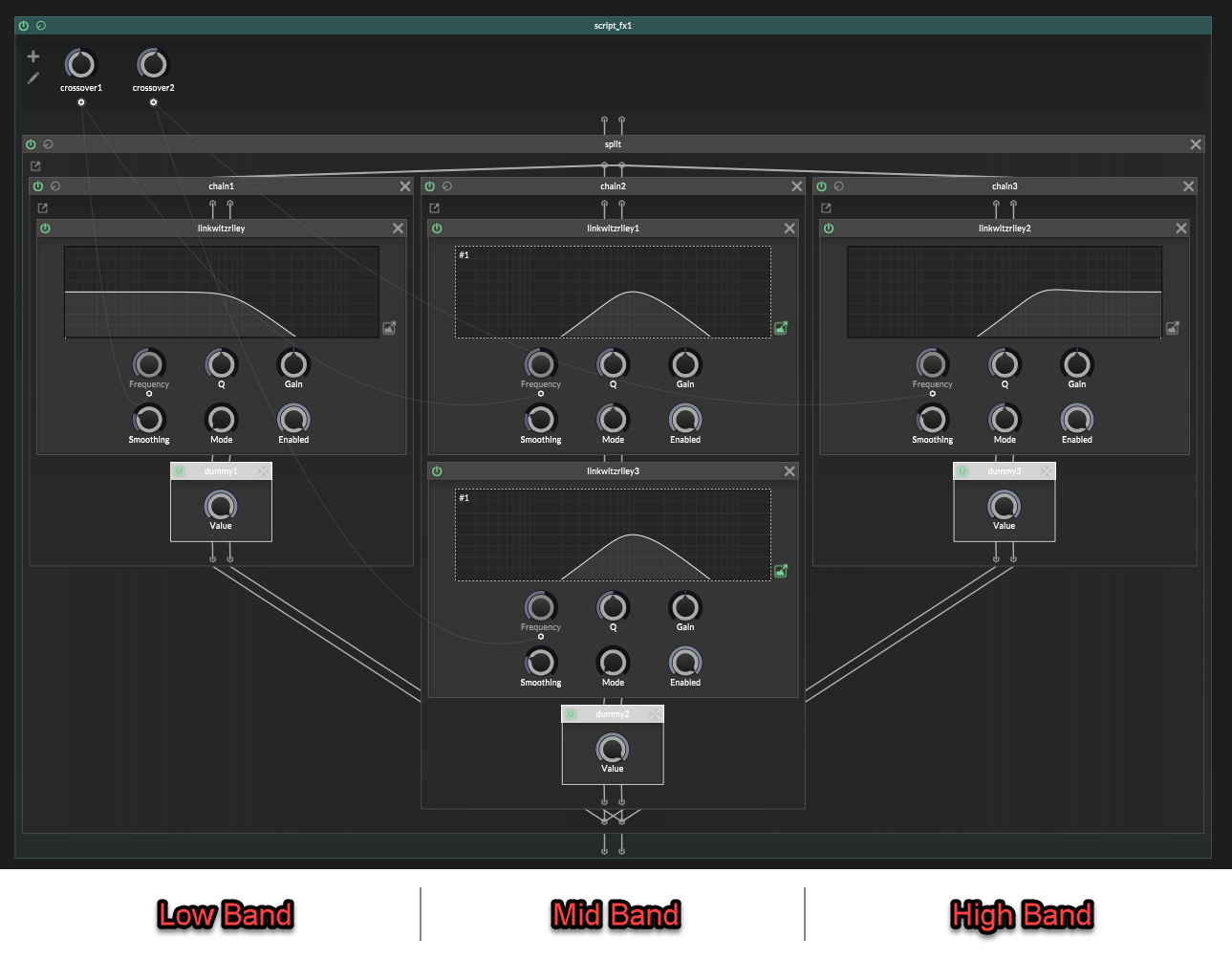
(image note: the middle band filters are a highpass node followed by a lowpass node, they share a linked filter display which is why they both look like a bandpass on the display. That's a drawing of the combined response, but it's actually a separate lowpass and highpass node)
but when you sum them back together the sound gets hollow.
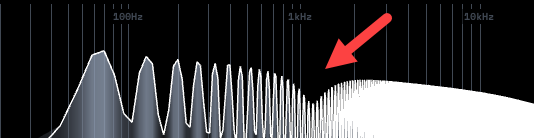
The spectrum has a dip!It is phase cancellation.
I actually do have my own custom multiband node for this, that handles everything automatically, with higher quality filters that can be modulated without glitches. And I’ll be releasing that to the forum for free in the future.
But until then:
It's actually possible to make a basic splitter in Hise using stock effects.
So without further ado, lets begin : )The mistake
A multiband splitter does not work if you just:
- lowpass for the low band
- bandpass for the middle band
- highpass for the high band
- then sum everything back together
That looks logical, but the filters are not only changing volume.
They are also changing phase.
So when the bands recombine, your signals are out of phase with each other and don't add together properly. Part of the signal cancels out and you get a frequency dip.
That is the hole.
Building a perfect multiband in ScriptNode
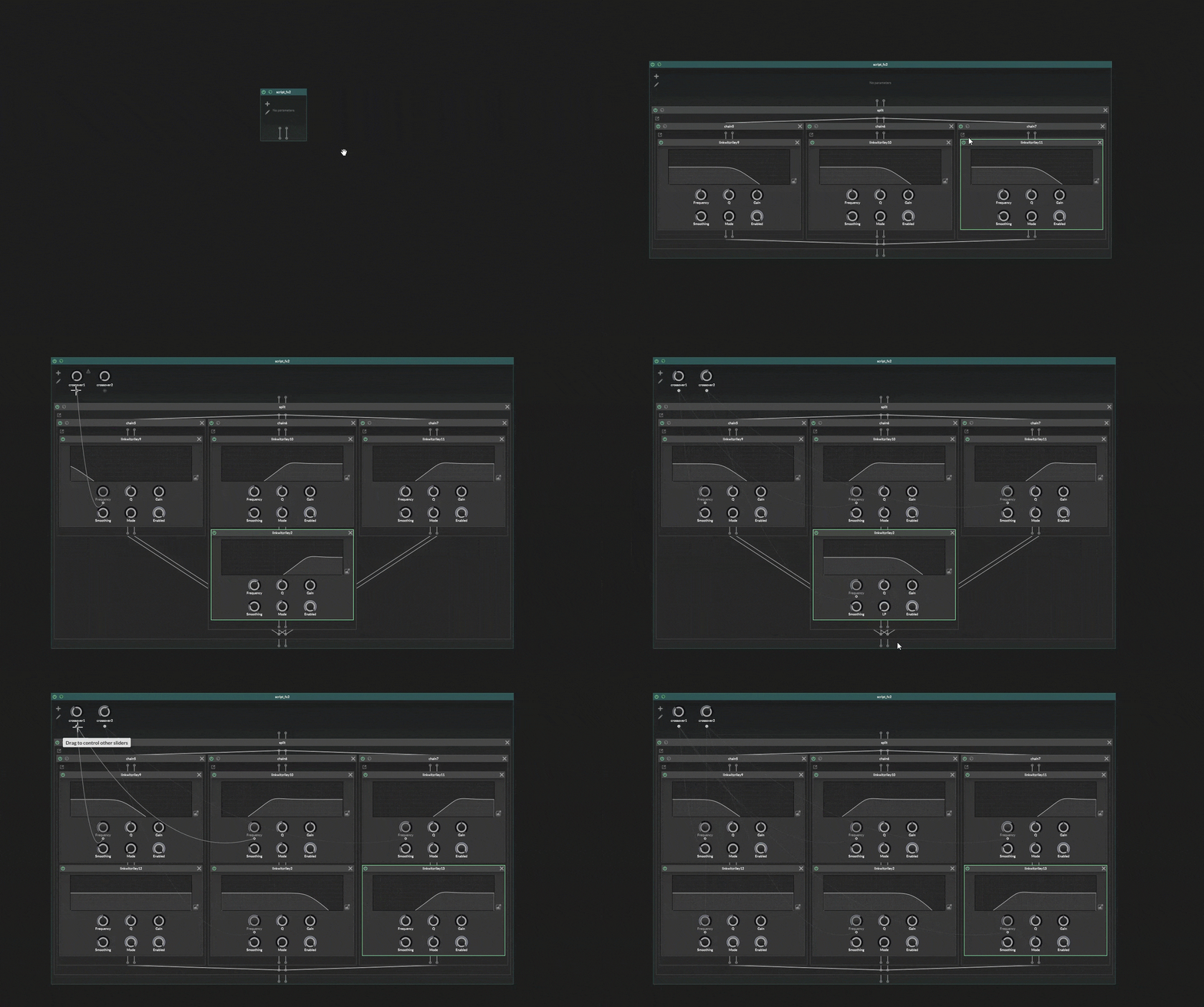
Use Linkwitz-Riley filters for the crossover split. In HISE, that means
jdsp.jlinkwitzriley.In Linkwitz-Riley the LP and HP modes are designed to add back together cleanly when they use the same crossover frequency.
For 2 bands, it's easy.
For more than 2 bands, you also need AP mode.
That is where the annoying part begins.
The simple case: 2 bands
A 2-band splitter is just one matched crossover.
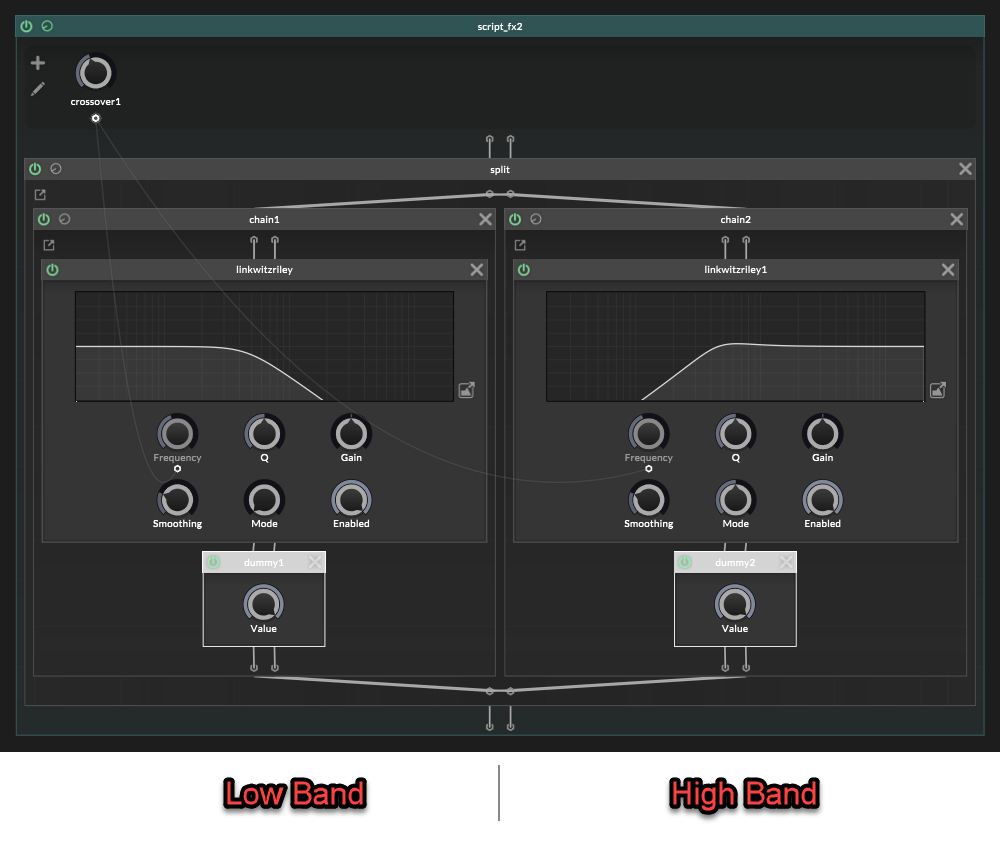
That gives you:
Low:
LP 1

High:
HP 1
Both filters use the same crossover frequency.
Nice and clean. No phase artefacts yet.
The hard case: more than 2 bands
The 2-band split is easy because there is only one crossover.
(One side gets LP 1, the other side gets HP 1, and they are a matched pair).With 3 bands or more, it's different.
This is where the simple setup breaks.Lets use 3 bands as an example.
With 3 bands there are two crossovers: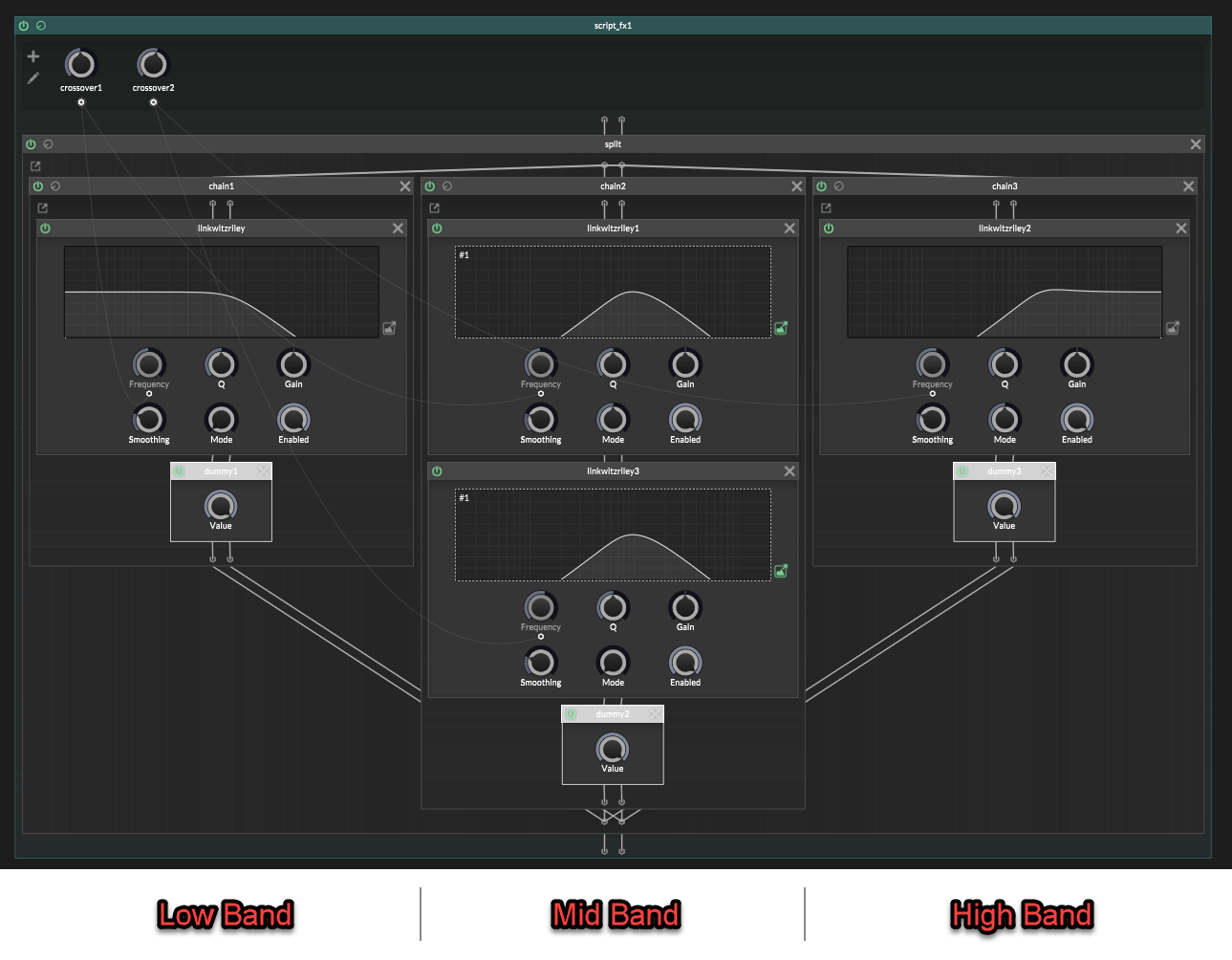
It is tempting to think this is correct:
Low:
LP 1

Mid:
HP 1 -> LP 2

High:
HP 2
That looks reasonable at first glance.
Low is lowpassed.
Mid is between the two crossovers.
High is highpassed.But the paths are not phase equivalent anymore.
Filters affect phase, so if one band gets shifted differently from the others, the bands will not line up properly when summed:
In a 3 band multiband split, we have two crossovers.
The mid band has already gone through two crossover filter stages:Mid: HP 1 -> LP 2But the low and high bands have only gone through one crossover filter stage each.
That is the mismatch.The mid band has been shaped by crossover filter 1 and crossover filter 2, so its phase has moved through both filter stages.
But In the naïve version, the high band is only:
High:
HP 2
That skips crossover 1 completely.
We need both crossovers to be represented.
So the high band should be:
High:
HP 1 -> HP 2
Not because we want to “highpass it twice” for the sound, but because the high band still needs the phase from crossover 1 and well as crossover 2.
The low band has the opposite problem.
It has crossover 1 already:
Low:
LP 1
But it does not have crossover 2 at all.
We do not want to filter the low band with
LP 2orHP 2, because that would change the low band itself.We only want it to carry the phase movement from crossover 2.
That is what an allpass is for in this situation:
Low:
LP 1 -> AP 2
Now the full 3-band layout is:
Low:
LP 1 -> AP 2

Mid:
HP 1 -> LP 2

High:
HP 1 -> HP 2
This is the correct layout to copy.
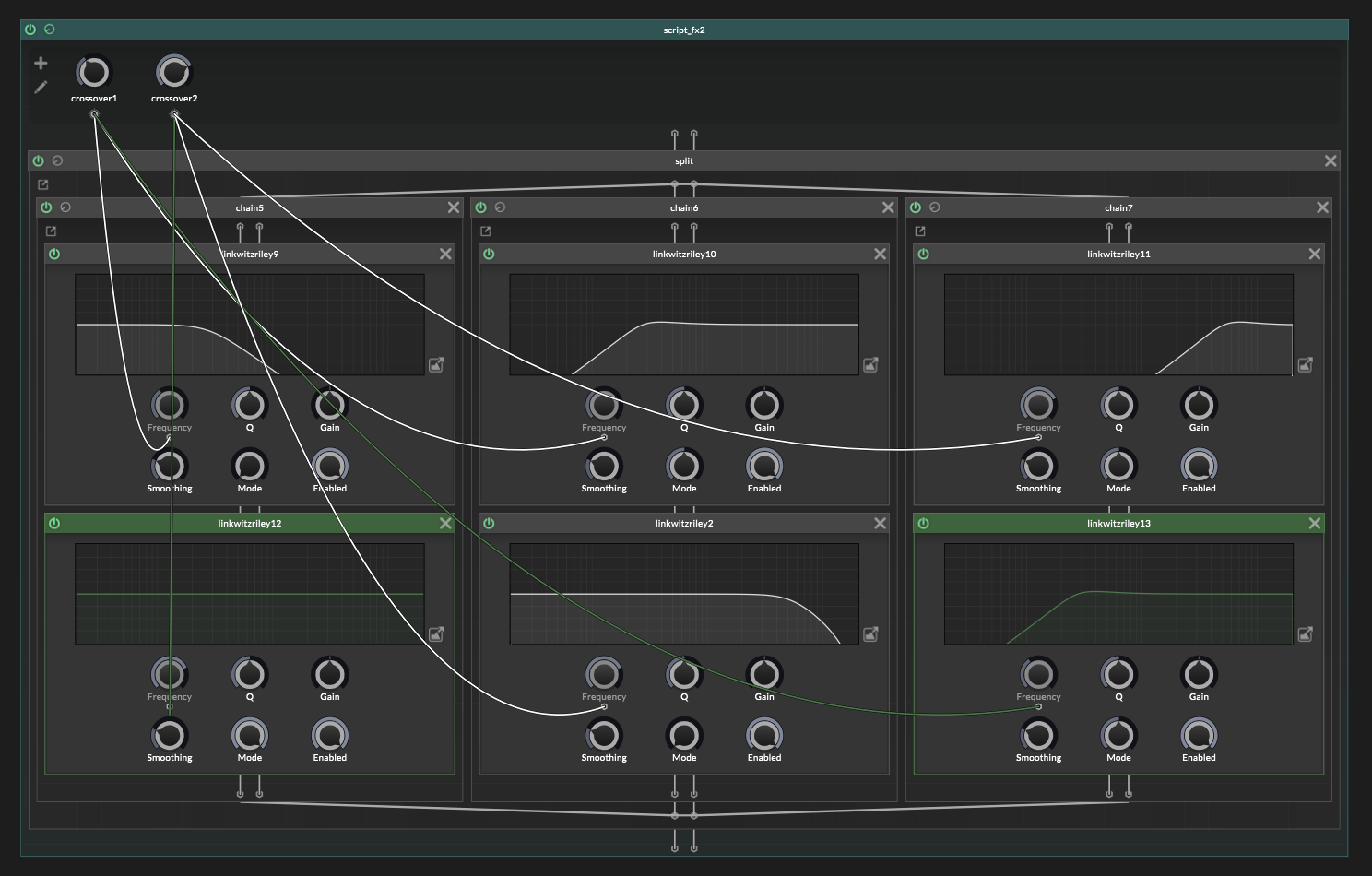
The allpass is not changing the frequency balance. It is just giving the low path the same phase movement from crossover 2, so everything adds back together properly.
No more frequency dip! : )
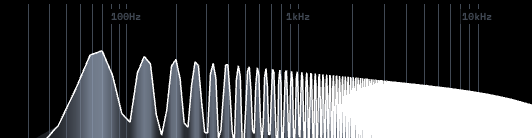
Add your effects after the splitter
Once the splitter is correct, add whatever effects you wanted to apply to each band, after the crossover nodes.
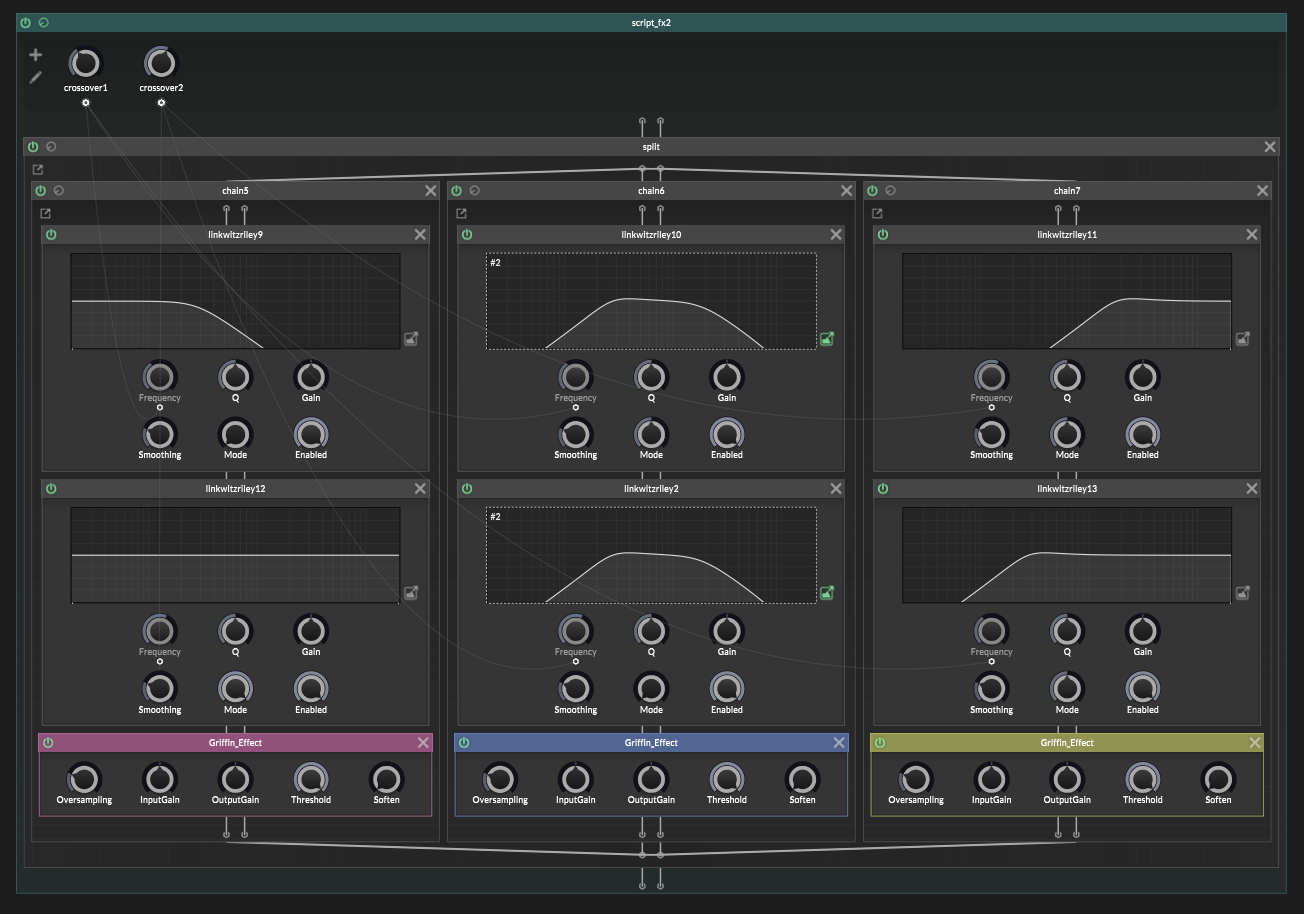
The generic recipe
Once you understand the 3-band version, the bigger versions are just more of the same.
The practical way to do this is to work band by band.
Each band is one branch in your
container.split.For each band, you need as many
jdsp.jlinkwitzrileyfilters as crossover frequencies.So if you want 6 bands, that means you'll have 5 crossovers, and so each branch should have 5 Linkwitz-Riley filters placed inside it.
The filter modes change depending on which band you are making.
For Band "X":
- add HP filters for every crossover before Band "X"
- add LP for the crossover at the top of Band "X"
- add AP filters for every crossover above Band "X"
The top band is the only exception.
It has no top cutoff, so it is just HP for every crossover.
Lets do an example with a 6-band splitter.
A 6 band splitter has 5 crossovers, so needs 5 filters on each band:Band 1: LP 1 -> AP 2 -> AP 3 -> AP 4 -> AP 5 Band 2: HP 1 -> LP 2 -> AP 3 -> AP 4 -> AP 5 Band 3: HP 1 -> HP 2 -> LP 3 -> AP 4 -> AP 5 Band 4: HP 1 -> HP 2 -> HP 3 -> LP 4 -> AP 5 Band 5: HP 1 -> HP 2 -> HP 3 -> HP 4 -> LP 5 Band 6: HP 1 -> HP 2 -> HP 3 -> HP 4 -> HP 5The HP filters get set to the frequency of the band above the lower crossovers.
The LP filter gets set to the frequency of the top edge of that band.
The AP filters are only phase compensation for the higher crossovers and so need those frequencies.
The rule is not hard.
But the bookkeeping is a bit fiddly.
One last trap
A Linkwitz-Riley multiband split does sum back flat, but it is not phase-identical to the untouched dry signal.
So be careful with global dry/wet mixing:
untouched dry signal
+
recombined multiband signal
That can create a new cancellation problem after you already fixed the splitter.
For parallel multiband effects, either mix dry/wet inside the bands, or send the dry path through the same crossover phase path.
And that's it!
A native ScriptNode multiband splitter, without the giant spectral bite taken out of it.Viola : )
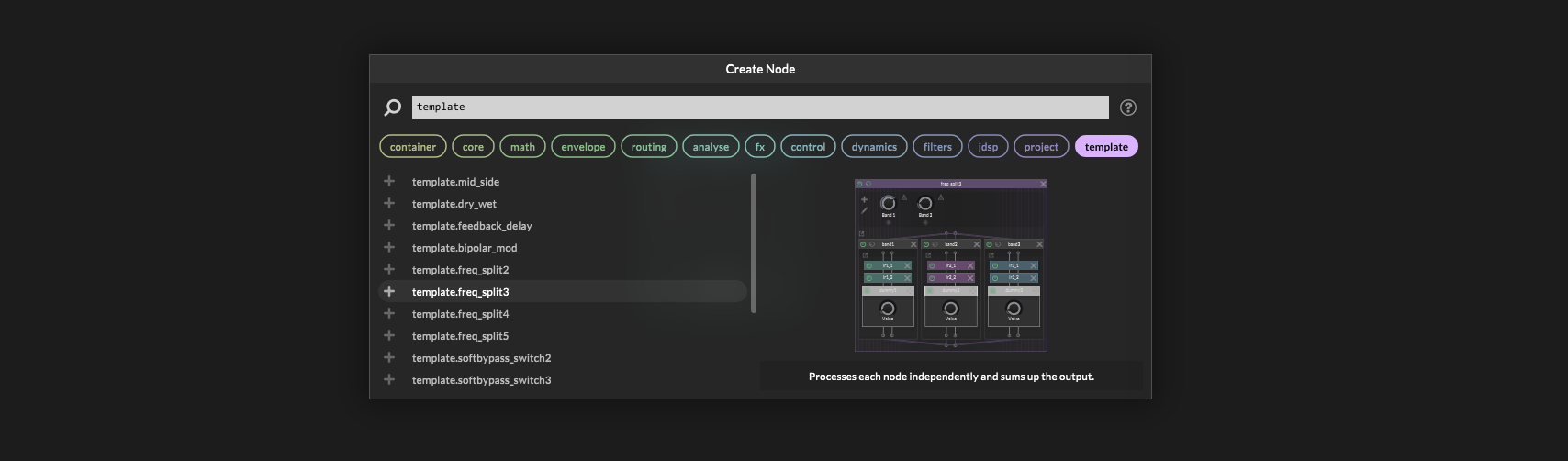
Extra note: HISE actually has some built-in templates for splitting, but they are set up wrong with mistakes, and so they don't sum together properly!
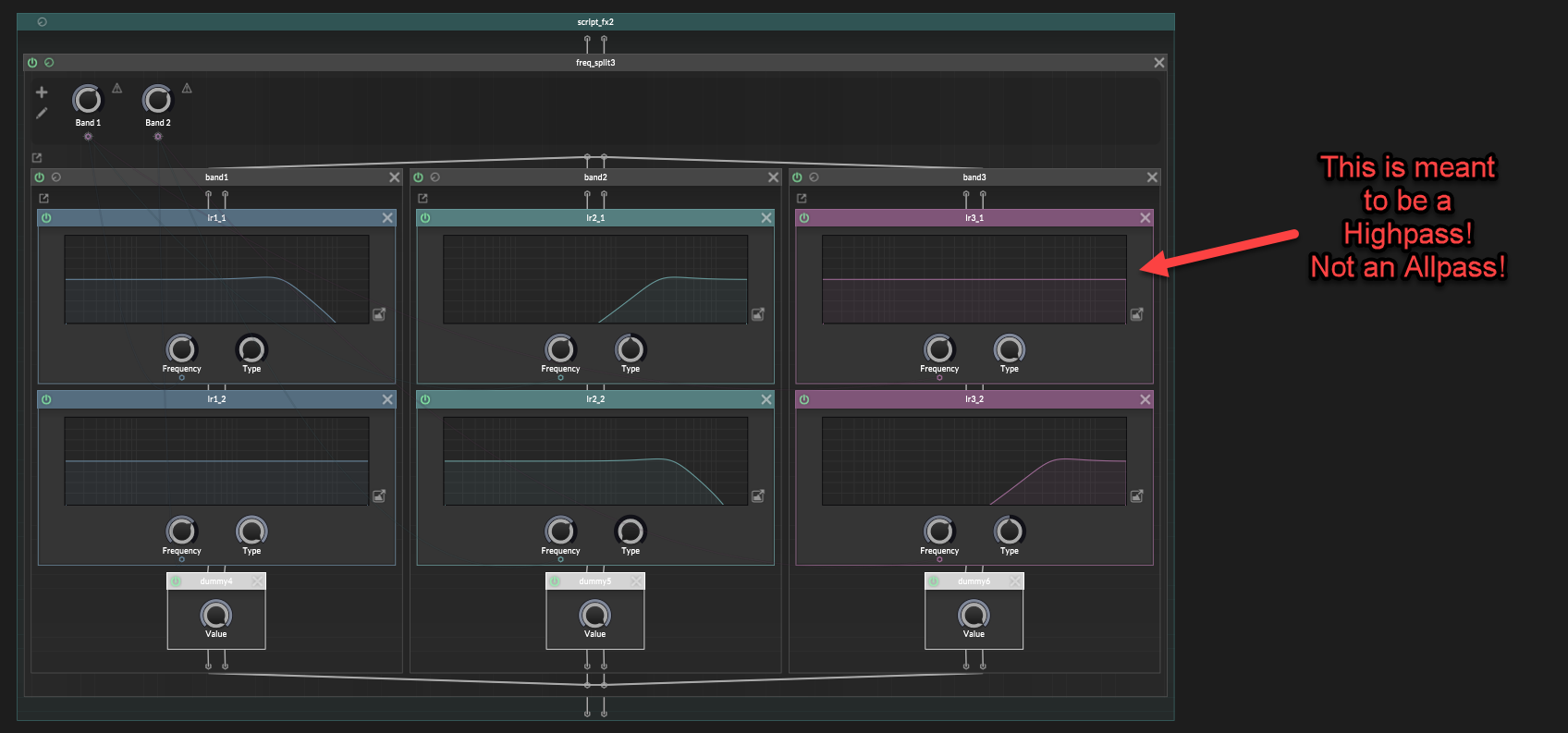
Also, Hise's Linkwitz-Riley filters aren't using modulation safe designs.
So if you modulate the crossovers you'll get some pretty bad pops and clicks. This isn't due to parameters needing smoothing. This is to do with the way the filters are written internally. -
@griffinboy Great stuff!

HISE dev latest / herdr + Claude Code / Figma + Affinity
Meat Beats: https://meatbeats.com
Klippr Video: https://klippr.video -
@dannytaurus
I fear I might have explained it badly - only after I started writing this article did I realise how difficult it was to put into words!Luckily, Chat GPT exists, and anybody who doesn't have a clue what I'm trying to explain, can hopefully ask GPT to elaborate a bit : )
-
@griffinboy Ohhh!!! I always thought both Low and High path have to be complemented with an ALLPASS, but apparently not! Disillusion...
Great stuff!

-
Yep! A lot of people get caught out with that.
Because it actually sounds pretty close to correct, if you use an allpass on the high band in the way that Hise's examples do.But rather than getting a notch eaten out of your spectrum, this will cause a little bump instead.
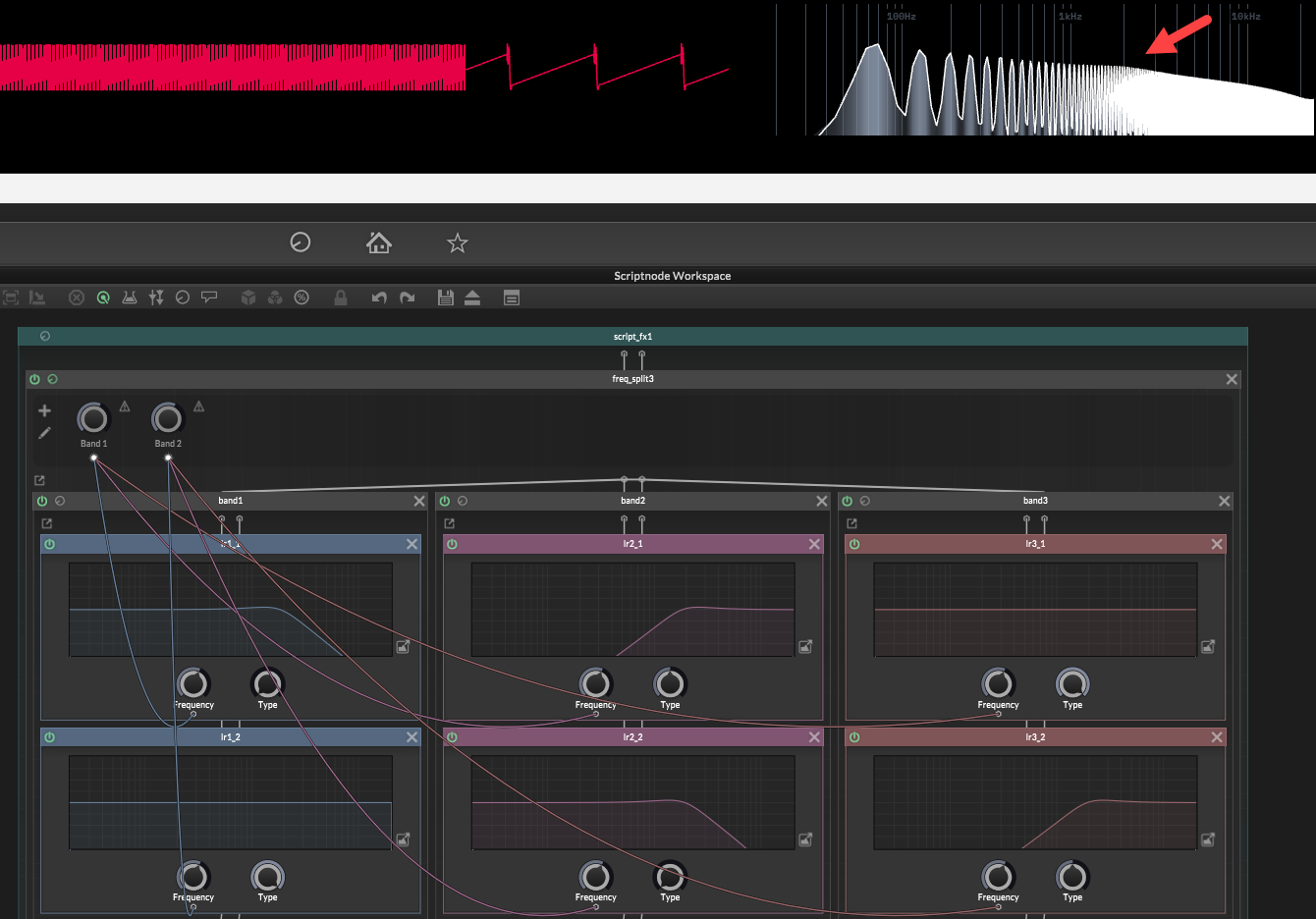
Which is subtle but it still exists. It's most noticeable when you put two crossovers near the same frequency, you get a dB or more bump in the spectrum.


