Can't build AU on macOS Tahoe
-
@xxx said in Can't build AU on macOS Tahoe:
 error: Cycle inside a single target; building could produce unreliable results.
Try a different version of xcode
Free HISE Bootcamp Full Course for beginners.
YouTube Channel - HISE tutorials
My Patreon - More HISE tutorials -
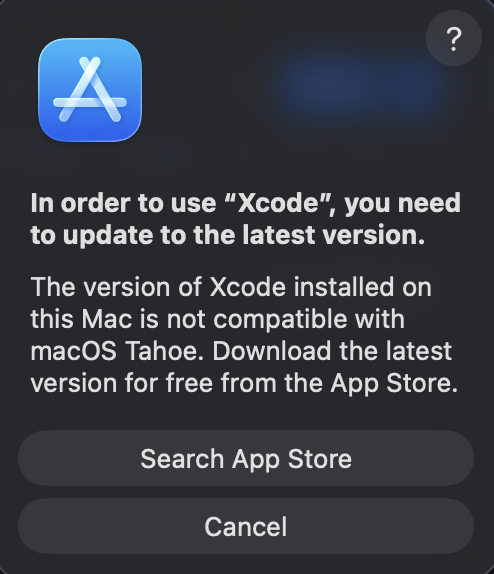
i tried downloading an older version but i guess since i updated to the new macOS i am forced to use the latest version of Xcode

-
@xxx Try here https://xcodereleases.com/
Free HISE Bootcamp Full Course for beginners.
YouTube Channel - HISE tutorials
My Patreon - More HISE tutorials -
i already tried downloading the version i was using before but i get that message ^
-
Free HISE Bootcamp Full Course for beginners.
YouTube Channel - HISE tutorials
My Patreon - More HISE tutorials -
-
@xxx said in Can't build AU on macOS Tahoe:
installing hise
This makes no difference. If your compiling from the same source code then you'll get the same error.
@xxx said in Can't build AU on macOS Tahoe:
i think Xcode 16.4
That's quite an old one. Try just going one down from the latest version, if it lets you. Tahoe was released in September so I suspect it would need to be a version of xcode released after that.
Free HISE Bootcamp Full Course for beginners.
YouTube Channel - HISE tutorials
My Patreon - More HISE tutorials -
@xxx FWIW Xcode 26.1.1 works fine for me, but I'm on Sequoia 15.7.3, not Tahoe.
HISE dev latest / herdr + Claude Code / Figma + Affinity
Meat Beats: https://meatbeats.com
Klippr Video: https://klippr.video -
i gotcha it must be something with Tahoe then . out of ideas :/
-
-
@xxx The Projucer file you need to open is in projects > standalone > Builds > HISE Standalone.jucer
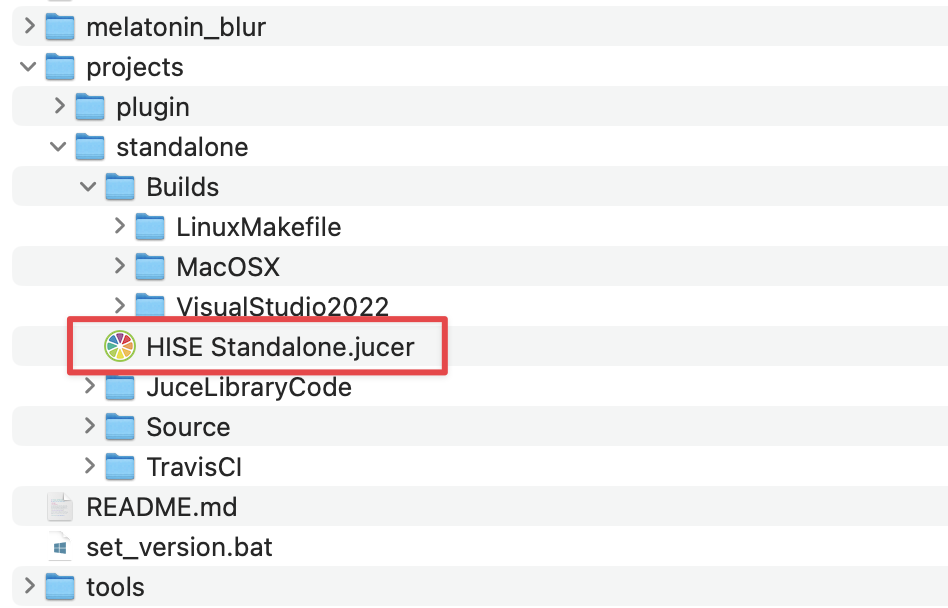
After you've opened that once, and saved it to create the Xcode project, you don't need to open it again to rebuild HISE. You can just launch Xcode and open the recent Xcode from there, and build.
The only time I open the Projucer file is to add/remove preprocessors. Which is rarely.
HISE dev latest / herdr + Claude Code / Figma + Affinity
Meat Beats: https://meatbeats.com
Klippr Video: https://klippr.video -
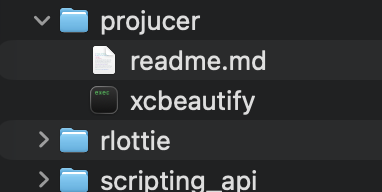
Ah yes, I was looking for Producer . It was in Tools before but now its in the JUCE folder
-
alrighty looks like i'm able to compile plugins again
but now hise is running a little slow and things are lagging
bottom line don't upgrade to tahoe yet haha
-
@xxx said in Can't build AU on macOS Tahoe:
but now hise is running a little slow and things are lagging
Did you make a debug build?
Free HISE Bootcamp Full Course for beginners.
YouTube Channel - HISE tutorials
My Patreon - More HISE tutorials -
I'm using the release build with faust
-
@xxx said in Can't build AU on macOS Tahoe:
I'm using the release build with faust
That's what it's showing in the top right corner in HISE?
Free HISE Bootcamp Full Course for beginners.
YouTube Channel - HISE tutorials
My Patreon - More HISE tutorials -
Yes says faust enabled
-
@xxx Then I'm not sure why it's slow
Free HISE Bootcamp Full Course for beginners.
YouTube Channel - HISE tutorials
My Patreon - More HISE tutorials -
Think it's because of the new mac update
now I can't hear anything when I drag audio into the "Hise Controller"