Customize the text content in the pop-up window?
-
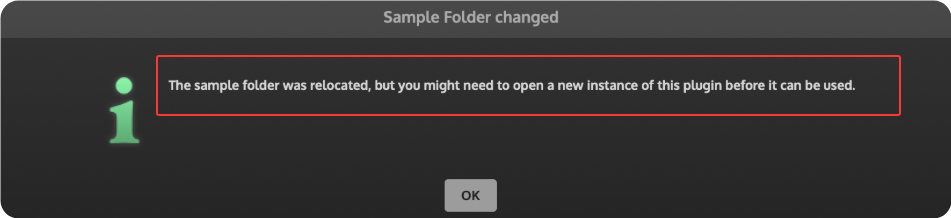
Can I customize the text content in the pop-up window? I've tried many methods, but none of them have worked.
	const glblaf = Engine.createGlobalScriptLookAndFeel();

	glblaf.registerFunction("drawAlertWindow", function(g, obj)
	{
		if (obj.text == "The sample folder was relocated, but you might need to open a new instance of this plugin before it can be used."){
				obj.text = "The sample folder was relocated, please reload.";
		}
		g.drawAlignedText(obj.title, obj.area, "centred");
	});
-
@Felix-W you need to draw it yourself rather than replacing the value in the variable
Free HISE Bootcamp Full Course for beginners.
YouTube Channel - HISE tutorials
My Patreon - More HISE tutorials -
@David-Healey
I've tried many things, but none of them worked. I also couldn't find a solution in the HISE documentation.
glblaf.registerFunction("drawAlertWindow", function(g, obj) { g.fillAll(0xFF333333); var a = [0, 0, obj.area[2], 30]; g.fillRect(a); g.setColour(Colours.white); g.drawRect(obj.area, 0.3); g.setFont("myhtw17", 22.0); if (obj.text == "Do you want to save this preset?") { obj.text = "Do you want"; g.drawAlignedText(obj.text, a, "centred"); } }); -
@Felix-W
obj.textdoesn't exist, I just checkedConsole.print(trace(obj));So at the moment you're out of luck, I'll see if there is an easy fix in the source for this.Free HISE Bootcamp Full Course for beginners.
YouTube Channel - HISE tutorials
My Patreon - More HISE tutorials -
I can't see a clean way to access it in the look and feel function. JUCE doesn't make it available from what I can tell.
Free HISE Bootcamp Full Course for beginners.
YouTube Channel - HISE tutorials
My Patreon - More HISE tutorials -
@David-Healey Okay, this makes me
 .
.but Thank you anyway, this saves me from wasting any more time.
-
@David-Healey What about setting it with preprocessor definitions?
#ifndef HISE_SAMPLE_FOLDER_RELOCATED_ALERT_TITLE
// Override this in your build settings (preprocessor definitions)
// Example:
// HISE_SAMPLE_FOLDER_RELOCATED_ALERT_TITLE=Samples ready
#define HISE_SAMPLE_FOLDER_RELOCATED_ALERT_TITLE "Sample Folder changed"
#endif

#ifndef HISE_SAMPLE_FOLDER_RELOCATED_ALERT_TEXT
// Override this in your build settings (preprocessor definitions)
// Example:
// HISE_SAMPLE_FOLDER_RELOCATED_ALERT_TEXT=Samples found. Please reload the plugin once.
#define HISE_SAMPLE_FOLDER_RELOCATED_ALERT_TEXT "The sample folder was relocated, but you might need to open a new instance of this plugin before it can be used."
#endif
Function that draws the text would be changed to use the new defs instead of hardcoded text:
if (handler.areSampleReferencesCorrect())
{

  // PresetHandler::showMessageWindow("Sample Folder changed", "The sample folder was relocated, but you might need to open a new instance of this plugin before it can be used.");
  PresetHandler::showMessageWindow(TRANS(HISE_SAMPLE_FOLDER_RELOCATED_ALERT_TITLE), TRANS(HISE_SAMPLE_FOLDER_RELOCATED_ALERT_TEXT));
}
Or do we have too many undocumented preprocessor defs already?

HISE dev latest / herdr + Claude Code / Figma + Affinity
Meat Beats: https://meatbeats.com
Klippr Video: https://klippr.video -
@dannytaurus said in Customize the text content in the pop-up window?:
Or do we have too many undocumented preprocessor defs already?
That's very much true

-
@dannytaurus said in Customize the text content in the pop-up window?:
Or do we have too many undocumented preprocessor defs already?
Yes.
I think a separate function would be better, or perhaps it could be part of
getAlertWindowMarkdownStyleData. I'm not sure of the inner workings.