Typing to MIDI Keyboard with Numpad keys
-
I wanted to make a MIDI Keyboard/Drum pad of sorts with numpad 0-9 as the pads. Currently I have the layout made:
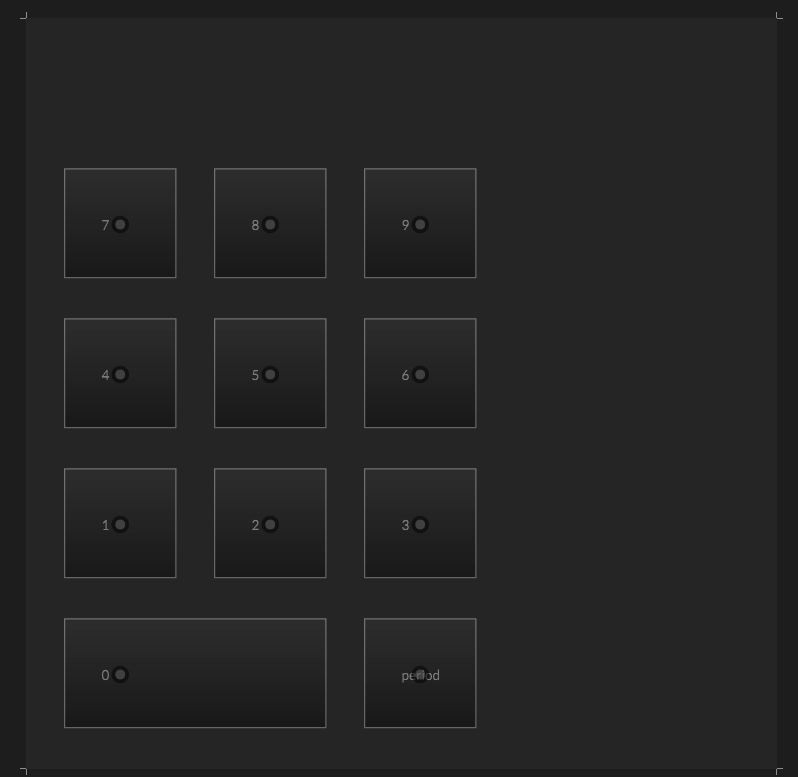
and set so that pressing the buttons with my mouse work perfectly and send the correct MIDI data that I want.I want this buttons to be triggered by my numpad keys. How do I do that?
-
@pratitghosh Use
Content.setKeyPressCallback()https://docs.hise.dev/scripting/scripting-api/content/index.html#setkeypresscallback
It accepts JUCE key descriptions. The numpad keys are named "numpad 0" to "numpad 9".
https://docs.juce.com/master/classjuce_1_1KeyPress.html
A few gotchas:
- there's no keyRelease or keyUp trigger, so you can't detect held keys - for one-shot drums this is fine
- held keys repeat at the OS repeat rate, so maybe check for that
- the key triggers only fire when he plugin has focus, otherwise the DAW will action the keypresses instead