BLUR.
-
Yes webview for adding shadows is definitely the wrong direction, it basically replaces your entire interface (or at least a rectangle of it) by a web browser.
The problem why melatonin blur hasn't been integrated into the Graphics API calls yet is because there were some inconsistencies with the API parameters with what melatonin expects and before breaking the API call surface I just decided to use it in CSS where there is no issue with backwards compatibility, but maybe now it's time to rethink that and (at least) put it behind a preprocessor like we always do when deprecating stuff.
The melatonin blur is a marvelous piece of engineering, but it still renders the shadows on the CPU so it still is super slow compared to a solution that just gives the GPU the instruction to blur something with its millions of shader units. Unfortunately this is the one hard restriction that comes with using JUCE as underlying GUI framework.
I would also recommend starting to play around with the CSS LAF stuff to get a feel for the performance of melatonin - start with buttons, these are best suited for CSS LAF. Sliders / Knobs are a bit quirky because you need to abuse the pseudo element classes to render different parts of the knob (eg. the track, the arc, the thumb).
const var laf = Content.createLocalLookAndFeel(); laf.setInlineStyleSheet(" button { background: #666; color: white; margin: 5px; border-radius: 3px; box-shadow: 0px 2px 3px black; } button:hover { background: #999; transition: background-color 0.1s; } button:active { transform: translate(0px, 2px); } "); Content.getComponent("Button1").setLocalLookAndFeel(laf); -
@Christoph-Hart Funny, I've been working on this greedy blur since yesterday too.
Claude says the main performance cost comes from allocating a new Melatonin object on every call. That means there's effectively no caching, making it quite expensive when repainting continuously at the frame rate. Is that something that could be improved?
In my case, the path needs to be reconstructed depending on the knob angle, so I can't keep a permanent path, which means I can't use CSS. Or is there a way around that?
-
@ustk you can try if the overhead of passing a dynamic path exceeds the blur render performance but my guess would be that its faster.
-
@Christoph-Hart In fact now I improve this part by pre-computing the path and use it like a filmstrip (better for the paint routine but still not usable for CSS).
The result as you can see is that the main perf issue is still by far the dropShadow (which becomes a real deal for 20+ knobs):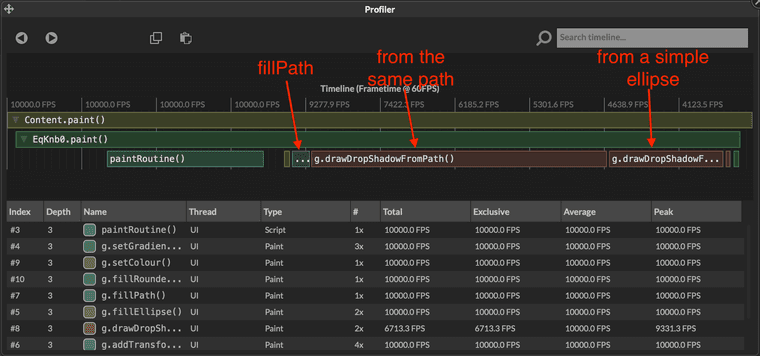
-
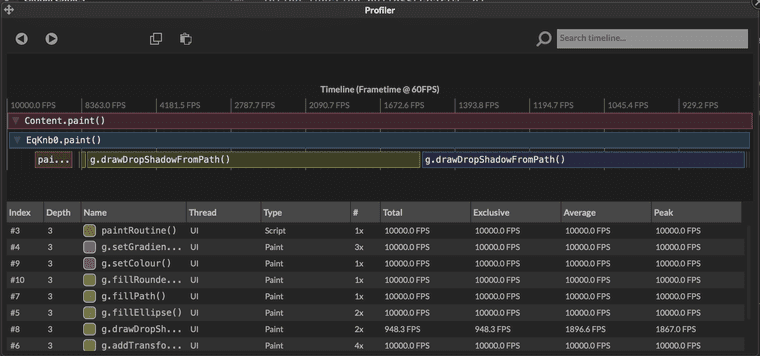
@Christoph-Hart And when zooming the interface or making the knob bigger, the difference becomes even more dramatic:
-
@ustk How can I enable this profiler, cant find it ? ;)
In an empty project , is it in the watchtable once i got something going -
@ustk the fillPath thing on the profiler isn't the time it takes to encode and decode the path to base64 then do all the overhead in C++ in the CSS engine (that's probably all tucked away under the
paintRoutinegraph, that's just the function passing on the path data to the GPU which is just a memcpy operation and should be very fast.but
drawDropShadowFromPathisn't using melatonin yet, no? -
@lalalandsynth You can see the
%button everywhere in Hise allowing you to profile the UI, DSP, Module tree, etc...


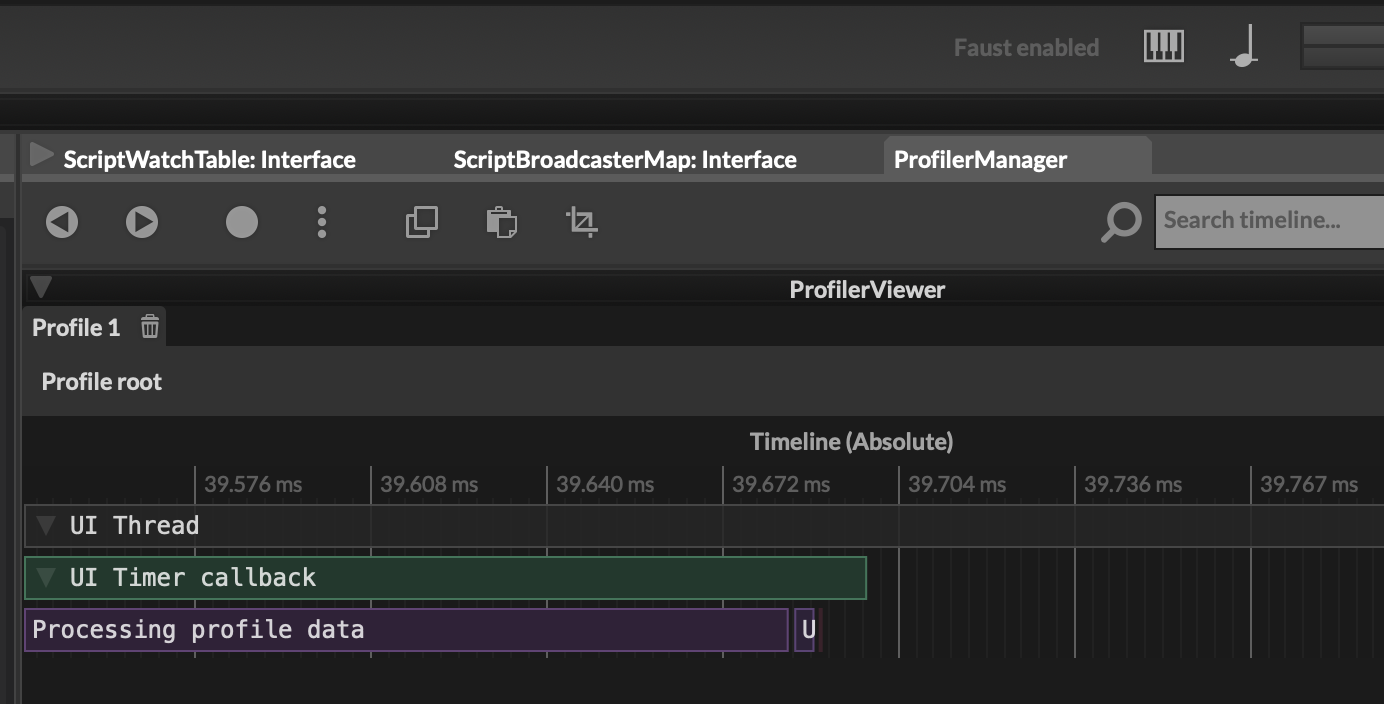
There is also the main profiler tab with many option:
Hise made me an F5 dude, any other app just suffers...
-
@Christoph-Hart said in BLUR.:
@ustk the fillPath thing on the profiler isn't the time it takes to encode and decode the path to base64 then do all the overhead in C++ in the CSS engine (that's probably all tucked away under the
paintRoutinegraph, that's just the function passing on the path data to the GPU which is just a memcpy operation and should be very fast.You're right it resides in the paint routine call so it doesn't represent the total build+paint time. Still it improved the construction time anyway compared to what I had before and we see the shadow is still the greedy boy.
but drawDropShadowFromPath isn't using melatonin yet, no?
yes it does:
void ScriptingObjects::GraphicsObject::drawDropShadowFromPath(var path, var area, var colour, int radius, var offset) { auto r = getRectangleFromVar(area); auto o = getPointFromVar(offset).toInt(); auto c = ScriptingApi::Content::Helpers::getCleanedObjectColour(colour); if (auto p = dynamic_cast<ScriptingObjects::PathObject*>(path.getObject())) { Path sp = p->getPath(); drawActionHandler.addDrawAction(new ScriptedDrawActions::drawDropShadowFromPath<melatonin::DropShadow>(sp, r, c, radius, o)); } }drawDropShadow(rectangle version) doesn't use melatonin but JUCE's own juce::DropShadow -
@ustk Sweet , thanks !