Soundsync Beta: HISE Ecosystem | UPDATE: Plugin Storefronts
-
Hey Gang,
I wanted to start a cleaner updated thread for SoundSync and keep this one focused specifically on the HISE ecosystem/workflow we’ve been building around it.
SoundSync started as a platform to help audio/plugin developers handle the pieces around releasing a product: licensing, customer accounts, serial activation, product delivery, storefronts, checkout, and customer libraries.
The HISE side has now grown into a much bigger part of the platform, so I want to use this thread to share walkthroughs, updates, screenshots, and short examples of how the HISE workflow is coming together.
The goal is not to replace anything inside HISE.
The goal is to help with everything around releasing, selling, activating, supporting, and managing a HISE-built product.
Some of the HISE-focused pieces currently being tested or polished:
Product setup and delivery files
Storefront and checkout testing
Customer library / download access
Serial generation and activation
Plugin-side validation
Offline grace handling
Suspend / deactivate / reactivate flows
Reseller, imported, and unassigned serial activation workflows
Branded activation UI
WebView-based in-plugin storefront
“My Products” customer view inside the plugin
Developer support links/pages
Customer/product ownership checks
Basic customer and purchase managementRight now the platform is still in test/beta mode. Stripe checkout is in test mode, so no real payments are processed.
For checkout testing, Stripe’s test card is:
4242 4242 4242 4242
Any future expiration date and any CVC should work.
What I’m mainly looking for from HISE developers:
Does the setup flow make sense?
Is the HISE package/drop-in workflow clear enough?
Does the activation/licensing flow feel reliable?
Does the WebView storefront/customer area feel useful inside a plugin?
Are the customer/product/storefront tools helpful or too much?
What would make this safer, clearer, or easier before real launch?
What support/docs/walkthroughs would make the HISE side easier to trust?This is still not meant to be a polished public launch thread. I’m mostly looking for a few HISE developers willing to test the workflow, create a demo product, run a fake checkout, generate/activate a serial, and give blunt feedback.
If you’re actively building or selling HISE plugins and want to test it, you can sign up here:
https://soundsyncsolutions.biz/developer
I’ll keep posting HISE-specific walkthroughs and updates in this thread as the package gets cleaned up.
Best,
Aaron -
UPDATE: Serial & Subscription Validator now uses Webview for super sick experience.
First and foremost, use the Product Wizard to create a product. It will walk you through step by step.
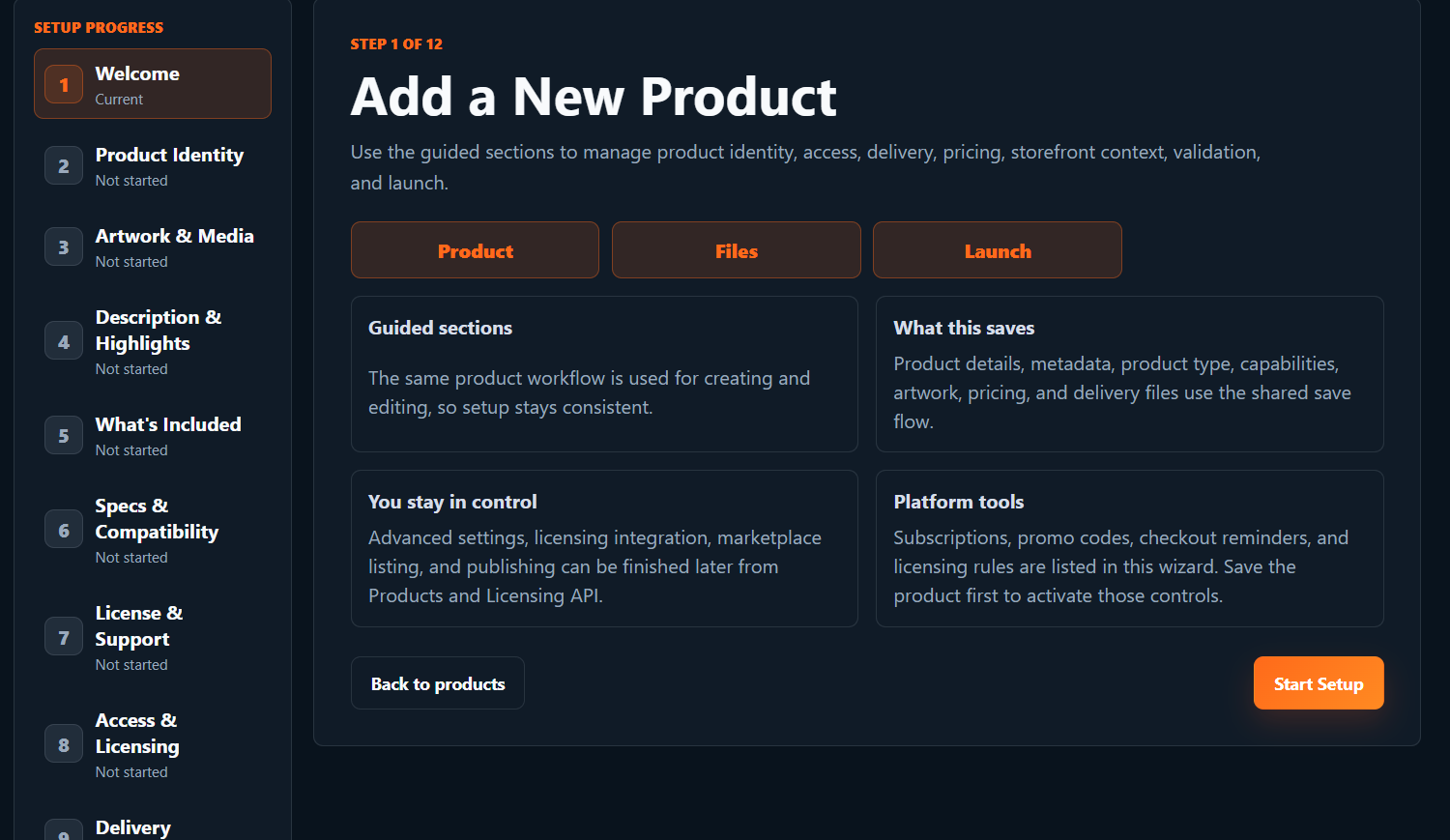
Once that is complete, you can generate a HISE package directly in the developer product view page. Simply enter your project UI size and generate the package. Unzip and place the SoundSync folder in your HISE projects "Scripts" folder.
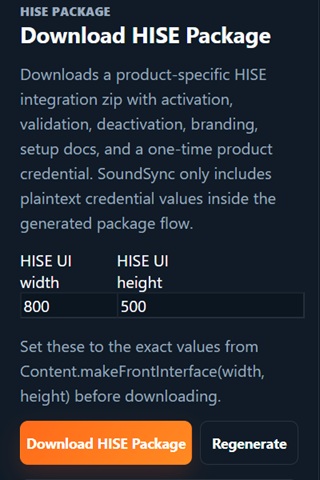
Open your project and use 1 simple include line to generate the entire package in your project.
include("SoundSync/Runtime/SoundSyncRuntime.js");Then your branded validation window will be present. It will pull your logo, brand colors, store name, etc all from your Store/Brand page in the developer profile.
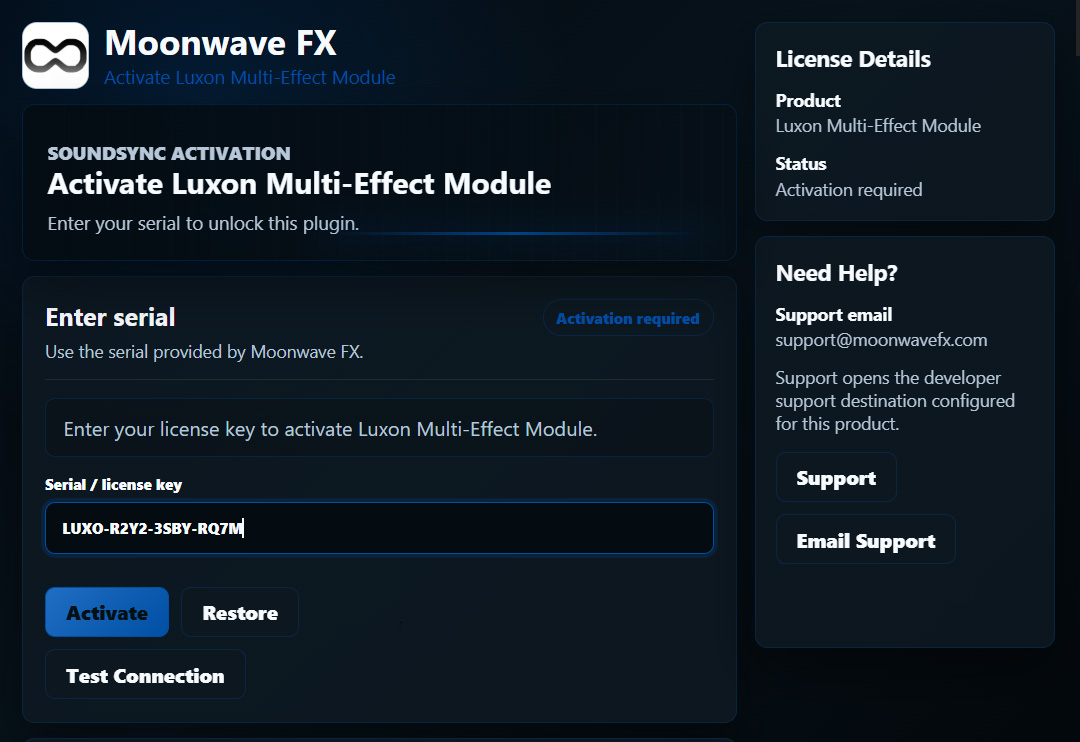
Use the "Test Connection" button (when connected to the internet) to confirm your connection with SoundSync and to tell the server you have successfully put the package in your project. In your product view (where you downloaded the HISE package) you will see connection status.
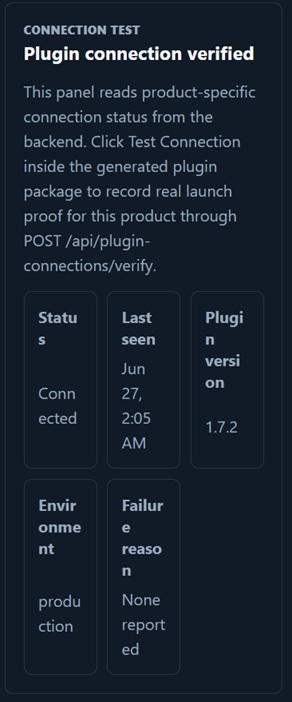
Once server connection is verified, simply hide the Test Connection button on your UI. This would complete your setup for live export/compilation.
Now lets test it.
Enter a serial number from your Serials page. You can generate them via the Serial Generator. Customer purchases will include an auto generated serial. If the serial is not tied to a customer yet, it will make them confirm identity and create an account on your website.
Click "Register and Activate"
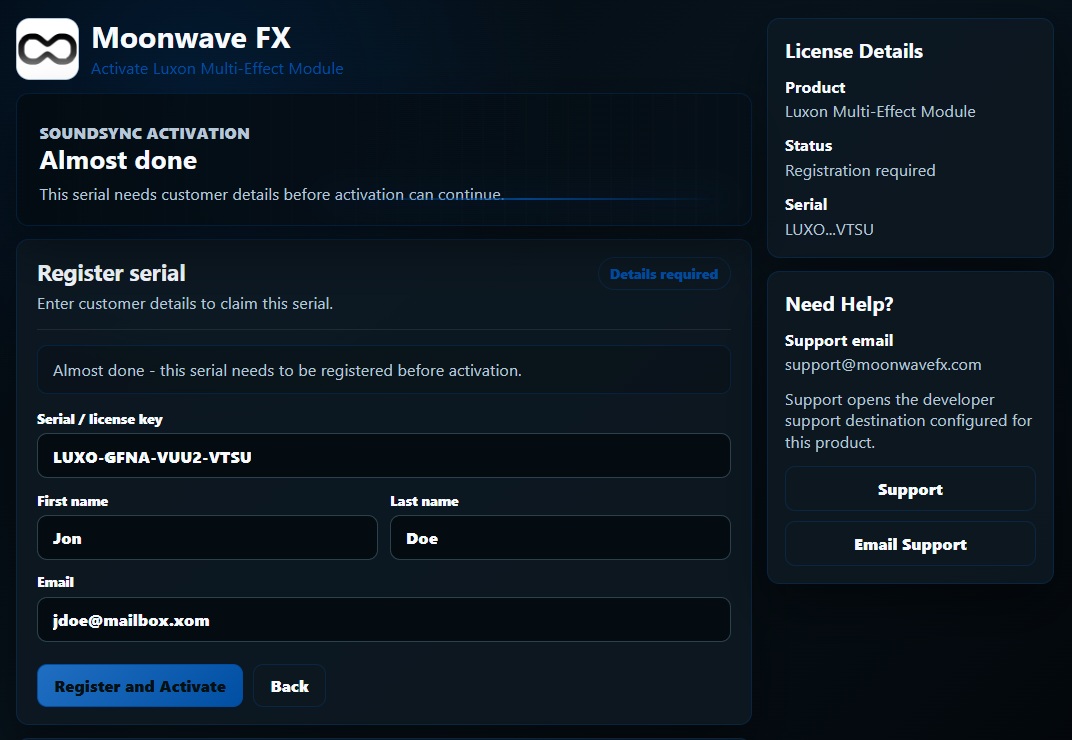
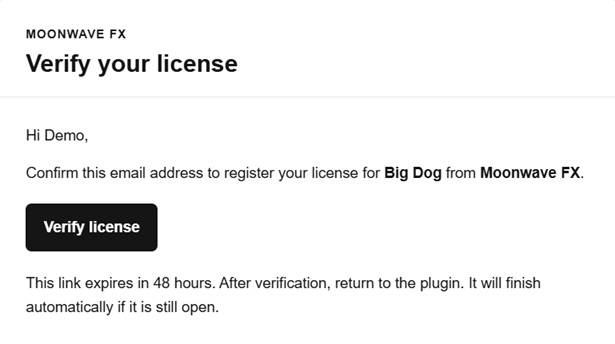
The verification will either pass (if serial is already link to customer) or will tell customer to check their email for confirmation. All customer support, verification, etc emails are also branded. If you have set up your custom braded website and domains, they will be used here as well for your from and reply to emails. Soundsync is created to live completely in the background.
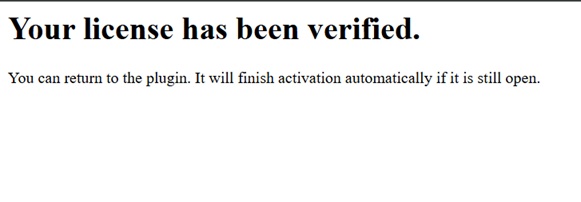
Once the customer verifies the license, they will be directed to a confirmation page and the plugin will automatically validate in the background.
Hopefully some of you can find this helpful.
Looking forward to the feedback and thanks to everyone who already signed up!
All the best,
Aaron
-
UPDATE: Plugin Storefronts now use Webview for smoother experience
Plugin Storefonts have been updated to use the same Webview model as the validation system. Now you can display your products directly in your plugin.
To implement is easy:
Firstly, you will need to make sure you have atleast 1 product created and live in your account.
Secondly, you will need to setup your Website/Storefront Credentials & Support Credentials.
Once that is complete, find the Plugin Storefront Package is in the TOOLS section of your Developer Account and open.
Scroll Down and you will see the HISE Storefront Package Generator. Enter your GUI Height & Width and download the package. Unzip and place the SoundSyncStorfront folder in your HISE projects "Scripts" folder.
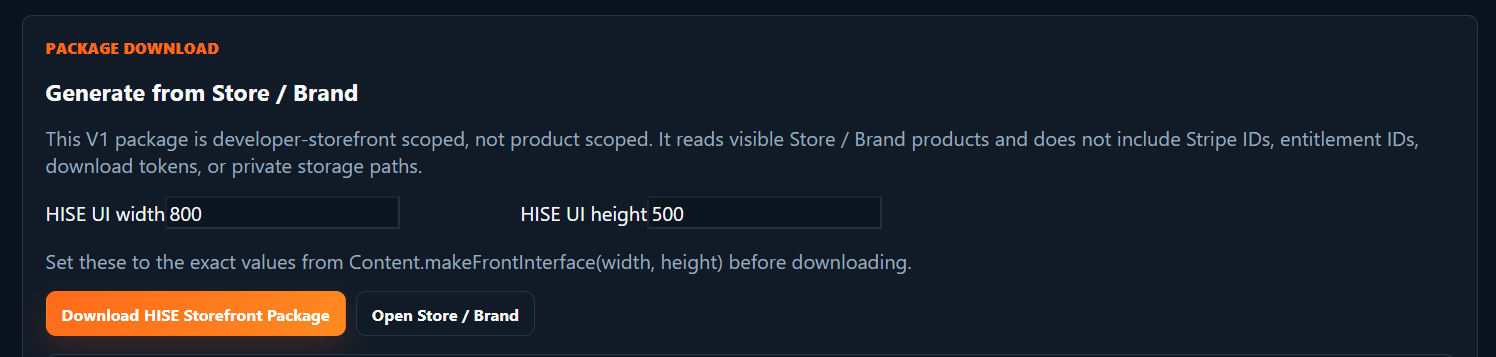
Open your project and use 1 simple include line to generate the entire package in your project.
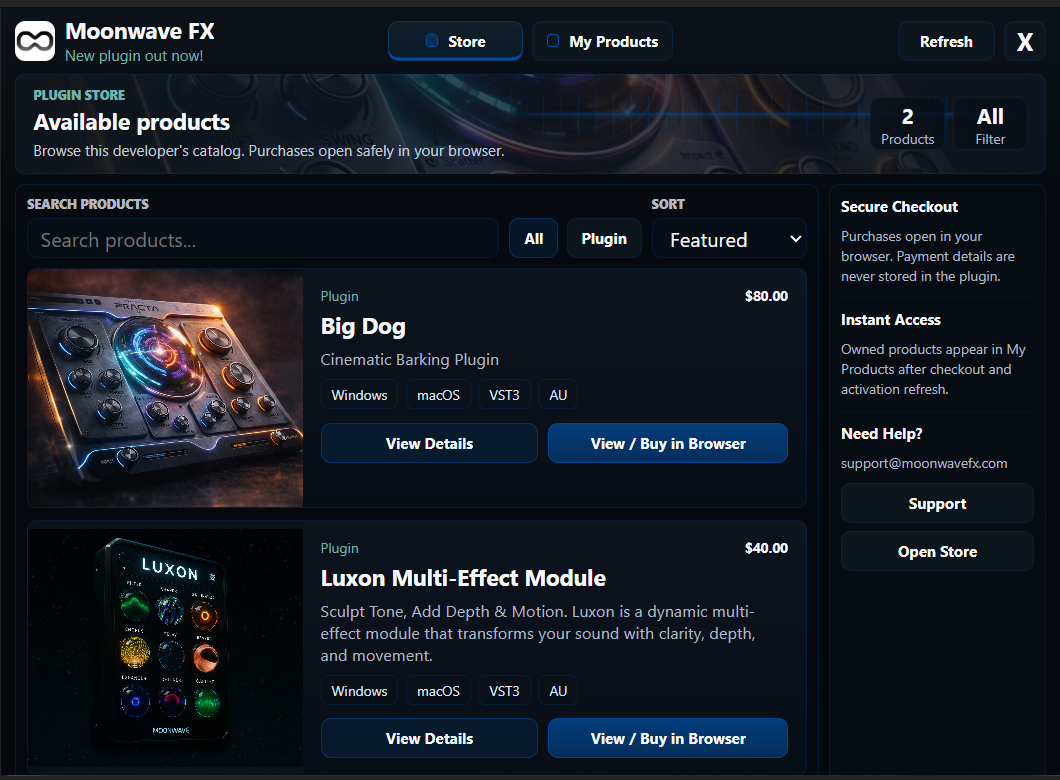
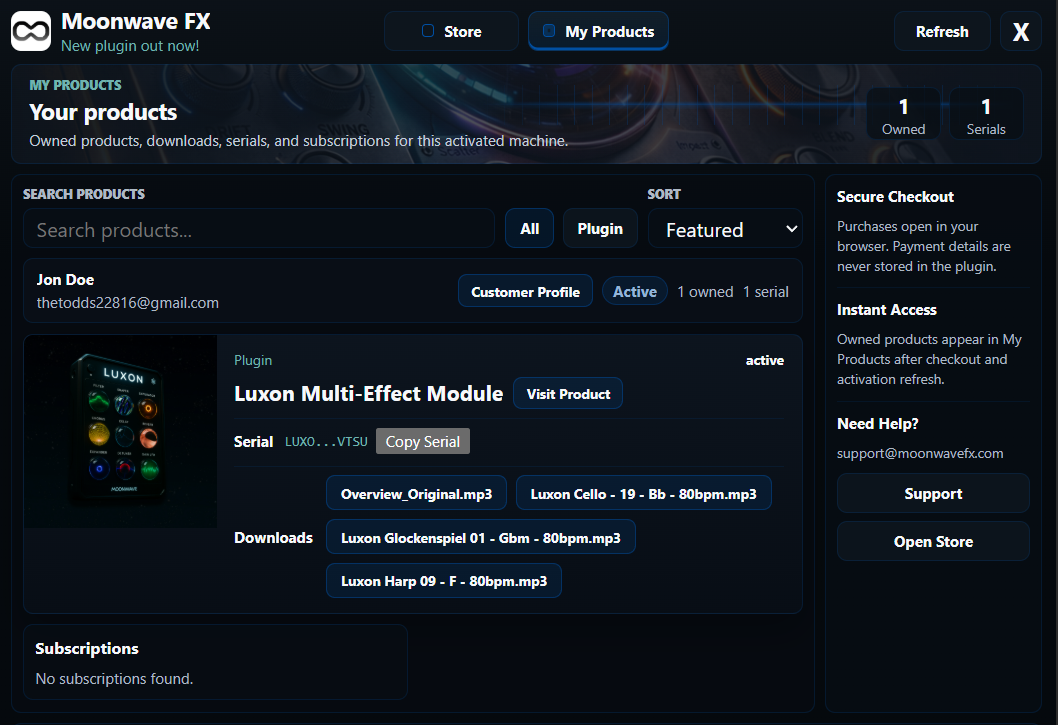
include("SoundSyncStorefront/Runtime/SoundSyncStorefrontRuntime.js");Then your branded Plugin Storefront window will be present. It will pull your logo, brand colors, store name, products, support etc all from your Website/Storefront/Support pages in the developer account.
Public Catalog View:
Customer Product View:
It makes for a pretty dope Storefront inside your plugin!
All the best,
Aaron