UPDATE // NEW: Online Knob Builder for HISE!! // Added: InnerShadows, Angled DropShadows, GradientOutlines.
-
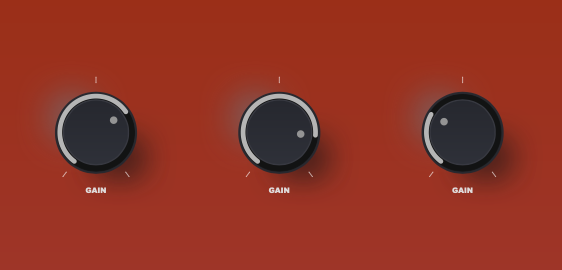
@digi as supsected, the designer canvas exaggerates the shadow a little more than what will render in HISE. I think you're good to go. Looks great.

-
@Chazrox Set the white highlight drop shadow to a slightly lighter version of your faceplate background color and that'd blend very nicely :)
-
@Chazrox Looks really good well done, what you need now is a truck load more examples....
HISE Development for hire.
www.channelrobot.com -
@Lindon Thanks!
@Lindon said in UPDATE // NEW: Online Knob Builder for HISE!! // Added: InnerShadows, Angled DropShadows, GradientOutlines.:
truck load more examples....
Presets?
-
@Chazrox Preset gallery like Knobman perhaps.
-
@digi I AM working on a preset gallery.... but it'll take a while to get as many as knobman has.
 haha
haha -
@Chazrox said in UPDATE // NEW: Online Knob Builder for HISE!! // Added: InnerShadows, Angled DropShadows, GradientOutlines.:
@Lindon Thanks!
@Lindon said in UPDATE // NEW: Online Knob Builder for HISE!! // Added: InnerShadows, Angled DropShadows, GradientOutlines.:
truck load more examples....
Presets?
yes presets
-
Is it possible to somehow do stepped knobs?
-
@digi You should be able to adjust step size in script. I cant set step size in LAF script. Hise handles this with the component property editor by default, other than that you can script the stepSize parameter. The knob should follow the step size you set.
If you want a knob with 10 steps, set your knob min/max to 0-9 then set your knobs step size to 1.0. That will give you 10 equal stops across the knobs full range.
-
@Chazrox Thanks.
Any chance we could change the angle of the gradient on the body & skirt layers?
Eg. For the inner circle here, I'd like the gradient to run from dark at 10 o'clock to light at 4 o'clock.
Right now I can only do top to bottom. Thanks.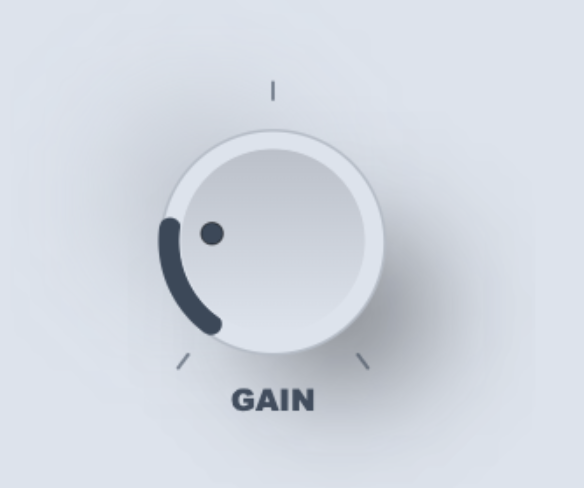
-
@Chazrox You're doing a great job with this, thanks a lot for sharing it!


