Forum
    • Categories
    • Register
    • Login

    HISE Update broke my project.

    Scheduled Pinned Locked Moved Scripting
    29 Posts 3 Posters 115 Views
    Loading More Posts
    • Oldest to Newest
    • Newest to Oldest
    • Most Votes
    Reply
    • Reply as topic
    Log in to reply
    This topic has been deleted. Only users with topic management privileges can see it.
    • David HealeyD
      David Healey @Chazrox
      last edited by

      @Chazrox Did you run the xmls through a validator?

      Free HISE Bootcamp Full Course for beginners.
      YouTube Channel - HISE tutorials
      My Patreon - More HISE tutorials

      ChazroxC 1 Reply Last reply Reply Quote 0
      • ChazroxC
        Chazrox @David Healey
        last edited by Chazrox

        @David-Healey Yes I pasted the results above. I pasted the .xml into the validator and thats what it gave back to me.

        David HealeyD 1 Reply Last reply Reply Quote 0
        • David HealeyD
          David Healey @Chazrox
          last edited by

          @Chazrox said in HISE Update broke my project.:

          Yes I pasted the results above.

          I only see the post about your project settings xml not the actual project files from the backups folder

          Free HISE Bootcamp Full Course for beginners.
          YouTube Channel - HISE tutorials
          My Patreon - More HISE tutorials

          ChazroxC 1 Reply Last reply Reply Quote 0
          • ChazroxC
            Chazrox @David Healey
            last edited by

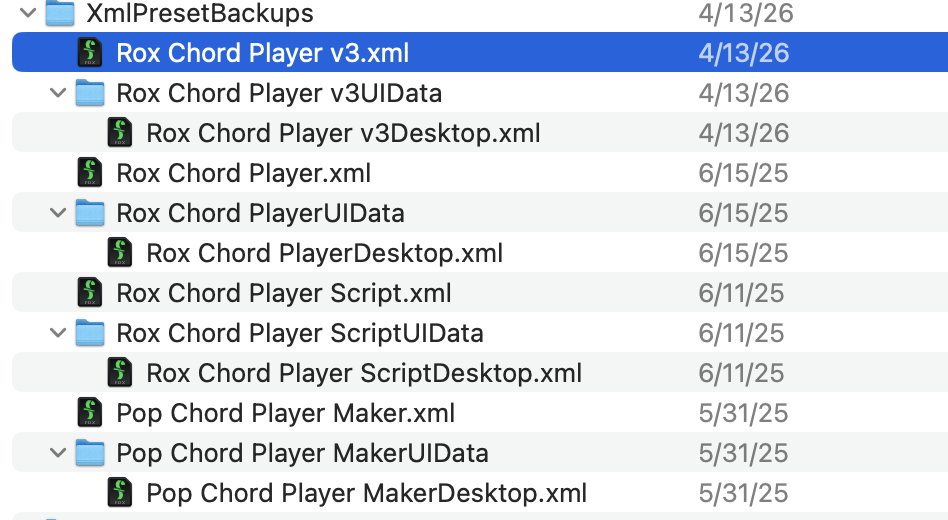
            @David-Healey Screenshot 2026-06-22 at 9.59.31 AM.png

            Just drop in these files? I run them thru the validator and it just gives me back text thats in the .xml.

            im using https://codebeautify.org/xmlvalidator and just dropping the .xml in the text field. Am i doing this right?

            David HealeyD 1 Reply Last reply Reply Quote 0
            • David HealeyD
              David Healey @Chazrox
              last edited by

              @Chazrox Paste the contents of the xml file into the text box, then click Validate XML. If it's valid it will show underneath

              065d1c9c-54a5-4332-a592-0d592223371c-image.png

              I use this one which I show in the video I posted above.

              Free HISE Bootcamp Full Course for beginners.
              YouTube Channel - HISE tutorials
              My Patreon - More HISE tutorials

              ChazroxC 1 Reply Last reply Reply Quote 0
              • ChazroxC
                Chazrox @David Healey
                last edited by

                @David-Healey

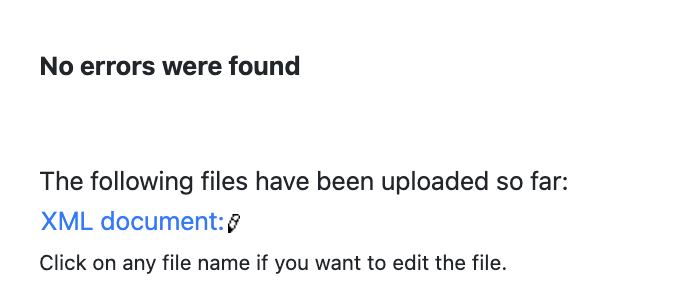
                Each time I click on "validate" it opens a new tab and shows me this.

                Screenshot 2026-06-22 at 10.35.59 AM.png

                David HealeyD 1 Reply Last reply Reply Quote 0
                • David HealeyD
                  David Healey @Chazrox
                  last edited by

                  @Chazrox So probably not an xml related issue. Generally you should only have one xml back per project - that's where git comes in for handling different versions.

                  Free HISE Bootcamp Full Course for beginners.
                  YouTube Channel - HISE tutorials
                  My Patreon - More HISE tutorials

                  ChazroxC 1 Reply Last reply Reply Quote 0
                  • ChazroxC
                    Chazrox @David Healey
                    last edited by

                    @David-Healey Ok I'll learn how to do that asap. If its not an xml problem whats my next move?

                    David HealeyD 1 Reply Last reply Reply Quote 0
                    • David HealeyD
                      David Healey @Chazrox
                      last edited by

                      @Chazrox said in HISE Update broke my project.:

                      If its not an xml problem whats my next move?

                      If it was me I'd crack open a debugger and see what it says, not a simple thing to explain how to here though.


                      Free HISE Bootcamp Full Course for beginners.
                      YouTube Channel - HISE tutorials
                      My Patreon - More HISE tutorials

                      1 Reply Last reply Reply Quote 1
                      • First post
                        Last post

                      13

                      Online

                      2.4k

                      Users

                      13.8k

                      Topics

                      120.1k

                      Posts