Animated modulation
-
@dannytaurus please assist I want the wave to look infinite, no visible start or end point. see my mod
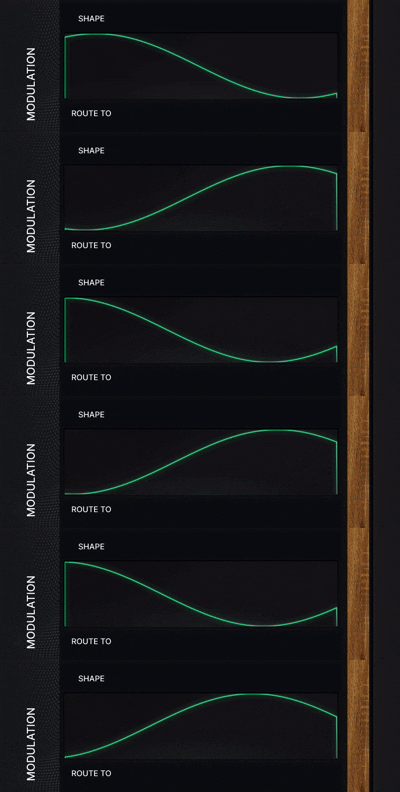
-
@Oriah-Beats Mine is in a panel, where the panel is the actual size I want to see, and the Plotter floating tile is slightly bigger so the L/R edges are cut off by the panel.
Panel = 180x50
Plotter = 182x48The Plotter's 182 width means the left and right edges are cropped. The 48 height stops the top/bottom of the wave being cut off.
HISE dev latest / herdr + Claude Code / Figma + Affinity
Meat Beats: https://meatbeats.com
Klippr Video: https://klippr.video -
@dannytaurus Or spare a component by drawing the path in a bigger area
Hise made me an F5 dude, any other app just suffers...
-
@Oriah-Beats that's a smart trick it worked . thank you. so the panel works as a mask
-
@ustk Mine is actually four components, because I'm fussy and the it was the only way I could find how to do it!

My displays have rounded corners, and even though the parent panel crops the plotter waveform by width and height, it still leaks out of the rounded corners.
So, my setup is:
Parent Panel = 180x50
    Plotter floating tile = 182x48 at -1, -1
    2px background-colour border that covers the corners = 182x52 at -1, -1
    1px brand-colour border visible in the UI = 180x50 at 0,0
If the contents didn't leak out of rounded corners I wouldn't have to hack it like this.
This GIF of me hiding the various parts might explain:
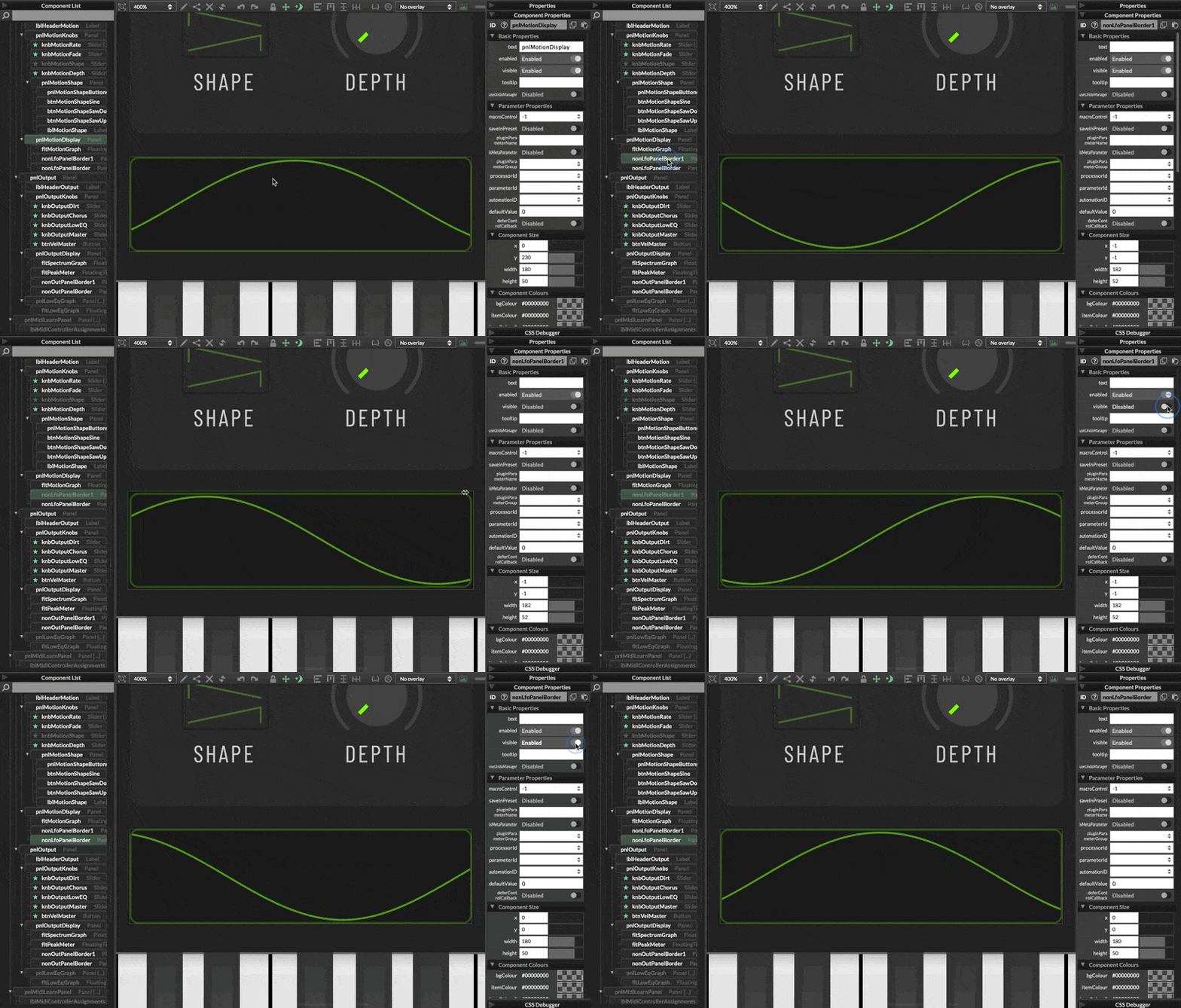
Not sure if the GIF shows it well, but when I hide the hacky dark border, the waveform leaks out of the rounded corner.
HISE dev latest / herdr + Claude Code / Figma + Affinity
Meat Beats: https://meatbeats.com
Klippr Video: https://klippr.video -
Here's a zoomed-in GIF showing the corners leaking without the dark border:
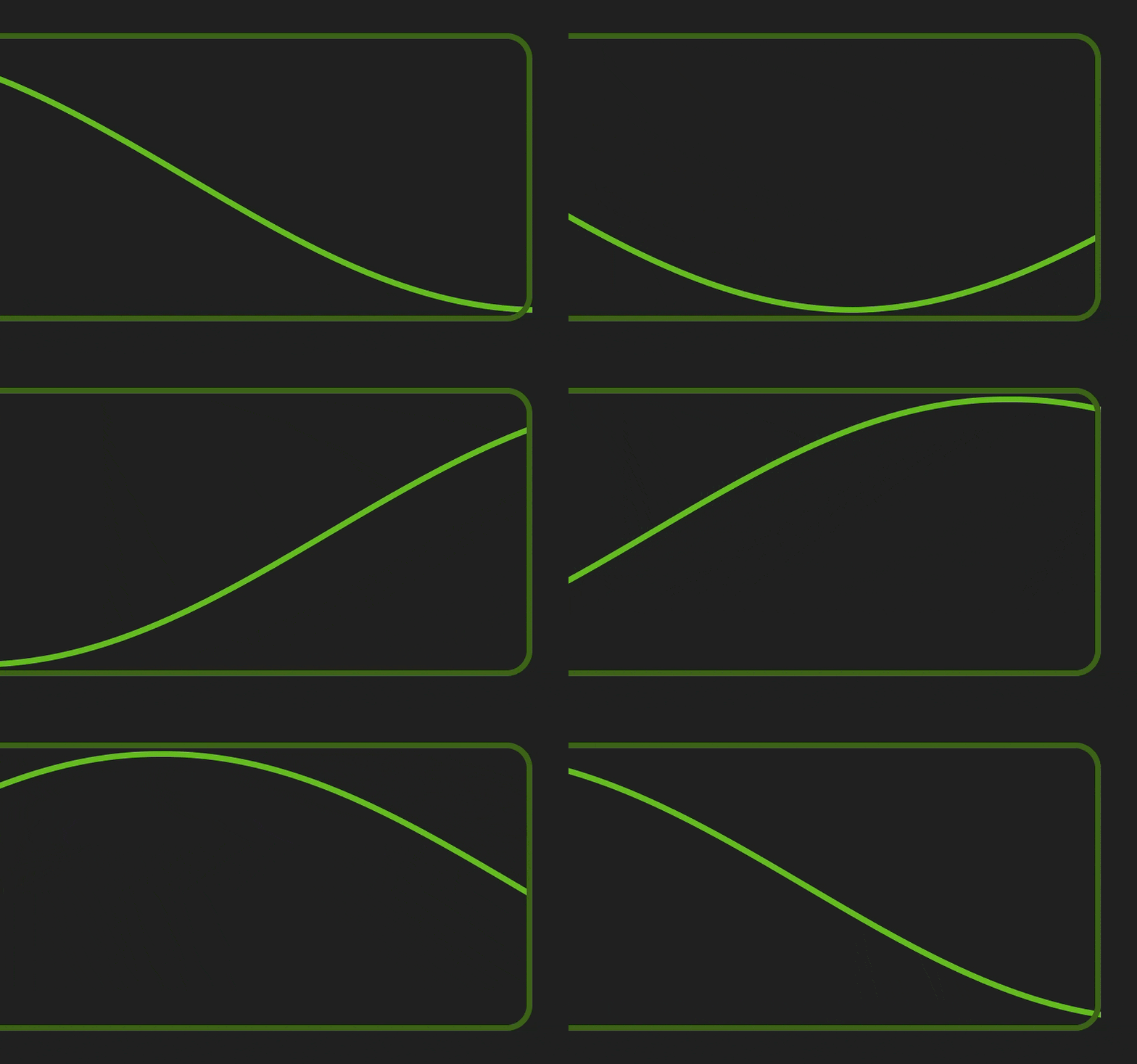
I can't have that in one of my plugins!


HISE dev latest / herdr + Claude Code / Figma + Affinity
Meat Beats: https://meatbeats.com
Klippr Video: https://klippr.video -
@dannytaurus I have two ways to treat this in one panel. The first one should be THE way but is broken for so many years, the second is dirty but works nicely:
- Mask -> still broken (I’ve made a quick fix but it still crashes exported plugins)
- a first drawRoundedRectangle larger than the green one, and with thicker line landing precisely on the outer edge of the green one. So you need it thick enough, and compute the precise coordinates, This way it is acting like an outer mask. Then draw the green one normally on the top.
-
HiseSnippet 1342.3ocsW80TabCDWGvkhcZxjzoe.tgmNmRM1TCAlLcpwFC3g+XO1jj19BUVmNaUNKcUmLfaGloez5mm9T+FztR24y2ELoTll6AXzpc2e+zpc0ttqTPnQQBIxp34SCoHqO2t+TtZTyQXFG0dej0ysOEGonRmXQMlFhihndHKqkOTKvpvJHy2e8cMvAXNgNWDB8NAiPOgMlolKMr9wrffCvdzyYiyncs5sIBdSQfXBvmksqfBwjKwComg0psjM5HbzHj0qr2kPH90p4uYURsp01Y6A6Vk3SFr4l6V40daR8Fr8.Jc2c7QVOokGSIj8UXEMBYsRCg2z9iDWyiA3crH1f.pdQUTe.4XwGHB7zGQsTTyQr.utyBTQHvKcmG1VNNr8k1mx7XoxmG9dgYCm4VjM.ZsTd5sbN5UMK8pjgdKfRVYnzJwT5k18IRVnZ9NZ97EIRuGFEuIZo+z1tofqnbU4w3KoGHgEsg0ReLg5tckJq6.+ozaJVDtxhTNWgkNcwbZPUmu0YlkCoplhwgBNrvcs3sWCrYtIDgjSkGyGbuVkpQdC8XQgA3oPp4kMT76057pocQwhR5Pmlc5cVqdWzu8O1BrsR4J5MhIX4HppKb6o5IlnXbpq+DNQwDb2gkJ9aEKnQuwgWzryIcdaOsw236W078lhEFV1GRs2KHvMUE.yBwVc9EGJoTMY2RCnQVuTYYozWOS2M1LUy8R0TMhEoOmmHH3fFhIbuH2JkJKodSHTO2LllEacL.L18TrZT4neQpb0J37pr.WBPNgQo7KwtYD8qRbUNlknSBEKSuIDy8LTYlpwLYiMbhXimD.Y6Ng.OzArH8Eltj2M9eQkCXCGoFp8TISH0Shu9D8MAbOsd5o+8LO0H2RyEbDUamVhQujvPJvq4iChnq4LFXTdbycUECWOcTk50iRTX9v.pa7Yb8j3w5IAgTmaXKjMyUfCe3mpE.igzqOKbe2iwOOAp.TBmH3UB3nSSNOLeG27I65Px6vASntkJUr.j3liUUtYqs78qTwTCW3+9o91h2ZJlfOFO.tbblUl3H3o0r5hRoHvkLqhbcn3EnjoPJeMnQN33jhPIMTWC5BfbqttOwgwm.iSahCBF.8GbuKdIL6tDKeD5ixtExiOHBuPxrPL.yyPiyDJZGtqAmh2Vz4C2x2eg6k3q.pbgaqalJ+XF5xmLd.Ul8TpUDZXjuKj882EJaSRR7KtYTTvayYpNgT9805Dk7LstiUBq.UUl9UOOoyT+.lGUhXP+nmZmd0hLjNYXAms2oSczaauOVgm4Jvq.RgTohoODV6SuBF8HtUXA68oQWpDg.XocGPVe1CB3aRmP4OFTeZ5h5+TcXrnv9reM2.Oiwy0G8C0Uza.fV0NNYWe9SQ+Iwn+rYso0IbFvW0NN4CkySyQFwpes9wu4BlVej4wurpjEpUyePaLQoDbCVuvNe9ZVLUYv72w0obLjEnml4DJVx0SKDe5dpc+i57dmS2q+wnH7Uz17tRJTan0fEcpXLvArD7k0Rn6NlBLfjvS2RH+TS5YKS1.RhyMihdNDdDSMM6rm+uMJ0CkhuztKSQFsXNtzB3Hjn9ofiICf9L6V99vC2yI3J1G78eZl1DEOZzPXTBICRXrOax39PWEBEPmCot5GQfKasol0Uzq0Qf9TtmYweCeIaVUu1JYypy1DJjHRwEj3GIzi3tpQBvIt4mCT.9cIvZmp4dYHtFDxQufPx6p6X3lOVC+lGqg0drFt0i0vserF95Gqg67uan9Ij8lnDiiKaPnS61x7RtkUKyaLlrUz+.THMMq.R0 = CORNER_SIZE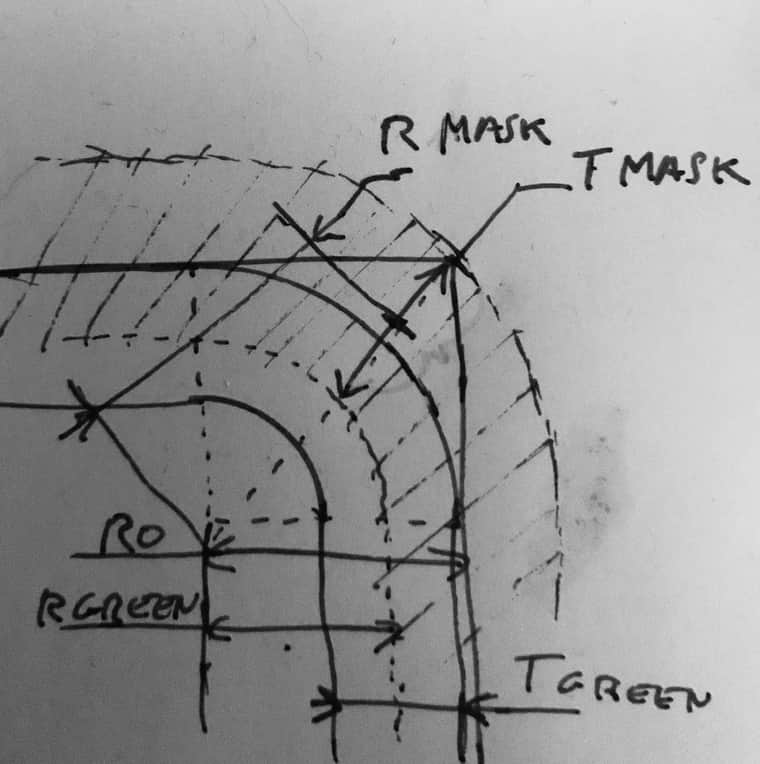
-
@ustk I haven't done much with drawing code yet, but I'll try it. Thanks.
It achieves exactly the same thing as I'm achieving with multiple panels. Draw a 'hidden' border to mask the edges, then draw the real border on top.
The main reason I used panels in the first place was so I could see the colours in the interface designer properties panel. But since then I've moved all colours to script, so that reason no longer holds, I suppose.
HISE dev latest / herdr + Claude Code / Figma + Affinity
Meat Beats: https://meatbeats.com
Klippr Video: https://klippr.video -
@dannytaurus Yeah, keeping the colours tidy in your code is easier in the end. Then you can set the component colours from script when needed and everything updates automatically if you adjust something instead of copy/paste in all components...
I tend to to everything I can in paint routines, the less components in the tree, the happier I am!
That being said... In order to reduce CPU load, I still tend to keep fixed drawing (bg, mask, etc...) in separate panels so the LAF function job is only constrained to what is really necessary. I also keep all the math constants externally, unlike the example...Other issue with the "multiple panel masking technique" is that when you want to move it, it can be very annoying, unless adding them all in an holder panel, which is one more component...


