Forum
    • Categories
    • Register
    • Login

    Images in panels - load and unload

    Scheduled Pinned Locked Moved General Questions
    18 Posts 2 Posters 77 Views
    Loading More Posts
    • Oldest to Newest
    • Newest to Oldest
    • Most Votes
    Reply
    • Reply as topic
    Log in to reply
    This topic has been deleted. Only users with topic management privileges can see it.
    • LindonL
      Lindon @David Healey
      last edited by Lindon

      @David-Healey sadly its a bit of a monster...

      Here's a paint routine:

      function paintLibraries(g)
      {
      	panelValue = this.getValue();
      	//Console.print(trace(panelValue));
      	Console.print("trying to draw:" + panelValue.LibImage);
      	
      	templibImg = imageDirFile.getChildFile(panelValue.LibImage);
      	this.loadImage(templibImg.toString(templibImg.FullPath), panelValue.LibImage);
      	g.drawImage(panelValue.LibImage, [0,0,this.get("width"),this.get("height")], 0, 0);
      	//draw edgeing in black
      	g.setColour(Colours.black);
      	g.drawRect([0,0,this.get("width"),this.get("height")],1);
      	//draw the icon for opened or closed...
      	g.setColour(Colours.white);
      	if (panelValue.DisplayState == 0)
      	{
      		//not opened
      		g.fillPath(paths.icons.PointRight, [this.get("width")-20,this.get("height")-30,15,25]);
      	}else{
      		//opened..
      		g.rotate(radianFromDegree*90,[this.getWidth()-10,this.getHeight()-15]);
      		g.fillPath(paths.icons.PointRight, [this.get("width")-15,this.get("height")-20,12,22]);
      	};
      };
      

      As you can see each panel has a json object in its value and it uses this to decide which image to load....

      Thinking about doing this a completely different way.. and fixing panels to thier owning JSON, not loading the json into the panel...

      HISE Development for hire.
      www.channelrobot.com

      David HealeyD 1 Reply Last reply Reply Quote 0
      • David HealeyD
        David Healey @Lindon
        last edited by

        @Lindon I wouldn't load the images in the paint routine, I'm not sure if there's an efficiency hit but it doesn't feel like the right approach.

        Let's say we have 3 images, img1.png, img2.png, img3.png

        In on init we can load them into the panel.

        myPanel.loadImage("{PROJECT_FOLDER}img1.png", "img1");
        myPanel.loadImage("{PROJECT_FOLDER}img2.png", "img2");
        myPanel.loadImage("{PROJECT_FOLDER}img3.png", "img3");
        

        Then in the paint routine we can select the image to draw using its name (which you can get from your json object)

        var image = "img1"; //Get from your json object
        g.drawImage(image, area, 0, 0);
        

        Free HISE Bootcamp Full Course for beginners.
        YouTube Channel - Public HISE tutorials
        My Patreon - HISE tutorials

        LindonL 1 Reply Last reply Reply Quote 0
        • LindonL
          Lindon @David Healey
          last edited by Lindon

          @David-Healey except this doesnt work!!!!

          It always draws the first image you loaded......

          HISE Development for hire.
          www.channelrobot.com

          David HealeyD 1 Reply Last reply Reply Quote 0
          • David HealeyD
            David Healey @Lindon
            last edited by

            @Lindon

            Working here. Try this. ImageLoadTest.zip

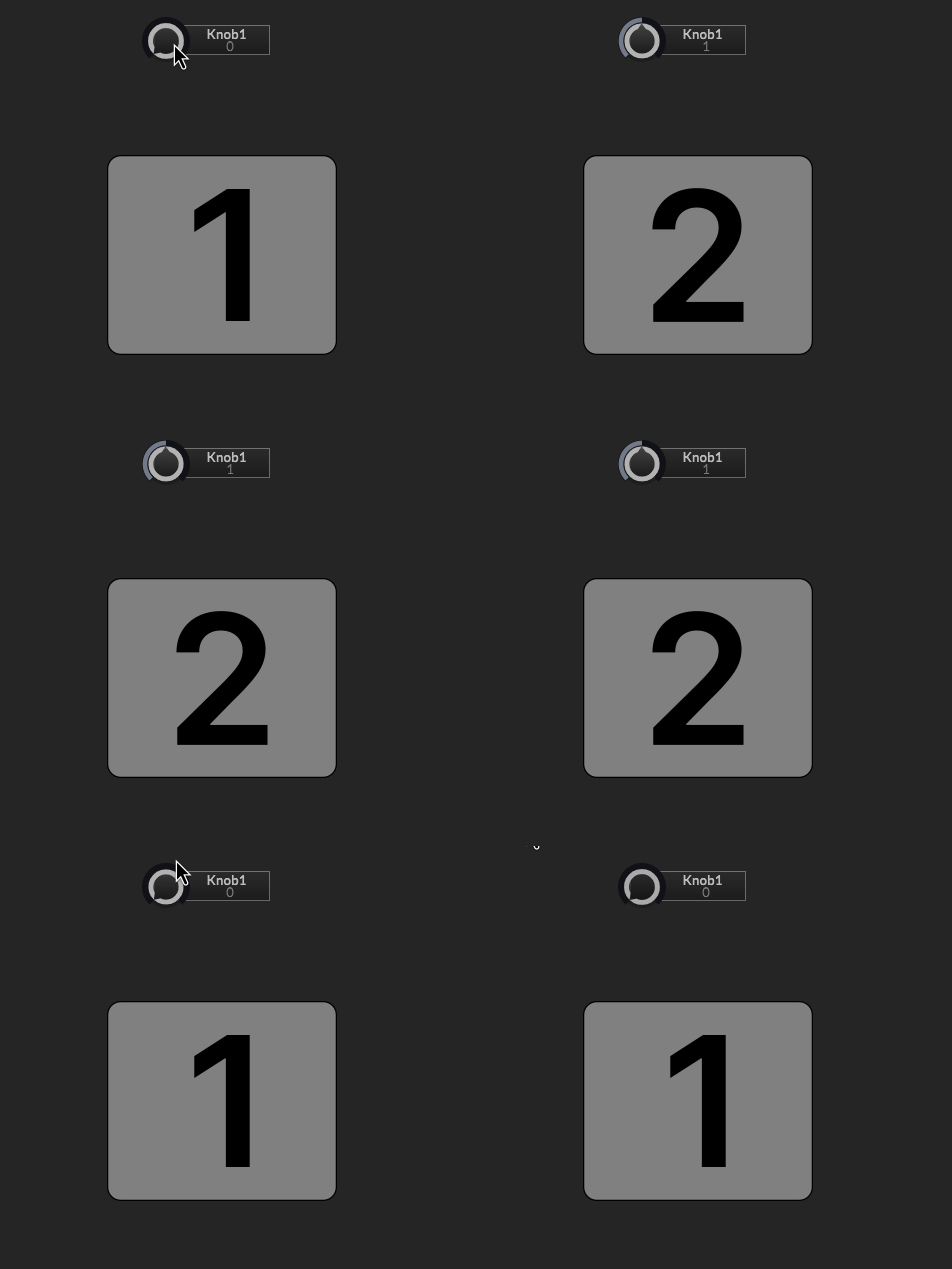
            Peek 2026-04-08 15-14.gif

            Free HISE Bootcamp Full Course for beginners.
            YouTube Channel - Public HISE tutorials
            My Patreon - HISE tutorials

            LindonL 1 Reply Last reply Reply Quote 0
            • LindonL
              Lindon @David Healey
              last edited by

              @David-Healey now even this isnt working:

              for(i = 0; i <NUM_individualLibPanels; i++)
              {
              	individualLibraryPanels[i] = Content.addPanel("iLibPanel" + (i+1), 0, 0);
              	Content.setPropertiesFromJSON("iLibPanel" + (i+1),  {
                  "type": "ScriptPanel",
                  "x": 1.0,
                  "y": 0.0,
                  "parentComponent": "LibraryDisplayPanel",
                  "width": 275.0,
                  "height": LIB_PANEL_HEIGHT,
                  "borderSize": 1.0,
                  "borderRadius": 0.0
                });
                individualLibraryPanels[i].showControl(false);
                individualLibraryPanels[i].setPaintRoutine(function(g)
                {
                	Console.print("painting painting");
                });
              };
              

              HISE Development for hire.
              www.channelrobot.com

              David HealeyD 1 Reply Last reply Reply Quote 0
              • David HealeyD
                David Healey @Lindon
                last edited by

                @Lindon do paint routines trigger for hidden panels?

                Free HISE Bootcamp Full Course for beginners.
                YouTube Channel - Public HISE tutorials
                My Patreon - HISE tutorials

                LindonL 1 Reply Last reply Reply Quote 0
                • LindonL
                  Lindon @David Healey
                  last edited by

                  @David-Healey yes

                  HISE Development for hire.
                  www.channelrobot.com

                  LindonL 1 Reply Last reply Reply Quote 0
                  • LindonL
                    Lindon @Lindon
                    last edited by

                    @Lindon well actually no paint routines trigger at all and no panel will show up even if I've commented out all teh paint routines...

                    HISE Development for hire.
                    www.channelrobot.com

                    LindonL 1 Reply Last reply Reply Quote 0
                    • LindonL
                      Lindon @Lindon
                      last edited by

                      @Lindon literally nothing is working now...I've broken it somehow...

                      HISE Development for hire.
                      www.channelrobot.com

                      David HealeyD 1 Reply Last reply Reply Quote 0
                      • David HealeyD
                        David Healey @Lindon
                        last edited by

                        @Lindon said in Images in panels - load and unload:

                        @Lindon literally nothing is working now...I've broken it somehow...

                        You'll figure it out 🙏🏻

                        Free HISE Bootcamp Full Course for beginners.
                        YouTube Channel - Public HISE tutorials
                        My Patreon - HISE tutorials

                        LindonL 1 Reply Last reply Reply Quote 0
                        • LindonL
                          Lindon @David Healey
                          last edited by

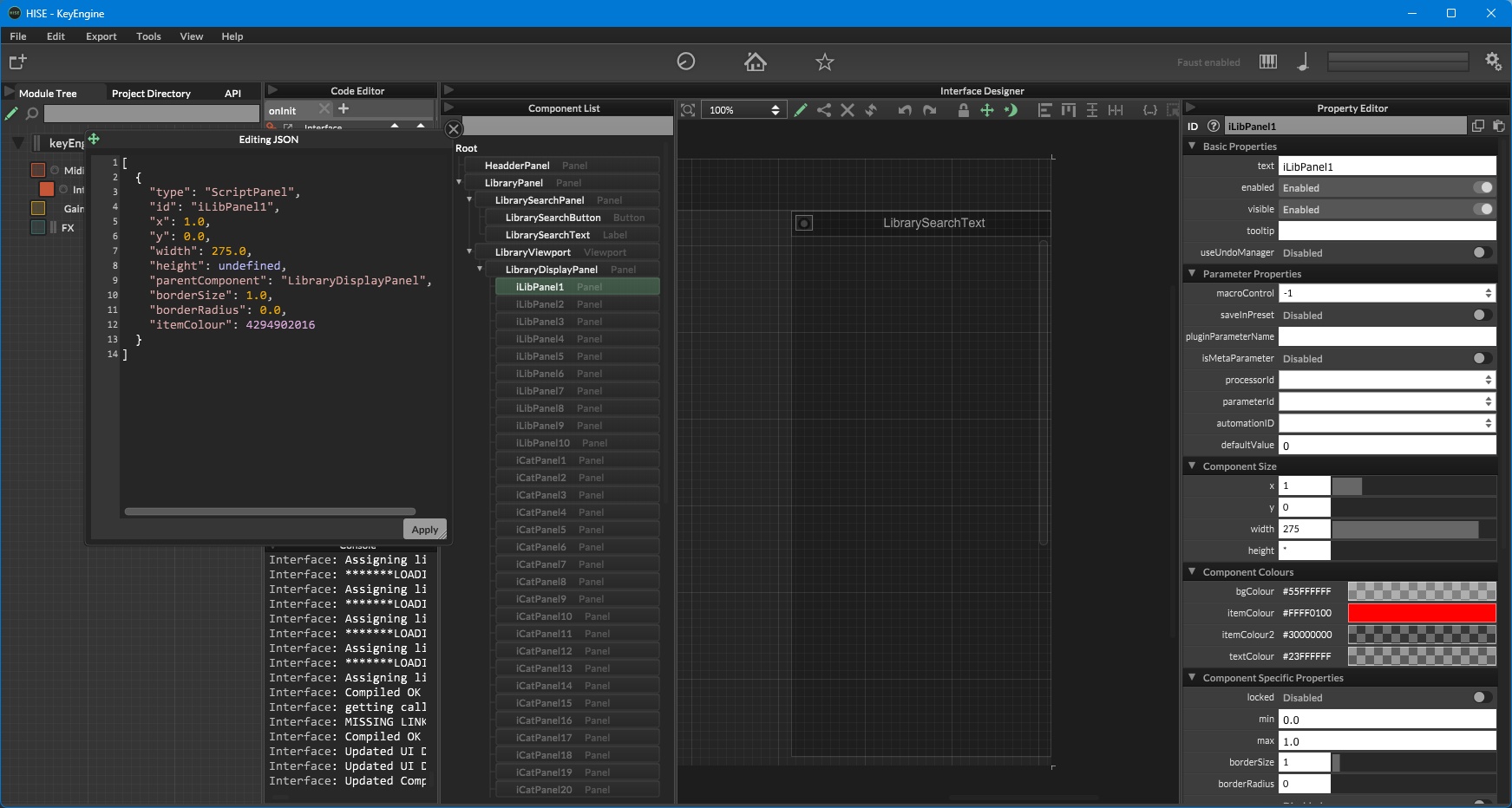
                          @David-Healey look at this!

                          b784e504-f37a-45ac-9472-0f0164027a3f-image.png

                          everything says its there - but its not displaying...

                          HISE Development for hire.
                          www.channelrobot.com

                          LindonL 1 Reply Last reply Reply Quote 0
                          • LindonL
                            Lindon @Lindon
                            last edited by Lindon

                            @Lindon ohh

                            "height": undefined <---whata dumb ass....

                            HISE Development for hire.
                            www.channelrobot.com

                            1 Reply Last reply Reply Quote 1
                            • First post
                              Last post

                            12

                            Online

                            2.2k

                            Users

                            13.6k

                            Topics

                            118.0k

                            Posts