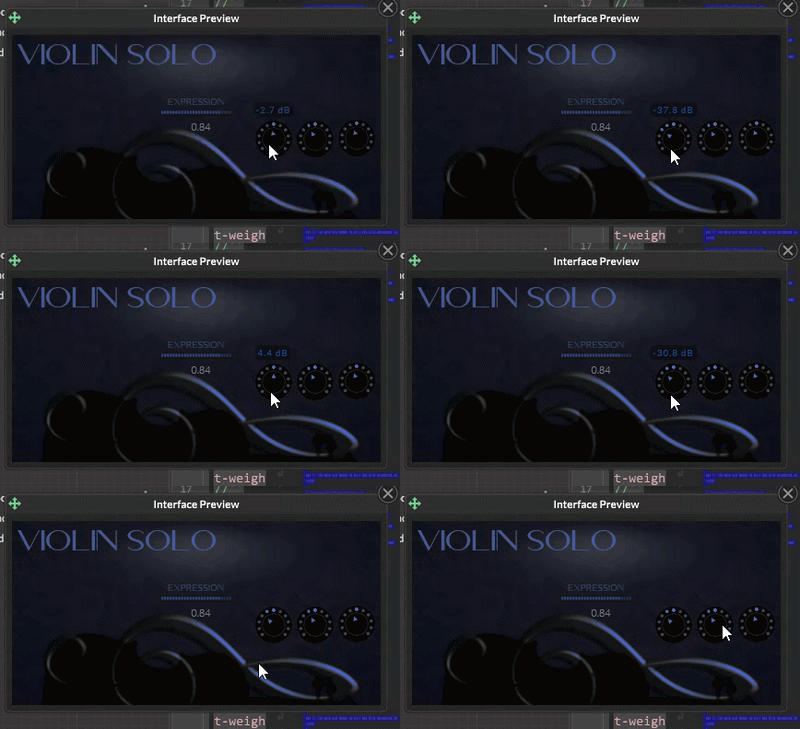
It´s possible to change Popup Data in execution time?
-
@jadg What's the reason for wanting to change it after on init?
Free HISE Bootcamp Full Course for beginners.
YouTube Channel - HISE tutorials
My Patreon - More HISE tutorials -
@David-Healey Because user can change colour theme after init
-
@jadg Aha got it. One thing I recently had Claude add was being able to set the properties from variables. I haven't tested if this works after
on initbut it might do. -
Really I have a function to try change color for all objects via LAF, but Content.sePopupData don´t take effect until reinitialize o recompile:
inline function changeColourScheme(textColour,ButtonTextColour,sliderBackLight)
{
SliderBackLight=sliderBackLight;
buttonTextColor=ButtonTextColour;
mainTextColour=textColour;
for(c in Content.getAllComponents(""))
{
c.set("textColour",textColour);
c.sendRepaintMessage();} for(i=0;i<53;i++){ Engine.setKeyColour(i,Colours.withAlpha(textColour, 0.35 ));} for(i=53;i<127;i++){ Engine.setKeyColour(i,Colours.withAlpha(textColour, 0.04 ));}// set the popup styling
Content.setValuePopupData({
"fontName":"Oxygen",
"fontSize": 14,
"borderSize": 0.5,
"borderRadius":4,
"margin":2,
"bgColour":BGColour ,
"itemColour":Colours.withAlpha(BGColour , 0.8) ,
"itemColour2":Colours.withAlpha(BGColour, 1),
"textColour": Colours.withAlpha(textColour, 0.35
)
}); -
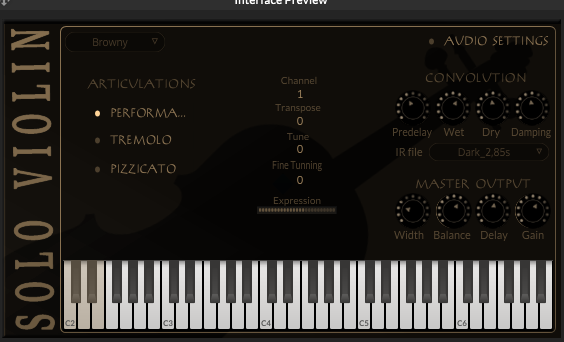
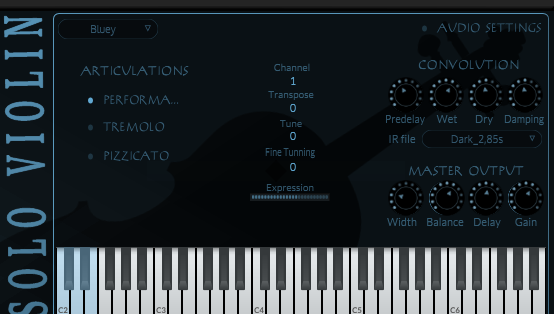
This is that seems in real time
-
Every object colors are OK (in real time) except in ValuePopups, that preserves the colours from the last initialization...
Maybe the solution would be somethig like "laf.registerFunction("drawValuePopup", function(g, obj)" ... if posible...
-
@jadg you might gain in flexibility making your own popup system
-
@ustk Specifically ValuePopups for sliders? Maybe using ScriptSlider.setValuePopupFunction ?
I,m afraid this way only affects the proper text returned value but not the text formating and color.
What way can you propose me? -
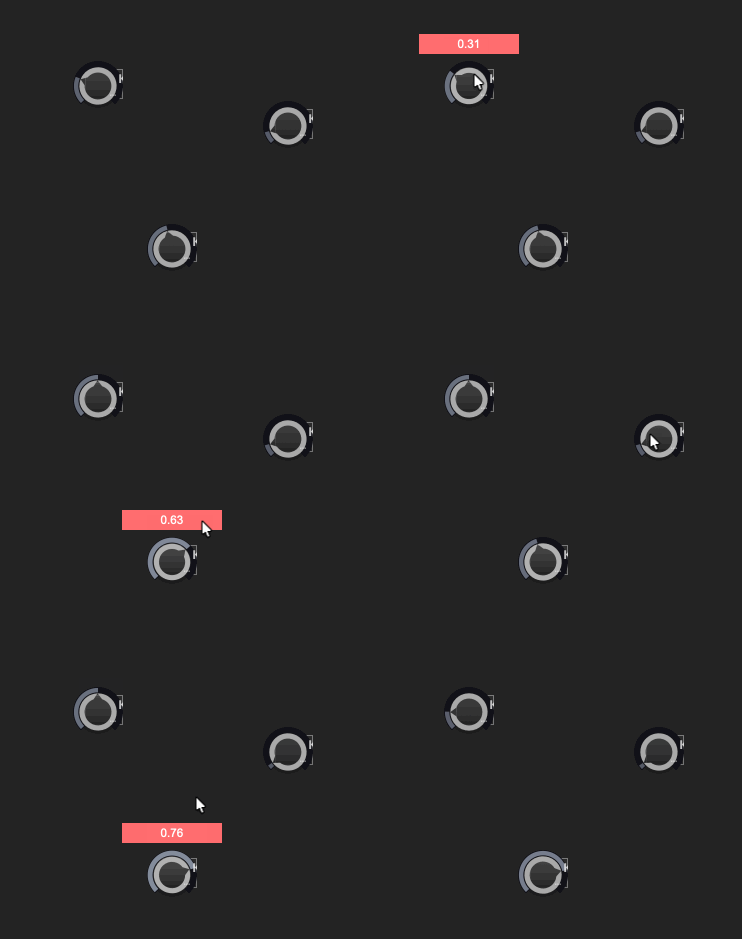
@jadg Using a broadcaster to show a label instead of the stock value popup. This way you can customise it dynamically with your theme
HiseSnippet 1366.3ocsW0raaaDDdosoakZSaSQd.VvSTEpJxR1NMMnHNV1N0H1IBUtooHHHXI4JwElbWAtKUrPP.5iRe.5SPQOzGfbnO.8PeD5kdNc1kThjwJ1wBH5fslc96alclcF0OQ3SkRQBxp9ISGSQVep8fobUXuPBiiNbOj0WZ2KUpDwOlDkR6KFmNFs6zwDojFfrrV89Z4rpsFx74eu6tjHB2mVbDB8XAymdDKloJNs+NOfEEc.IfdBKtjzatyg9BdOQjHEvzp1sQiI9mRFQeHQK1J1numHCQVekcWugauo+F2xibqN2161au8s2Jn6v.RmtTeOORGJvdysFtMxZ88CXJQx.EQQkfQ2UDLcPn3E7LG7Xlj4EQ0DafF.dN6XTuPVTP+YIHIBYsV+hz0pYoqaXeLKfM+7hz1WXXfKznbRyZkKBRabEfjUIHsVFjtt8.+D1XUAGMd9D6C4JZxPBb2TFJYxhV42ss6I.I3pVwjSoGj.Dy0vc61sahg+z3N0AojhHZK+HJIwENnNbgIU3IjD7obOI96vOclkFQU8DwiEbfv04Abg2FNMZVGetOuaE5bUUnqSimAfp9MuIVERAXAks3w55V7TQJ1mvw9lBZljheASEpONQKaLsTnLYd49QdQPLsXGVQJGHYT4fVR3JUqXhHxcHIRRajircSDj.ehDxu3DJwWw3ivJANVjBnhNALtDK3XYDKflHKgKsIKZEAfsOeDiCWGfYTzR108kPZygE37sXmpJ4nSnNjjQRf2Sc7mENNMwNFW67LiDJRlDYTfXwZd4lSZxtYYxJI44nF6Gw7O0o9qLAcUHzhnTD+vSDyykGqi78MAtqtLBvx8hhv8HQQdvK.RM3bVnkBBNhAALGBYGsTwAveGlxgjpf6NO5ZlkVaT+k0qoSjJ5YphzWfHEZ3NQLPk.WEEZouuMNysQSbGv+0pWCt+jTkI9iHdzHHvkLsyZlkHZhI7.rtKByfKsrd450XCwtFHzxjXnAMpWCvhALmAHohOuejviD0O2vOwsA9qwtUKt.o9IVfJzvqhx4G2.eSbmVsuStOldw93mM1oyVZwMZToPlBE6mA40yZbmEybJvb56hoNWC70+aQhTpKQkjpaRp8JchtHiEjPFMOccYl+sz0zS8iiWr5KnAEzOqj8s9LqjBpvenPQeD20TKU+U0wuMqgCWHubOEAUpKhsdRXxEonKOM1iljWlMWP3k+piSV+8abhe1SZkDTvOjyTOZLMm9.QTfdLg96me3CJ+MQXLzp4HD9lxLD5yxGBMv7T.hAF4irMC.PFvWLw+utK58V4NUT9O+O2+3Jnb2pJ+5W+22E8iGtGQQzyQyiEH9FSSTLcZzZO5DXykrop0r2iJOUIFCY64OZAl9RC2yJB0g6LcNwuFtit36DnlcWwY5IwuP20hrrs5.rCorQgpYTnqfG6Txi+yjxdL9CjG6Vxi6HJ4weYxR5wZYd7Z4d7H8qrFG941U5eKGpdFGu9ukuz4bOETwS2.n7FMa+xZqy4u4MZw0uc.MN1sa0YKzjY8KVqhN+9UvlchfzHhp55d5EgyY.MsU1wRuGEGdkcZ4EkuB6.19B2A78EhW2tOS4GtXLtxBvHzV7g.i4aNeM68GNj5qJ.3Z1G7jkcM4Kw8+fHUuh0wDX7NTyX+vz3APEfOE7NmSij5ZiUzEgYzs0z5Lv.JOvP7F3SNyMzzV4L2XFSTLwOQ7b+rmiz6l+wlS.LwM+1kZ1Gqowm6EPDJF9oBO22upoNmhcVVE6trJt4xp3VKqhaurJdqkUwu4xUT+K4tWJrnaVaCBcb+8MyMrr1mSfJPS0J5+AfJhWTB -
@ustk Thank you very much. i,ve created a similar solution a few hours ago. I don´t use Broadcaster just the proper scriptSlider callback ,a "InlineStyleSheet" for the valuePopup Label and a Timer:
Content.makeFrontInterface(400, 200

);

const var Label1 = Content.getComponent("Label1");

const var lblCss = Content.createLocalLookAndFeel();

Label1.set("text", "ValuePopup");
const var valuePopupTimer=Engine.createTimerObject();
valuePopupTimer.setTimerCallback(function(){

Label1.set("visible", false)	;
valuePopupTimer.stopTimer();
});

//  Label Laf
lblCss.setInlineStyleSheet("
*
{
	letter-spacing: 1px;
	font-weight: bold;
	font-size: 12;

}

/** Render the default appearance. */
label
{
  	background-color: var(--bgColour);

	color: var(--textColour);
	border-radius: 5px;
	border-size: 1px
	text-align: centred;


	text-shadow: 2px 2px 5px rgba(0,0,0,0.6);
}

/** If you edit the text, it will use this selector. */
input
{

	text-align: left;
	padding-top: 0.5px;
	padding-left: 50px;
	padding-right: 20px;
	caret-color: white;
	font-weight: bold;
}

/** Style the text selection with this selector. */
::selection
{
	background: #50FFFFFF;
	color: white;
}
");

Label1.setLocalLookAndFeel(lblCss);


inline function onKnob1Control(component, value)
{

Label1.set("visible",true);
Label1.set("text", Engine.doubleToString(component.getValue(), 1) +" "+ component.get("suffix"));
Label1.set("width", Engine.getStringWidth(Label1.get("text"),Label1.get("fontName"), Label1.get("fontSize"), 0.15));
Label1.set("x",component.get("x")-(Label1.get("width")/2)+(component.get("width")/2));
Label1.set("y",component.get("y")-20);
valuePopupTimer.startTimer(1100);
};

Content.getComponent("Knob1").setControlCallback(onKnob1Control);
Content.getComponent("Knob2").setControlCallback(onKnob1Control);
Probably the best solution is a combination of yours and mine. Thank you very much again.