Stuck in Wizard / VST SDK Error - Path is correct but no "Green Checkmarks"
-
Hi everyone,
I'm struggling to get my HISE setup running for a RNBO-based EQ project and I'm stuck in a loop with the Export Setup Wizard and VST exports.
My Setup:
Mac OS (Xcode installed and command line tools active).
HISE Source Path: /Users/thomaszalud/HISE (This is where the source code is located).
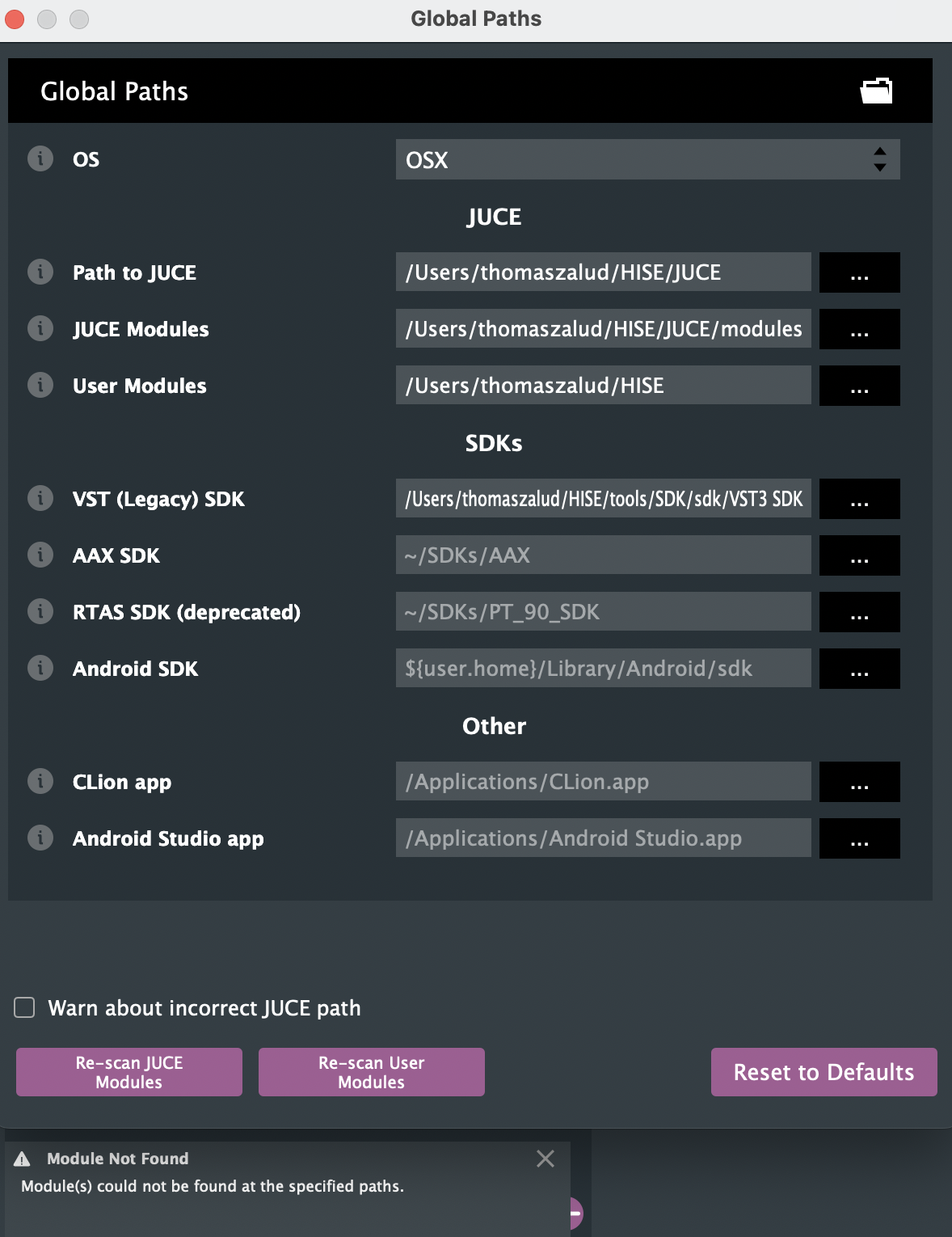
SDK Path: /Users/thomaszalud/HISE/tools/sdk/VST3 SDK (I've verified the folder name has no underscores and contains the pluginterfaces folder).
The Issues:
Wizard Hangs: When I try to use the Export Setup Wizard to "Download the HISE source code", the download consistently hangs at ~50MB and never finishes.
Missing Checkmarks: If I skip the download (since the files are already physically at the correct path), the Wizard (Step 4/5) shows no green checkmarks and remains empty.
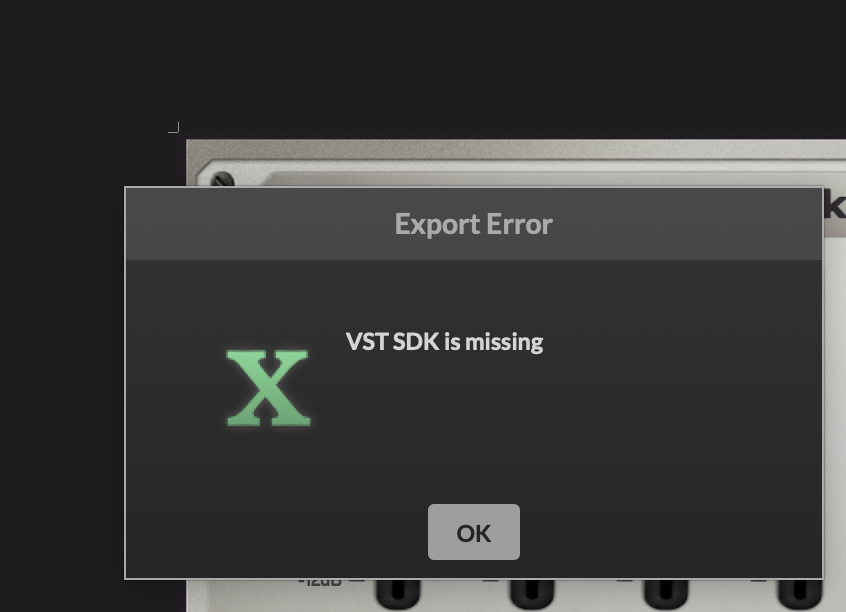
Export Error: Even though I can compile my RNBO patch as a "Hardcoded Master FX" and it works internally, I get the "VST SDK is missing" error as soon as I try to export the project as a VST3.
I have already tried deleting the Binaries folder and restarting, but HISE doesn't seem to acknowledge the SDK folder even though the path in the Compiler Settings is set correctly.
Does anyone know why the Wizard isn't recognizing the existing files or how to manually "force" those green checkmarks so the VST export becomes active?
Thanks for any help!
-
@voxuer1 Don't use the wizard, just check the box in project preferences to mark the setup as complete.
Free HISE Bootcamp Full Course for beginners.
YouTube Channel - HISE tutorials
My Patreon - More HISE tutorials -
@David-Healey said in Stuck in Wizard / VST SDK Error - Path is correct but no "Green Checkmarks":
Don't use the wizard, just check the box in project preferences to mark the setup as complete.
yes I did but VST SDK is missing
-
@voxuer1 I think the wizard might have screwed up your HISE source code folder. Download it manually (using git clone) and rebuild HISE, then export your project.
This is the command you need to use to clone the latest version
git clone --branch develop --recurse-submodules https://github.com/christophhart/HISE.gitFree HISE Bootcamp Full Course for beginners.
YouTube Channel - HISE tutorials
My Patreon - More HISE tutorials -
@David-Healey I finally managed to get a successful VST3 export! "BUILD SUCCEEDED" in the terminal.
What fixed the SDK error: The issue was indeed the VST3 SDK path. I had to point it exactly to the folder containing the base, public.sdk, and pluginterfaces directories. After correcting this in the Projucer Global Paths, the "SDK missing" error disappeared.