Nodes compiled, project crashes
-
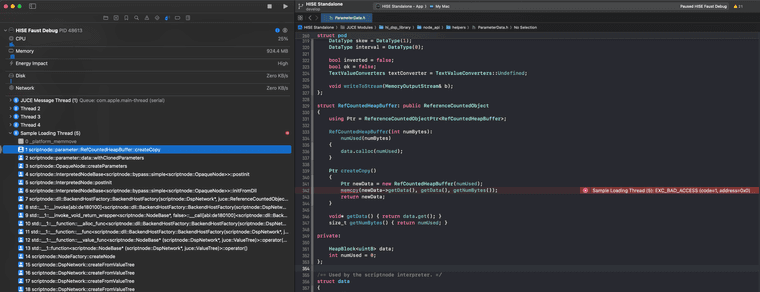
@Christoph-Hart Yep here is the crash stack
Note that I can now compile the nodes from the wizard as well. In fact I had to open xcode at least once to make the
.xcodeprojto be created and found by the wizard...So I did compiled the nodes (not the networks) as debug and here's the result:
-
 U ustk referenced this topic on
-
@ustk ah damn, that's a nasty one. I had to refactor some code because if you use parameter value names for parameters, then it allocated the memory on the DLL and deallocated it in the host (HISE), which is a big nononono, but this crash happens in the new code I added to fix that. welp, guess I'm back to the drawing board with this one then.
-
That's the culprit commit:
https://github.com/christophhart/HISE/commit/6de7c97b51309f3d6003aefada2480d569eb4a4b
Can you send me the node that causes this?
-
@Christoph-Hart Ok cool at least you've got a lead!
I have many nodes so we never know which one is causing the issue... or can we? -
@ustk you can look up in the stack trace, somewhere you can see the ID of the node that is currently being created, but that's some advanced debugging skill required there :)
Anyways, I made a few cosmetic changes to the current system which might fix a few trivial issues. Just pull the latest change, if that doesn't help, then I'll rewrite the entire thing (again).
-
@Christoph-Hart said in Nodes compiled, project crashes:
but that's some advanced debugging skill required there :)
That I do not have for sure lol
In fact I first looked at it without seeing, but tried again with eyes opened and I confirm it easier to find this way

-
@Christoph-Hart Alright so it did fix it!
-
@ustk noicenoicenoice. I really didn‘t want to touch that stuff again.
