Prevent Waveform Floating Tile paths clipping at the tile bounds
-
Posting this in case it helps anyone else. I just banged my head against a brick wall for too long before I realised how simple this was!

When using a Floating Tile with content type Waveform (to display the waveform of Sine Wave Generator or Waveform Generator, for example) the default waveform path is a filled shape.
You can override this with LAF function
drawAnalyserPathand draw a line path instead of a filled path:laf.registerFunction("drawAnalyserPath", function(g, obj) { g.setColour(Colours.white); g.drawPath(obj.path, obj.area, 5); });However, this means that the path is clipped at the bounds of the floating tile, especially at wider line thicknesses:
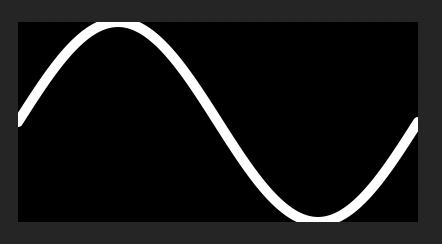
To prevent the clipping, I fudged around with it for longer than I want to admit before I realised the answer is to simply reduce the area that the path is drawn in, by half the thickness of the path:
laf.registerFunction("drawAnalyserPath", function(g, obj)
{
	g.setColour(Colours.white);
	g.drawPath(obj.path, obj.area.reduced(2.5), 5);
});
Voila! No more clipped paths!
 Top row is using
 obj.area, bottom row is using area reduced by half line thickness: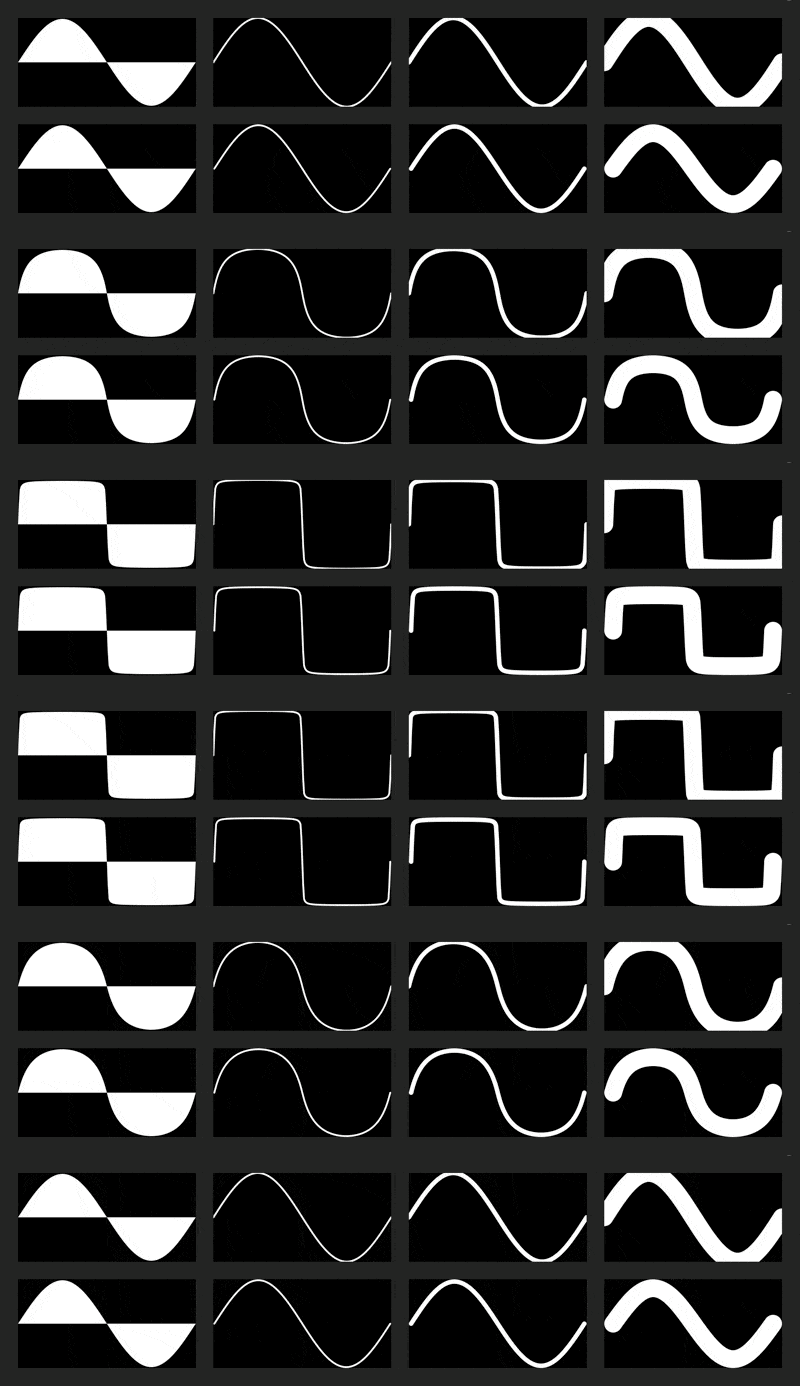
You might want the left/right of the path to bleed out of bounds, in which case change the reduction from all-round to y-only:
obj.area.reduced(5) 👈 all-round
obj.area.reduced(0, 5) 👈 y-only
Note: you might need to compile with
HISE_USE_SCRIPT_RECTANGLE_OBJECT=1for thereducedand otherRectanglehelper functions, as per the docs: https://docs.hise.dev/scripting/scripting-api/rectangle/index.html. Not sure if it's still the same, or if it's built-in to all new builds.
