Complex Group Management - Custom - No groups in this layer
-
Hi guys! First post. I found a link to David's great (unlisted) video here on the forum, on the complex group editor, and everything makes sense to me expect for the custom layer option.
No matter what I do (selecting samples, editing the tokens etc.) I get this message:
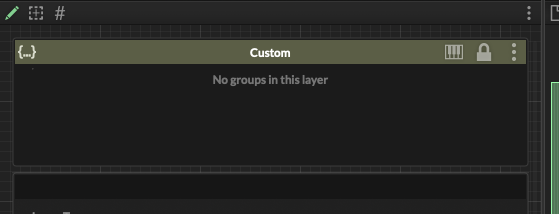
Is this normal and I'm just misunderstanding? What I'm trying to do is create groups to sort my noise layers (vinyl, fireplace etc.) and activate/disable them via scripting in a combobox. Whats the go to method for something like this?
-
You need to create groups for the layer before you can assign samples to it.
- Create Layer(s)
- Create groups for the layer (in your case Vinyl, Fireplace, etc)
- Assign samples
Step 2 and three can be done in one go if you are using a file token to get the groups. So if you have two samples
sample_fireplace_pp.wav
sample_vinyl_pp.wav
then all you need to do is to select the samples and right click in the sample table and select Assign from file token, then select the
fireplace | vinyltoken.Note that the UX of this system has changed since Davids video - I've been remodeling the workflow a few times to make it less complicated. Most assignments / selections can be done now in the sampler table which gives you the best overview of your sample setup.
-
@Christoph-Hart Thank you for taking the time for such a detailed answer. Learning HISE and reading the forum has been an great experience so far.
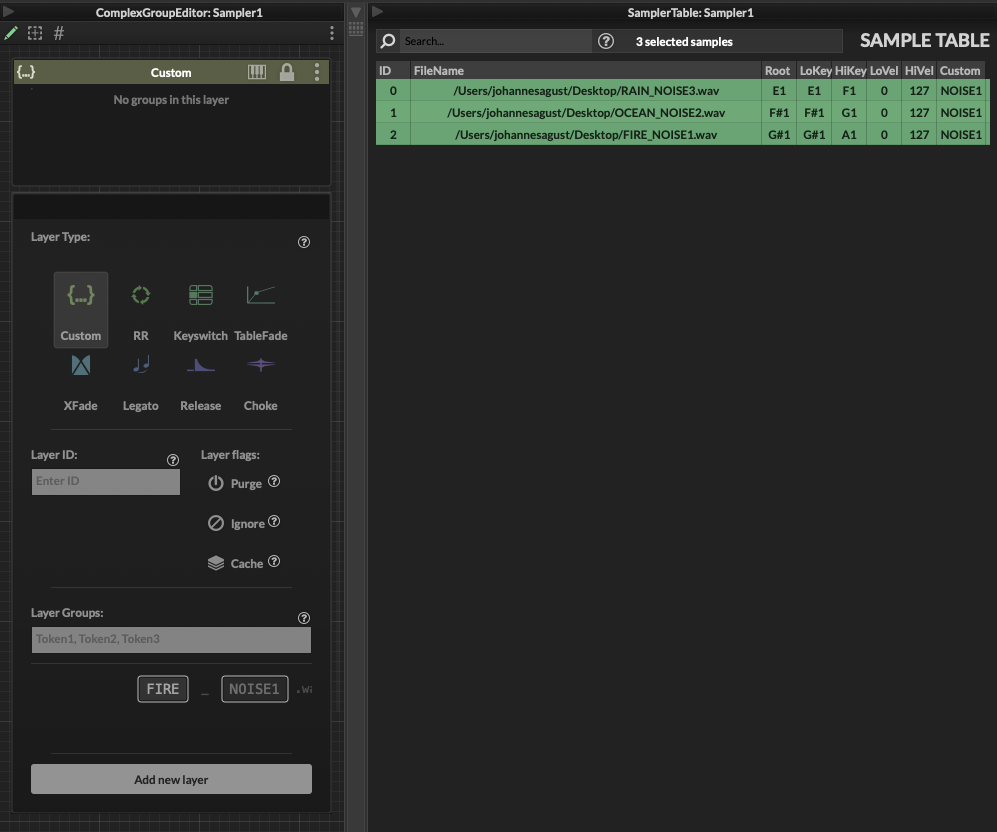
When right clicking the samples in sample table I don't get any sort of menu. I pulled the latest develop build of HISE earlier to make sure I was up to date. When creating the layer I did highlight all the samples and select the NOISE token but all the samples ended up in the NOISE1 as seen in the sample table. When using the parse file token option they do end up in the correct groups in the sample table but both options don't show any groups in the UI of the custom layer. Is this just happening on my end or is it functioning as it should?
-
Does this feature work as expected for everyone else? I really want to use the custom groups in some sample maps.
-
@johannesagust you're not using the latest build. Make sure that you've pulled the latest develop build. The custom layer should have these things:

Does this feature work as expected for everyone else?
That thing is fresh out the oven so I guess nobody is using it at the moment :) If you don't want to guineau-pig this, then I would suggest you stick to the old
setEnableRoundRobin(false)way of handling group logic. -
@Christoph-Hart Ah my bad. Gonna try to update again! Thanks again.
