FREE PRO LICENSE! // NEW: Online KNOB BUILDER for HISE!! // Filmstrips, Radial Gradients, Render Bounds
-
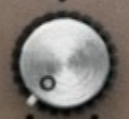
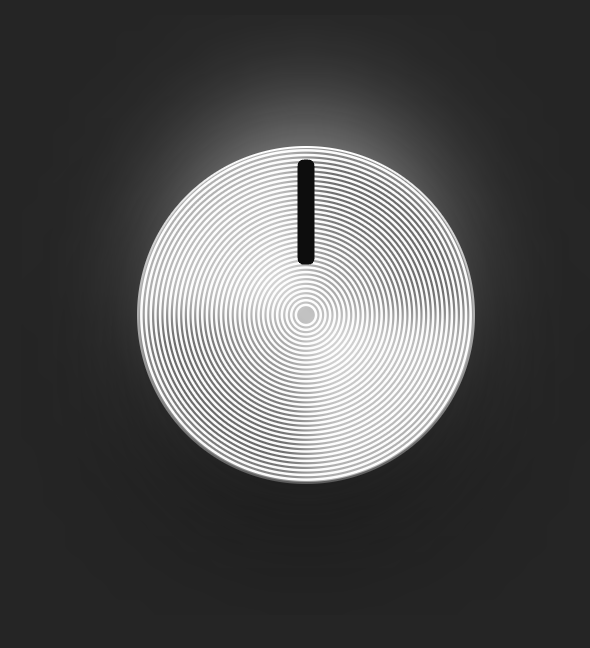
Any suggestions for getting this kinda radial brushed metal look? Thanks in advance.
-
Crazy suggestion but might be very cool
,
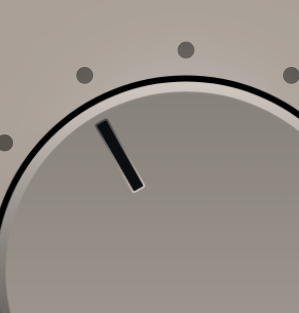
If there was a way to have that inner highlight on the pointer be like in photoshop , Global light , then it would change as I rotate , this would add a lot of realism as i basically want to drop it on this one since it stays in the same spot as I rotate.
Also maybe a gradient on the highlight line as it cuts off and is hard to use, nice but could be nicer :)
-
@digi @lalalandsynth Let me look into both of these.

-
@Chazrox If you do maybe global light could be useful for more stuff, not sure , would have to look
-
@lalalandsynth gets kinda tricky offsetting rotations. I'll give it a try!
-
@Chazrox yeah, no doubt. Its not essential.
-
A couple updates:
Expandable left column:
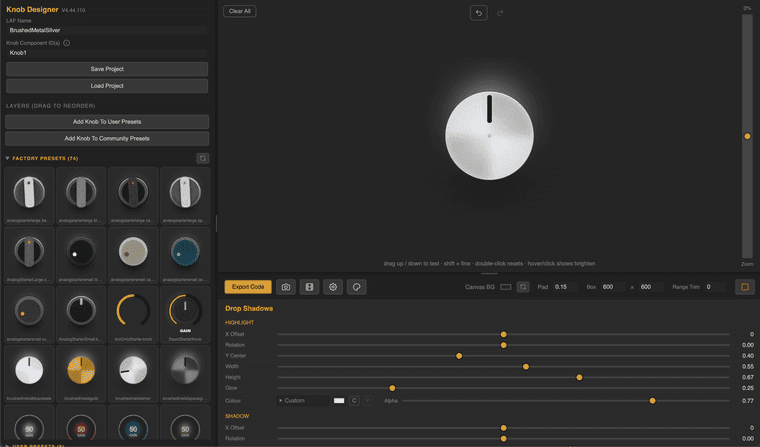
Brushed Metal (ish) parameters on "CAP" layer element:
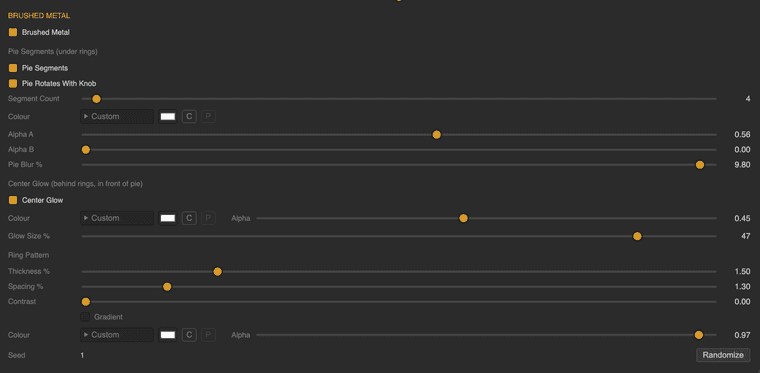
You can now delete all layers and add them back as you please.
Right Click to choose from optional layer elements to load into layers list.
Right Click also offers 'Duplicate' option.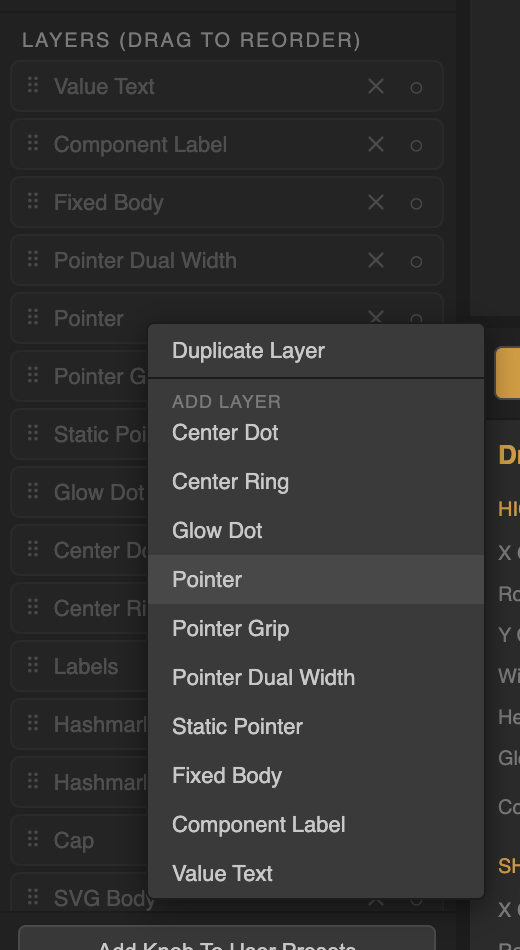
...Plus a few aesthetic updates.
Hope you're enjoying the app.
Fresh Link:
https://rox-knob-builder-for-hise.netlify.app/ -
@lalalandsynth Legend! :)
-
-
@lalalandsynth Damn, sorry :)
-
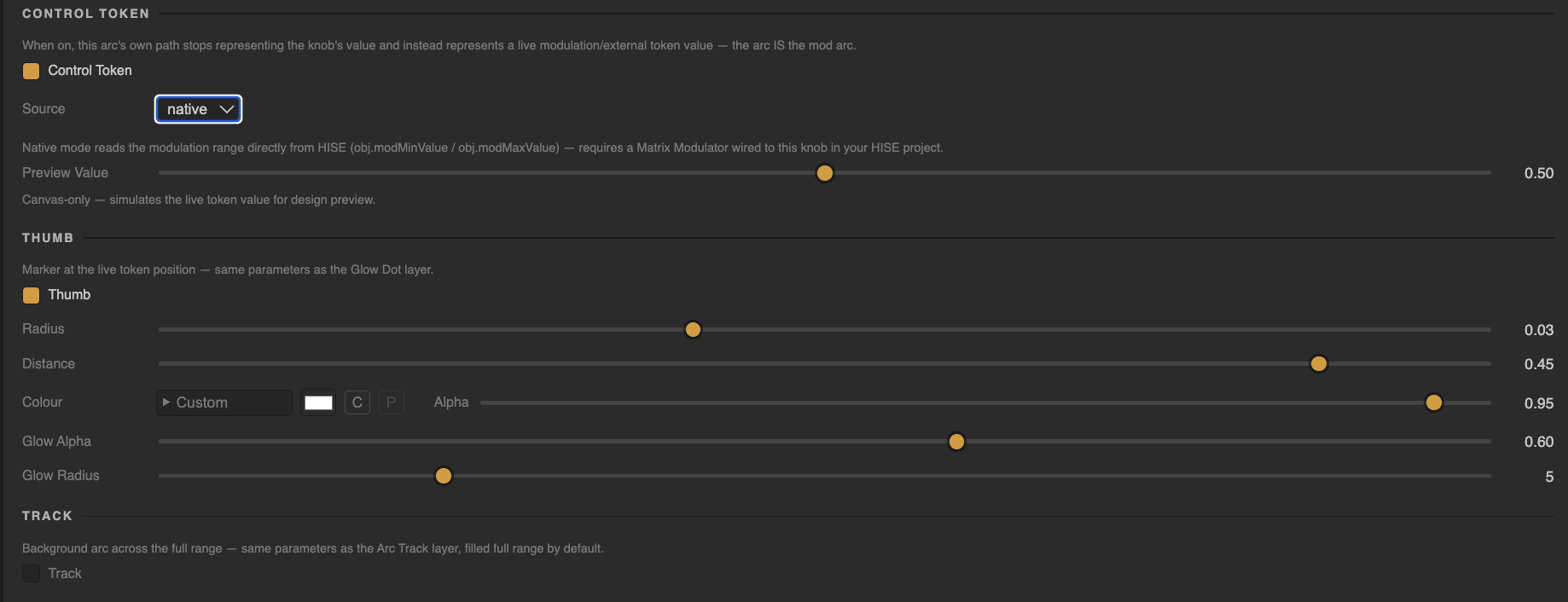
@digi @lalalandsynth lol I included the 'Control Token' feature so you can mess around with it and see if its something we should keep. See at the bottom of every 'ARC' layer there is a 'Token Control' toggle. Toggle that one and you can choose between controlling the arc with either a 'GlobalCable' or by connecting it to the components native 'Mod' values. In theory it should work, but I suck at wiring up the mod matrix so I could use some help testing this out. I would not use the GlobalCable mode just yet. I think I have to nail down some of the Hise code gen for this part. Try the 'Native' mode and hook up the knob to a mod source in HISE. I got it to "WORK" as much as seeing the mod source value move the arc knob properly but I still dont know how this will do in actual use case. Lmk what you guys think about that one.

@ustk Can you please give it a go if you have a minute? I know you're pretty well versed in using modValues.
(at the bottom of each ARC layer properties)
-
COMING SOON!
Rox Designer Suite!
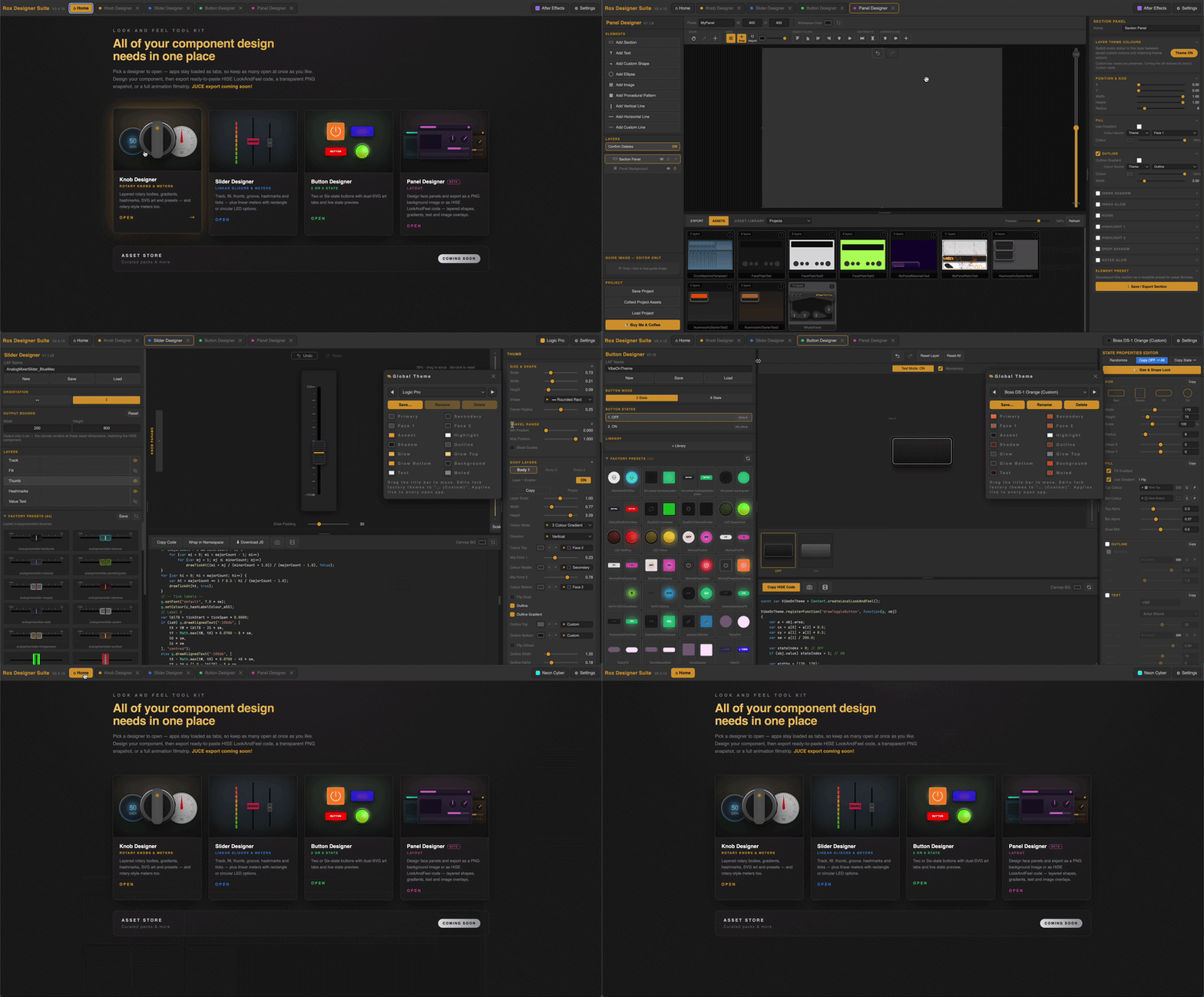
Knob Designer (Rotary Knobs & Meters)
Slider Designer (Linear Sliders & Meters including LED modes)
Button Designer (2 or 6 State modes)
Panel Designer [Beta](Shapes, lines, gradients, text etc)All apps put out HISE code or PNG snapshots/filmstrip animations.
Every app also has its own "Community Presets" library which will expand over time.
Components can either be designed styled independently or together using the global 'Colour Theme' token which can be further customized and saved as a custom user colour theme.I've taken all of the advice i've received from everyone using the KnobBuilder app and implemented them accordingly across all 4 apps.
The PanelDesigner app will come pre-loaded with curated presets for shapes/styles to get you started on formatting a layout quickly.
Easily handles complex vector designs, custom images (jpgs/pngs), and SVG's.
SVG usage is a one-time-auto-parse function in every app (HISE ready code-gen).There is a lot more to say about each app which I will include in the official release announcement for sure. Just wanted to tease the new drop and say Thank You to everyone that has been using the app and giving me positive feedback on this post and via pm's.
The KnobBuilder app has been maintaining about 70-80 unique visitors weekly so Im sure some people are getting great usage out of it so far and will love these new apps/suite just as much!
Thank You to everyone using the app!
'Rox Designer Suite' coming soon!
Switching between the 4 apps...
-
@Chazrox absolutely brilliant!
-
@Chazrox its very helpfull for people like me. Thank you bro=]
-
For everyone using the Knob app, I just pushed a new update. This is the latest version that is included in the new 'Designer Suite' app that has all of the other component designer apps.
Heres the link to the updated Knob-Builder:
https://rox-knob-builder-for-hise.netlify.app/Link to the Full Rox Designer Suite:
http://roxdesignersuite.com -
FREE to the first 20! Merry Christmas.
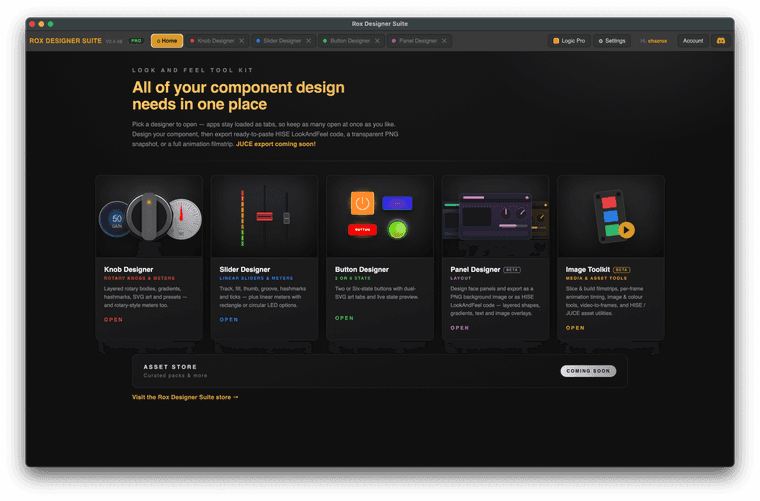
MAC OS only for now. WINDOWS soon.
roxdesignersuite.comDemo the KNOB app here ---> https://rox-knob-builder-for-hise.netlify.app/
-
Update: There are still 2 codes left
-
Update:
All 20 discount codes have been claimed. I've been recieving great feedback on the app so far. I want to keep the good vibes going!
I've opened up 10 more promo code slots! Get it while its hot! Don't forget to join the discord.
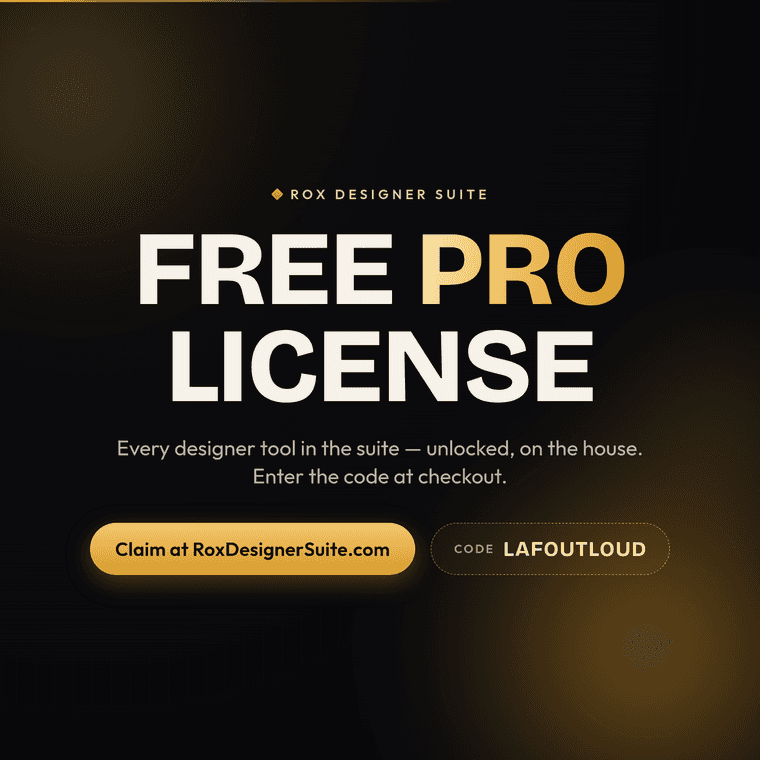
Add this to your cart:
https://roxdesignersuite.com/products/rox-designer-suite
Enter promo code: "LAFOUTLOUD" at checkout.
ENJOY!
If you've already grabbed a copy for yourself are enjoying it, share this code with a friend that might need it!

Have a great day!- Rox
Join The Discord:
https://discord.gg/GV2vHAdX9 -
Thank you so much, this solved my biggest problem! Amazingly useful!
-
Wow congrats bro! I can't wait to try it