Forum
    • Categories
    • Register
    • Login

    dublicate and rename Hise project

    Scheduled Pinned Locked Moved General Questions
    2 Posts 2 Posters 30 Views
    Loading More Posts
    • Oldest to Newest
    • Newest to Oldest
    • Most Votes
    Reply
    • Reply as topic
    Log in to reply
    This topic has been deleted. Only users with topic management privileges can see it.
    • C
      combamusic
      last edited by

      Hi there. I have a question about dublicate and rename the Hise project. I have a finished expansion, and want to use the entire project as the foundation for a similar second expansion. So I dublicated the entire folder with all the content, renamed, exchanged the content and saved the xml with new name. but still the top of the session always shows the old name. how do I change that? My guess its something to do with the project_info.xml which I can see still contains the old name. should I delete this file or rather go inside and edit?
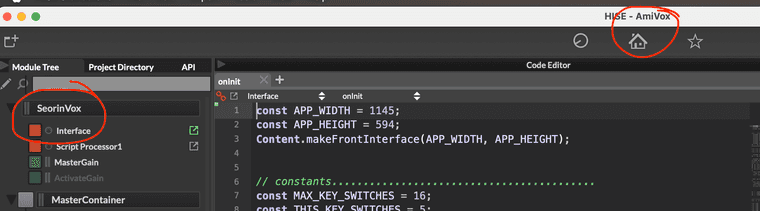
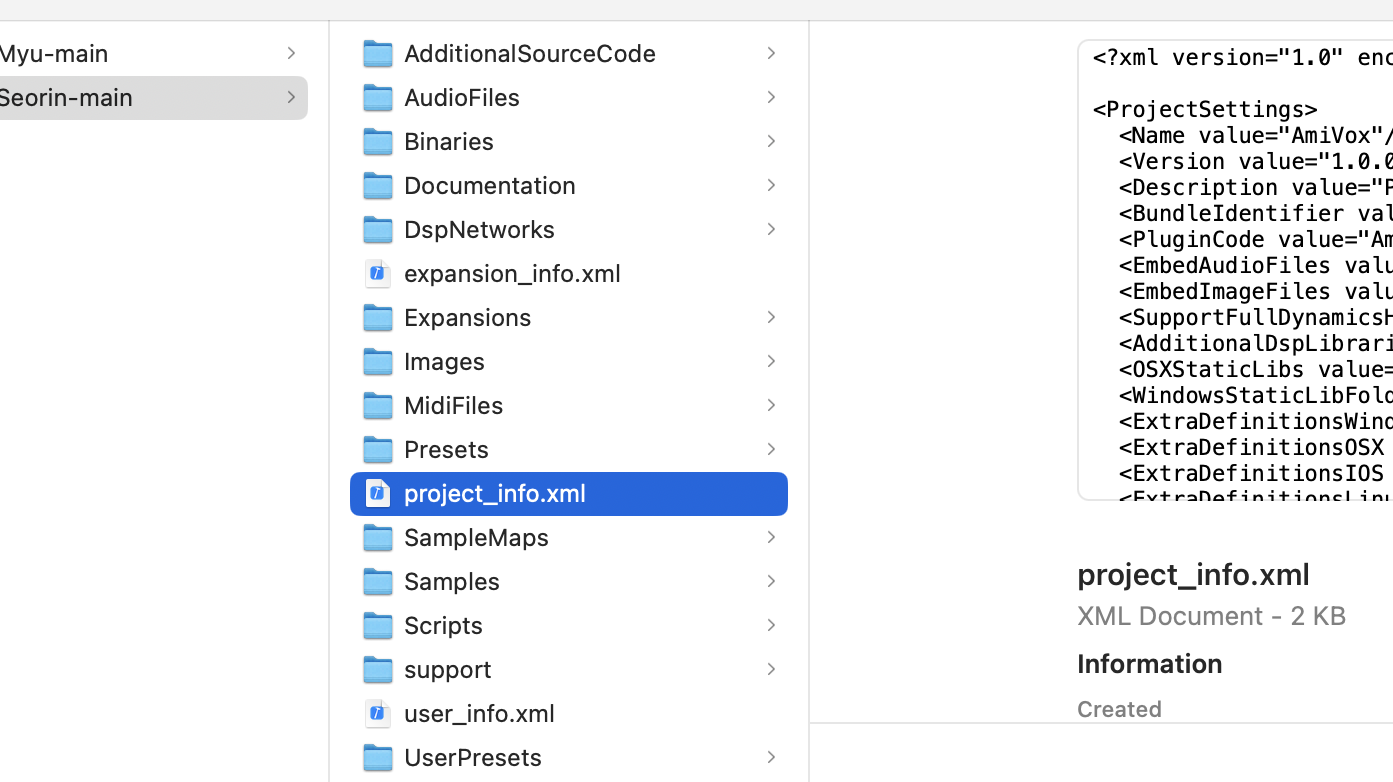
      Screenshot 2026-07-22 at 12.33.19.png Screenshot 2026-07-22 at 12.34.45.png

      David HealeyD 1 Reply Last reply Reply Quote 0
      • David HealeyD
        David Healey @combamusic
        last edited by

        @combamusic Easiest way is to open the project xml files (the ones in XmlPresetBackups folder) in a text editor and use find/replace to change the old name for the new. You'll also need to change the names of the files and folders in the XmlPresetBackups folder and also inside /Scripts/ScriptProcessors

        Free HISE Bootcamp Full Course for beginners.
        YouTube Channel - HISE tutorials
        My Patreon - More HISE tutorials

        1 Reply Last reply Reply Quote 0
        • First post
          Last post

        27

        Online

        2.4k

        Users

        13.9k

        Topics

        120.7k

        Posts
