Low-cut and a high-cut - Simple Reverb1
-
@Yinxi Thank you so much

-
@tsempire you need to place your elements inside a Split container, and then create two branches using Chain containers.
-
@Yinxi I didn't know how to do it, thank you, I understand better now.
-
@Yinxi
How did you reverse the direction between these two?
Dry/Wet > in chain1 > Gain 1
and
Gain in chain > GainWhen I turn the Dry/Wet knob, the Gain moves in the opposite direction.
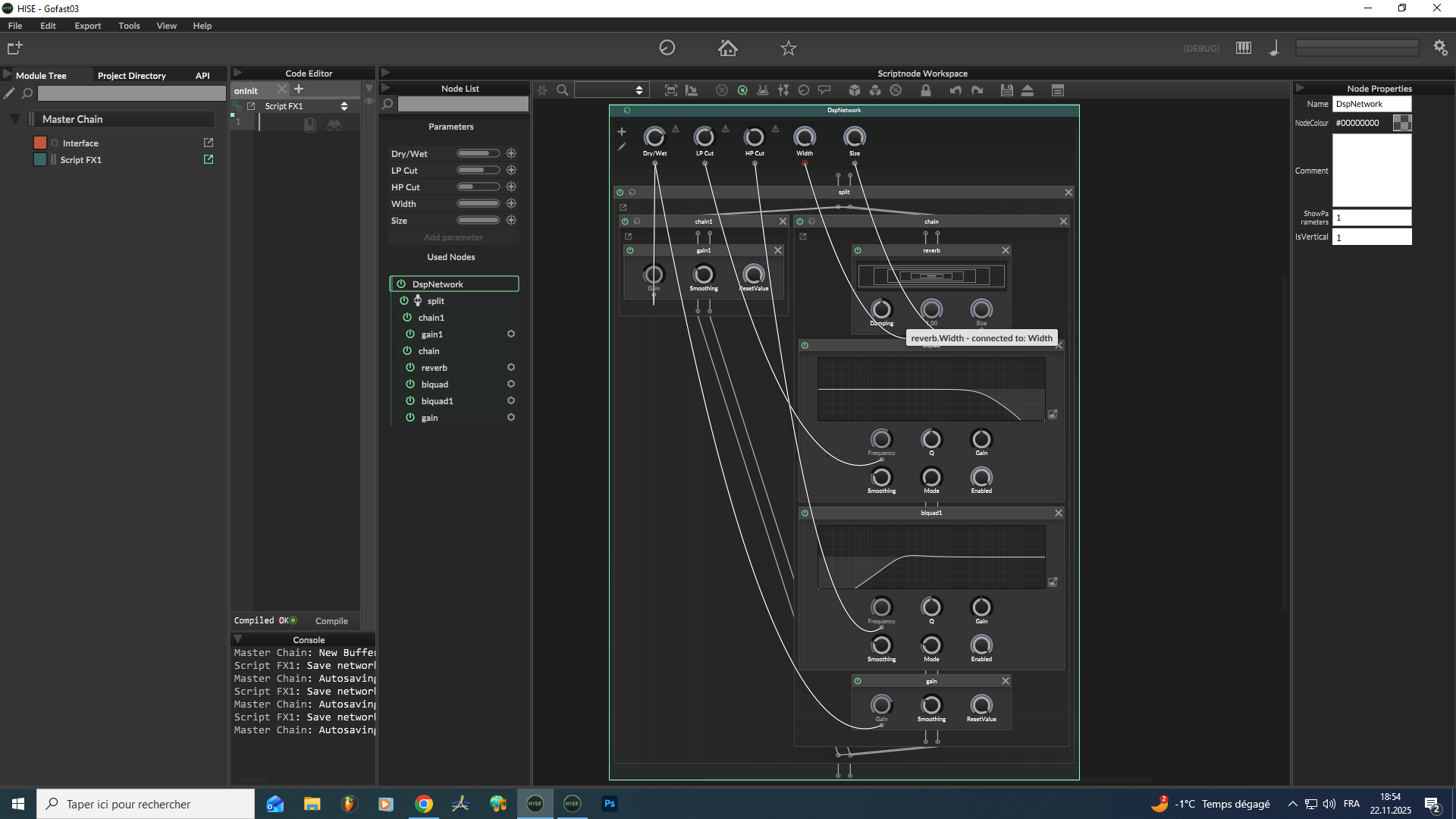
-
@tsempire
Right-click the gain knob and set the MinValue to –100 and the MaxValue to 0. If you want to reverse it, simply swap these two values -
@Yinxi said in Low-cut and a high-cut - Simple Reverb1:
@tsempire
Right-click the gain knob and set the MinValue to –100 and the MaxValue to 0. If you want to reverse it, simply swap these two valuesyou are probably better off using a xfader - so you can use RMS (amongst other) xfading...

HISE Development for hire.
www.channelrobot.com -
@Lindon Thank you so much

-
hi, this method seems to filtering the dry signal too .
is there a way to have the filters only affect the reverb ?
-
@xxx You're setup looks ok above. Send what your current setup looks like.
-
That's a great question, and you've hit on the key to a proper FX chain! You are totally right—if you're filtering the dry signal, it means your filter is in the wrong place.
To fix it, you need to make sure your Low-Cut/High-Cut filters are only placed inside the 'Wet' signal chain (the one that holds the reverb module). If you have your setup using a Split container (as discussed earlier), the dry signal should be on one side (no filters), and the reverb + filters should be on the other side.
That should keep your dry signal clean!