@lloyduss @David-Healey Thank you so much it worksssss!

@lloyduss @David-Healey Thank you so much it worksssss!

@lloyduss ok thank you! do you know where can I find a link to have the Community 2022? Because at the moment if I follow the Audio Dev School video, the link has been updated to the 2026 version.
Hello everyone,
I'm having an issue with the HISE Export Setup Wizard on Windows that's preventing me from compiling my plugin.
Context:
Problem:
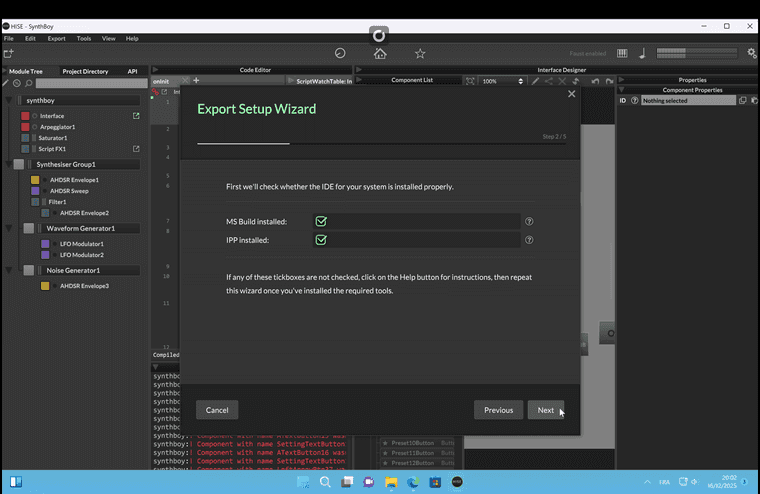
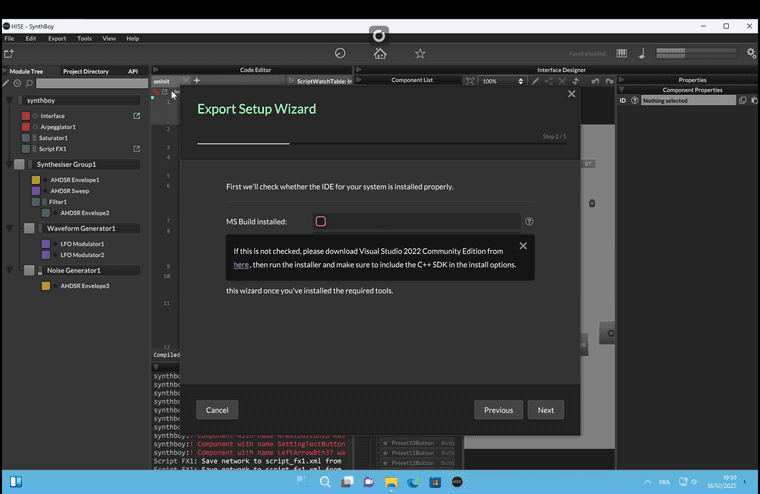
The Export Setup Wizard (Step 2/5) doesn't detect MSBuild. The checkbox "MS Build installed:" stays unchecked and the "Next" button is disabled.
MSBuild is installed and works fine:
When I try to bypass the wizard, the build fails with "Le chemin d'accès spécifié est introuvable" (The specified path cannot be found).
Question:
How does HISE detect MSBuild on Windows? Is there a way to manually specify the MSBuild path in a config file, or is there a known issue with Visual Studio 2022 Professional detection?
Any help would be greatly appreciated!
Thanks,
Lloyd

@lloyduss UPDATE:
After some debugging, I’ve figured out what’s most likely causing the issue.
When I try to launch my “HISE Debug.exe” build, Visual Studio throws this error:
Unhandled exception at 0x00007FF70655F7C6 in HISE Debug.exe: 0xC000001D: Illegal Instruction
It seems that this happens because I’m running Windows 11 ARM inside Parallels Desktop on an Apple Silicon Mac (M1/M2), while the build targets x64 (Intel).
In other words, HISE is compiled for an Intel CPU, but my Windows installation is ARM-based — and that mismatch causes the app to crash immediately on launch.
So now I’m wondering:
Is there a way to make HISE fully compatible with Windows ARM (maybe by compiling it as ARM64 in Visual Studio)?
Or do I absolutely need to use a computer or virtual machine running a proper x64 Windows environment to get HISE working correctly?
Any insights or workarounds would be super appreciated. 
Hi everyone,
I’m currently following a tutorial from AudioDevSchool about how to build HISE on Windows using Parallels Desktop. I’ve followed every step carefully, and the build process seems to go fine.
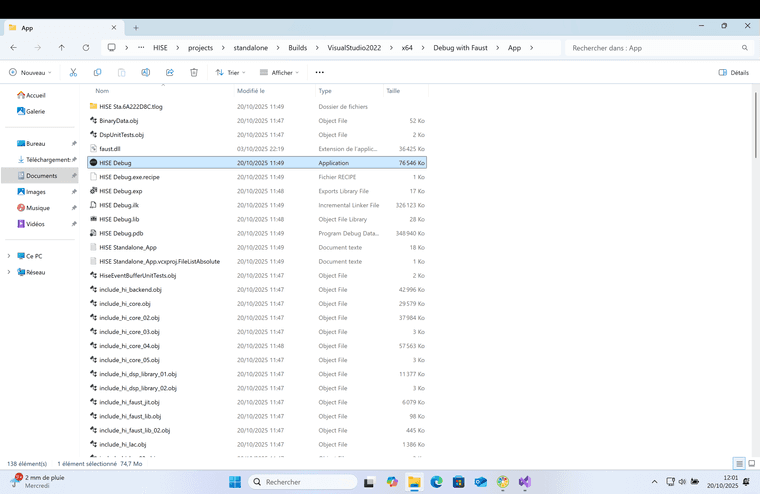
When I create the build “Debug with Faust,” it successfully generates the “HISE Debug” application file (along with the other build files). However, when I click on the “HISE Debug” app, nothing happens — it shows a brief loading cursor for a few seconds, and then just stops. HISE never actually opens.
I’ve already tried uninstalling and reinstalling everything multiple times, making sure there are no leftover files from previous installations, but I keep running into the same issue — the build simply won’t open.
Has anyone experienced this before, or does anyone know what could be causing this issue?
Any help would be greatly appreciated!
Thanks in advance.