Plugin Notices — keeping customers updated inside the plugin
-
Hey Gang,
I wanted to share another part of SoundSync I’ve been working on: Plugin Notices.
These let you put a message inside your plugin when there’s something you want customers to know about. That might be a new preset pack, an update, a useful download, or just some news from your studio.
Quick note for anyone using HISE: the included notice integration is currently in the JUCE package. It isn’t included in either HISE package yet. The screenshots below are Moonwave examples from the dashboard preview and setup screens, rather than a running HISE instrument.
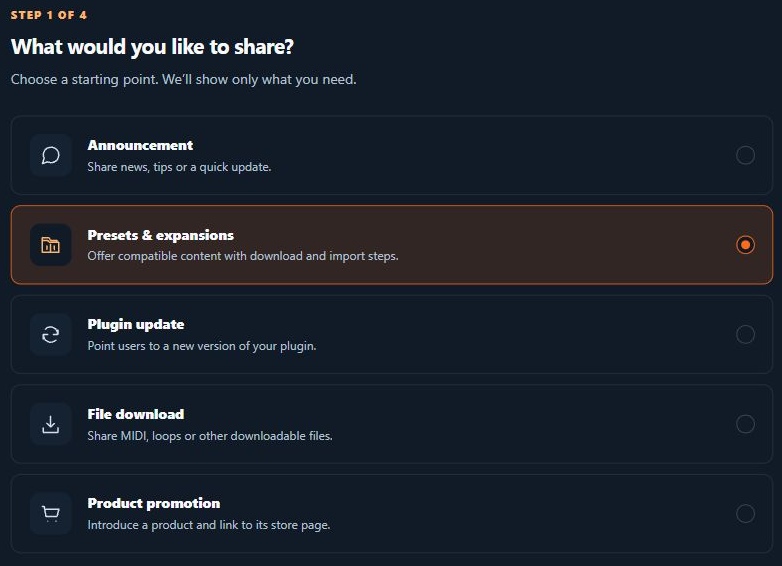
The current notice types cover:
- Announcements — news, tips or a quick update.
- Presets and expansions — compatible content with a download and import instructions.
- Plugin updates — a message linking to a new release and its version details.
- File downloads — MIDI, loops or another useful file.
- Product promotions — introduce another product and link to its page.
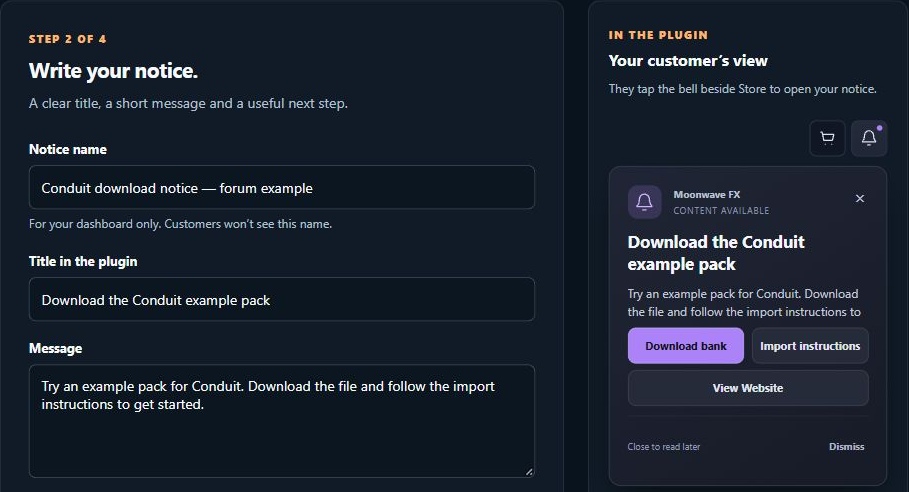
You write the title and message, add the buttons or links, and choose which products it should appear in. Your studio name and colour come from Brand Manager.
For example, if you put together some extra presets for an instrument, you can attach an existing uploaded product file and include instructions for importing it. You can provide Windows and macOS instructions, with a General set as the fallback.
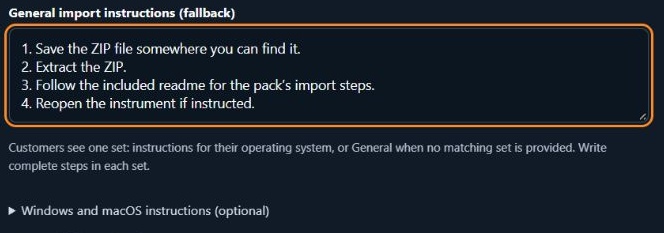
Example instructions in the destination editor.
Customers choose where to save the file and follow the steps themselves. Downloading doesn’t automatically install or import anything, and access to paid content still depends on ownership.
You can make a notice available when you publish it or schedule it for later, with a start and end date. You can target selected products or the products currently enabled for notices across your catalog.
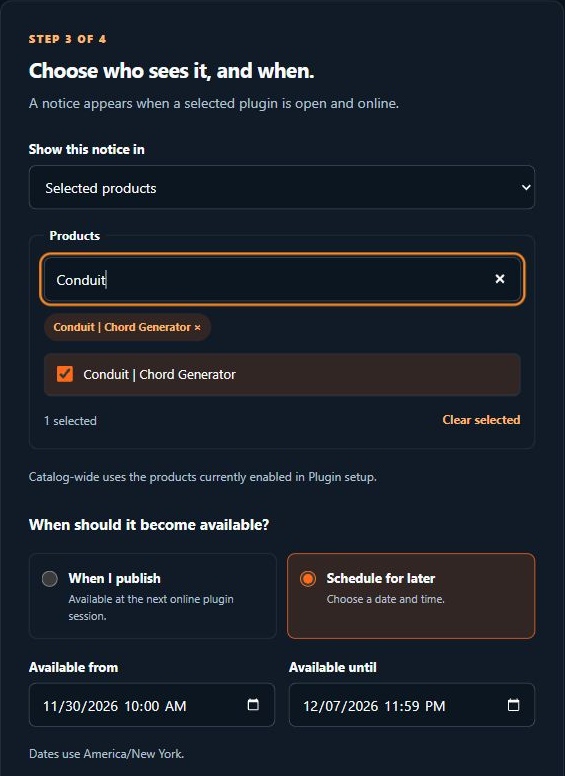
Conduit selected with example dates. Nothing was scheduled for this post.
There are also controls for the audience, delivery trigger, delay, priority and frequency. That includes making a notice available while the editor is open or when it reconnects, on the next editor open, or through a specific control you’ve wired into the integration.
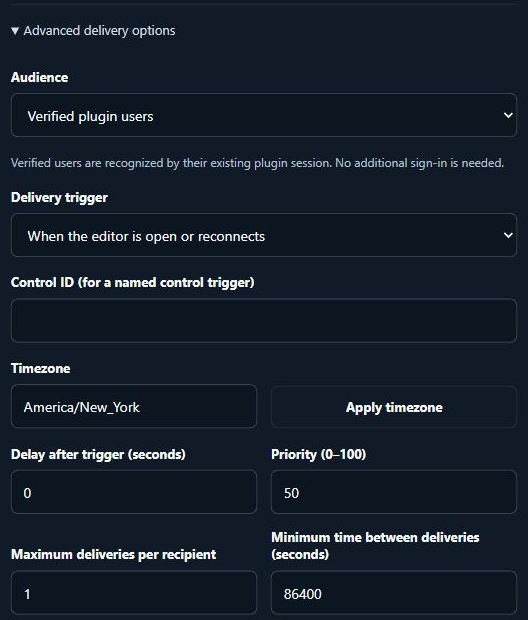
When a notice is available, the Notifications button gets an unread indicator. The customer chooses to open it, can close it to read later, or dismiss that notice. Verified plugin users are recognized through their existing plugin session without another sign-in just to read an eligible notice.
You can preview and save a draft before publishing, pause or archive a notice, and see what was fetched, actually shown, clicked or dismissed, along with action outcomes. A fetched notice isn’t counted as a viewed message.
The plugin needs the notice integration built in and released first. Once that’s in place, you can create and publish new messages from the dashboard without rebuilding the plugin for each announcement.
I thought this would be useful for the updates people can easily miss once they’ve downloaded something, especially if they don’t follow your emails or socials.
Current JUCE integration and setup
Would be interested to hear how you’re currently handling this, or what you’d find useful to be able to tell customers from inside an instrument.