Setting Up Promotions Around Your Catalog
-
Hey Gang,
I wanted to show a bit more of the promotions side of SoundSync and a few ways you can put an offer together around your products.
There are regular promo codes, single and tiered cart discounts, buy-one-get-one offers, group buys, and purchase rewards. There’s also a separate subscription-promotion option for the initial subscription payment; renewals use the regular list price.
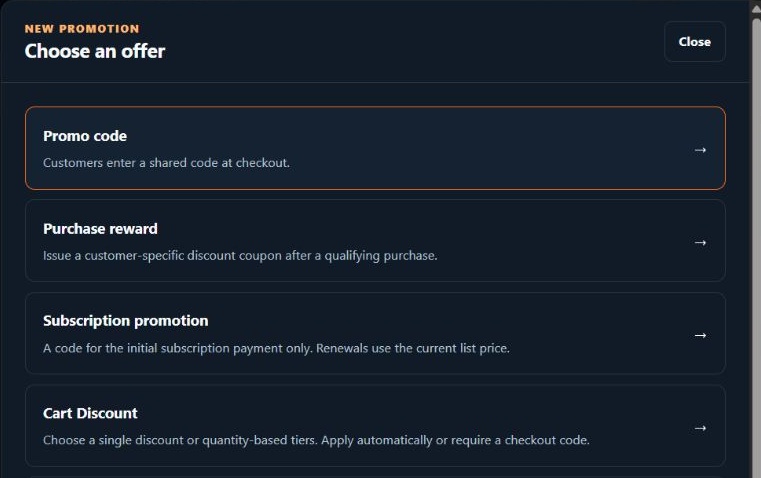
Some of the offer choices in the promotion editor.
Promo codes and the rules around them
For a code, you can choose a percentage or fixed USD discount, the eligible products, dates, minimum spend, and usage limit. Codes can also be restricted to specific customers.
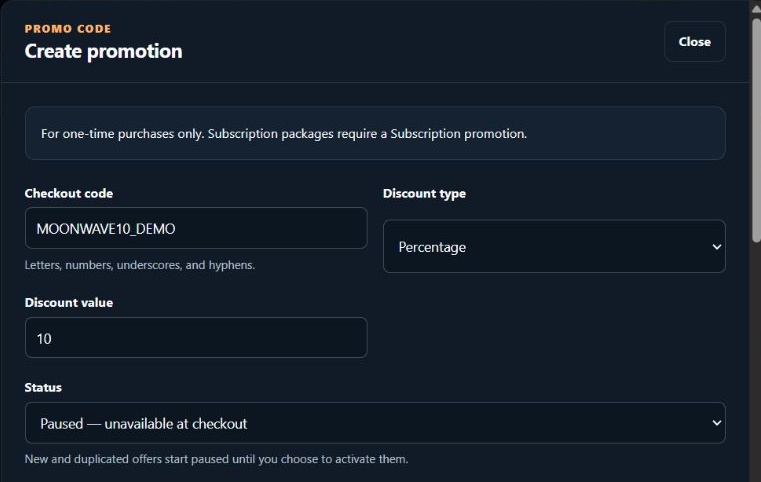
An example 10% code, with Paused selected during setup.
You can choose whether a code works on sale items and whether it combines with an automatic offer. Those are separate settings, so it’s worth checking both when putting a promotion together.
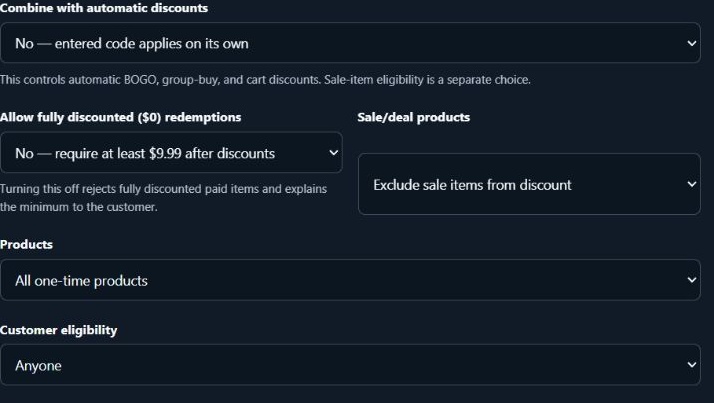
Sale-item eligibility, automatic-discount stacking, product scope, and customer eligibility are separate choices.
Cart discounts
A single cart discount can apply after the cart reaches a minimum number of eligible items. Tiered discounts let you change the percentage based on how many different eligible products someone chooses.
For example, I could include Moonwave’s Conduit, Voidline, and Eidolon and set:
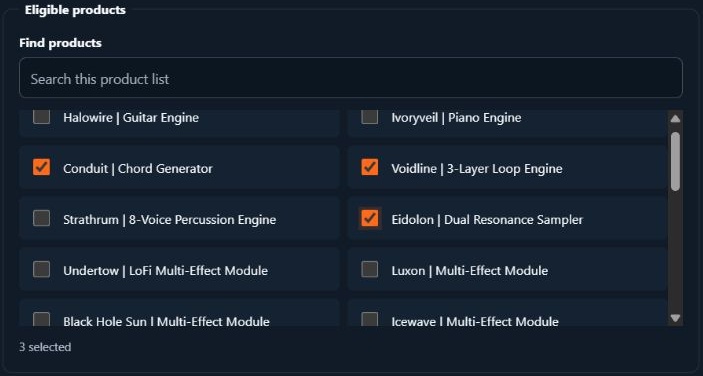
Conduit, Voidline, and Eidolon selected as the eligible products.
- Two different eligible products: 10% off.
- All three: 15% off.
That can apply automatically at checkout or require a code. Buying extra copies of the same product doesn’t unlock a higher tier; the threshold counts different eligible products.
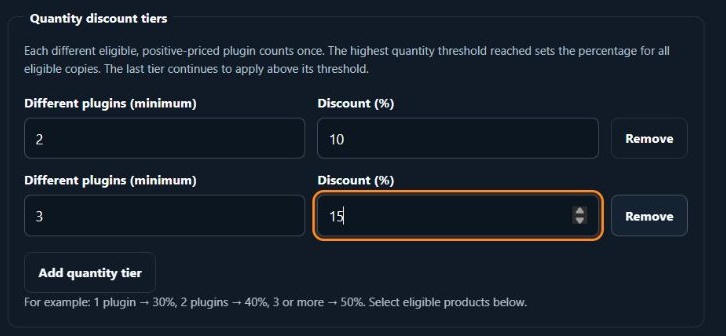
Entered example tiers: two different products for 10%, and three for 15%.
The customer preview shows the calculation before you activate anything. With three eligible products and an illustrative $100 subtotal, this example takes $15 off, leaving $85 before tax.
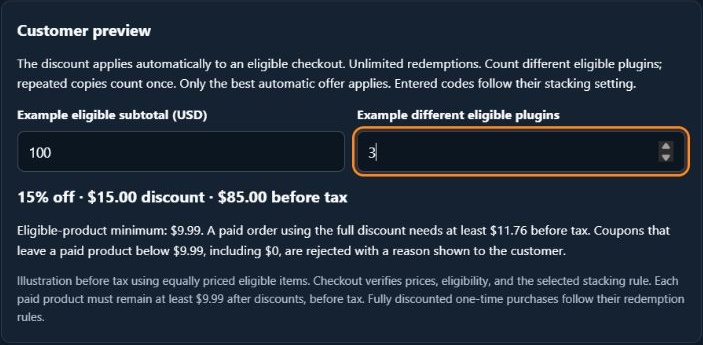
The three-product example reaches the 15% tier: $15 off an illustrative $100 subtotal.
Purchase rewards
You can also issue a customer-specific coupon after a qualifying purchase. For example, someone buys an instrument and receives a $10-off coupon for a future order, with one use and 30 days to redeem it.
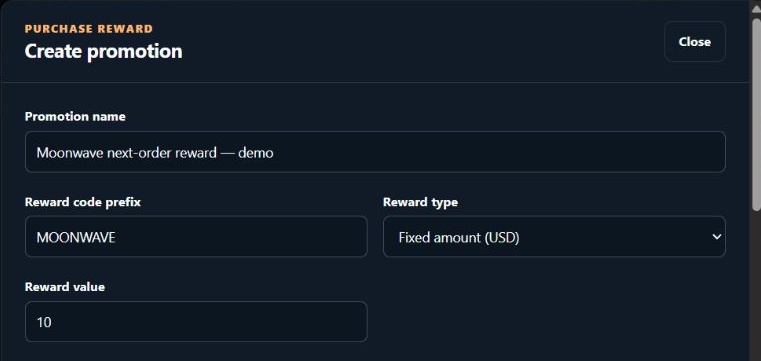
A Moonwave example reward with a $10 coupon value.
In this example I’ve set a $20 minimum eligible spend for redemption. You can configure the qualifying purchases, reward expiry, and whether to issue one coupon per order or per distinct qualifying product.
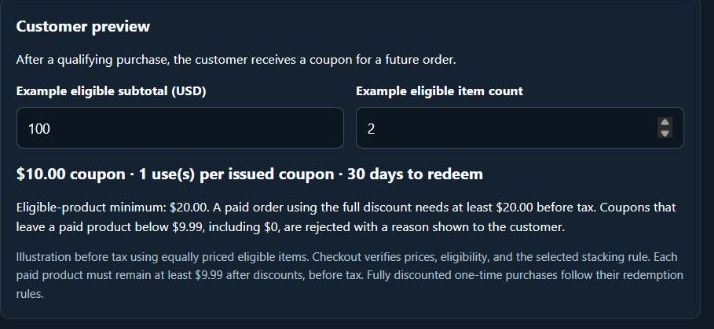
The preview shows the $10 coupon, one use, 30-day expiry, and $20 minimum spend.
Before making an offer active, check its preview, eligible products, and final checkout price. Paid products need to remain at least $9.99 after discounts, before tax.
You can keep offers paused while preparing them and review their usage once they’re running. Coupon imports also have a preview so you can check the matches and any problems before applying them.
What kinds of offers are you currently running, and which parts are the most awkward to manage?