Forum
    • Categories
    • Register
    • Login

    How to add an Lfo modulator to an hardcoded Faust FX?

    Scheduled Pinned Locked Moved General Questions
    5 Posts 3 Posters 79 Views
    Loading More Posts
    • Oldest to Newest
    • Newest to Oldest
    • Most Votes
    Reply
    • Reply as topic
    Log in to reply
    This topic has been deleted. Only users with topic management privileges can see it.
    • S
      Sounddiy
      last edited by Sounddiy

      Hi!

      I would like to modulate a parameter from an hardcoded faust FX.

      • I compiled Hise both "visual studio" and "release with faust" with :
        NUM_HARDCODED_FX_MODS=12
        NUM_HARDCODED_POLY_FX_MODS=12

      Capture1.PNG
      Capture2.PNG

      • I check and I have 12 extra slot :

      Capture5.PNG

      • I add a extra slot to parent script FX and Change external modulation to combined.
      • I compile dsp network and reload Hardcoded network dll but it seems to not work.
        I Do not understand really how to make it work ord perhaps that Faust Fx cannot be modulate...

      Thanks !
      Capture3.PNG
      Capture4.PNG

      ustkU 1 Reply Last reply Reply Quote 0
      • ustkU
        ustk @Sounddiy
        last edited by ustk

        @Sounddiy the warning icon is telling you what the problem is. the doc says:
        https://docs.hise.dev/scriptnode/list/core/extra_mod.html

        Note that these two modes are mutually exclusive and you cannot connect a root parameter to a target while having a extra_mod node connected to the same index. If you do so, you'll be greated with this aggressive warning icon:

        In fact the connection is happening behind the scene. So just disconnect your parameter and connect the extra_mod node to your FAUST parameter. The index of the node becomes you selector.
        So 4 parameters = 4 extra_mod nodes, and indexes 0 to 3.

        Hise made me an F5 dude, any other app just suffers...

        S 1 Reply Last reply Reply Quote 0
        • S
          Sounddiy @ustk
          last edited by Sounddiy

          Thanks @ustk for your help

          I find the right way ! :

          1 - Just add parameters at the top as many as FX slot, for me : 12
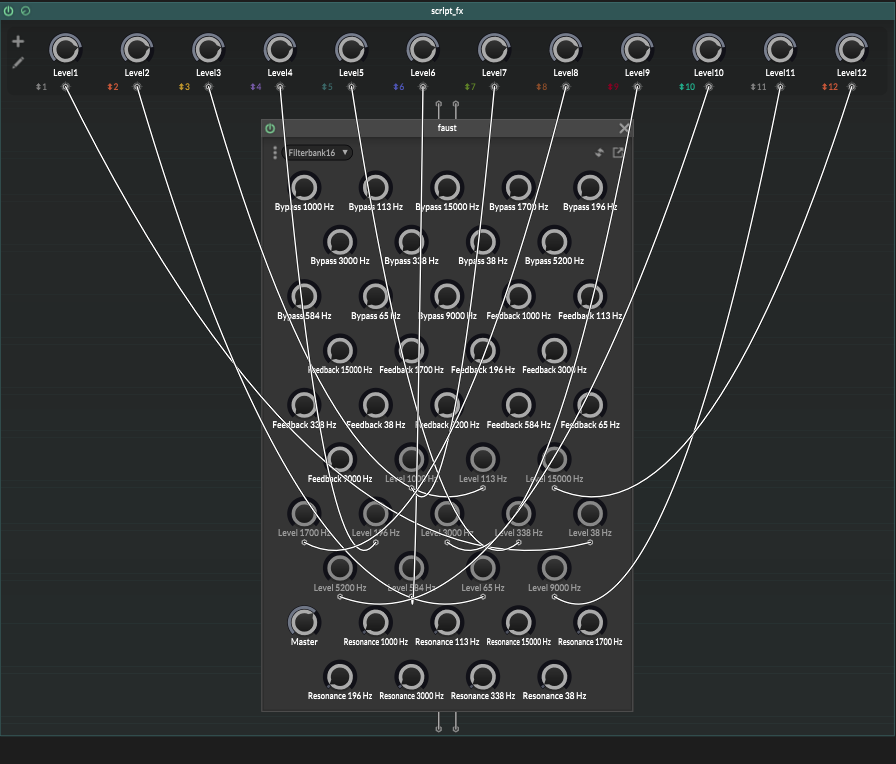
          Capture7.PNG

          2 - right click on parameters and choose "externalmodulation : combined"
          3 - choose colors you want for each Fx slot
          4 - export dll
          5 - import the new network DLL

          I can now add a lfo modulator or a global time variant modulator :
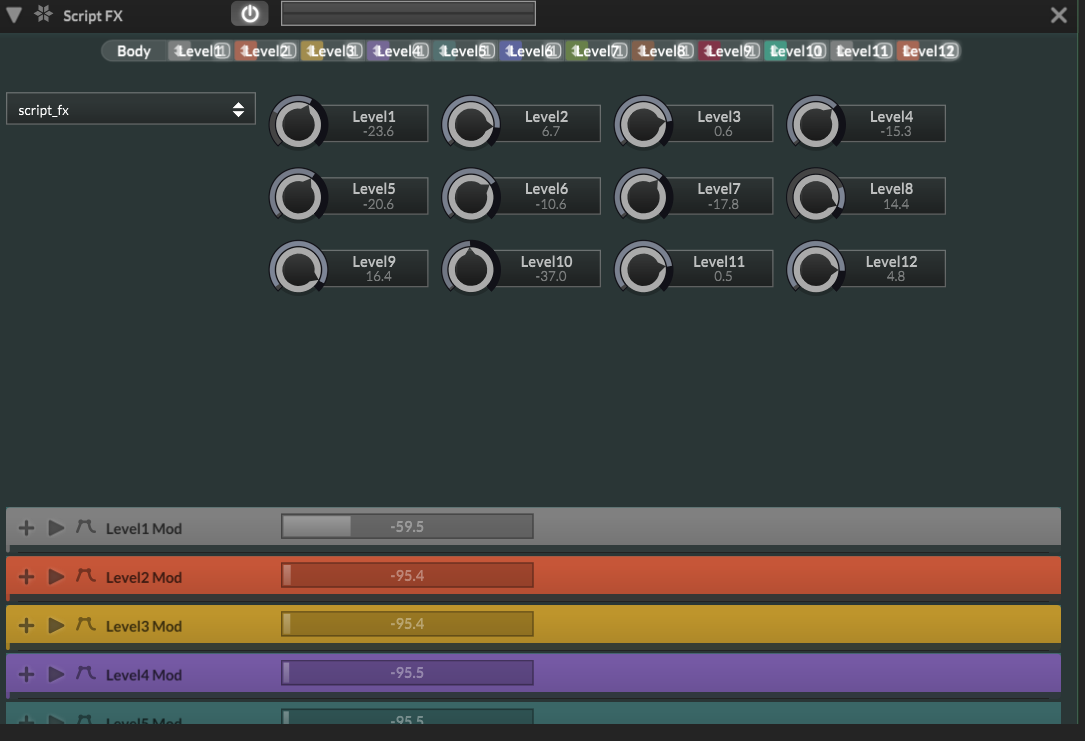
          Capture6.PNG

          But how max FX slots could we create, 16?

          David HealeyD 1 Reply Last reply Reply Quote 0
          • David HealeyD
            David Healey @Sounddiy
            last edited by

            @Sounddiy You can set it in Projucer and it will show you in HISE, Help > About

            22b329a7-6e1d-4173-b961-59c145dea298-image.png

            Free HISE Bootcamp Full Course for beginners.
            YouTube Channel - HISE tutorials
            My Patreon - More HISE tutorials

            S 1 Reply Last reply Reply Quote 1
            • S
              Sounddiy @David Healey
              last edited by

              @David-Healey Thank :)

              1 Reply Last reply Reply Quote 0
              • First post
                Last post

              19

              Online

              3.0k

              Users

              14.0k

              Topics

              121.7k

              Posts
