Forum
    • Categories
    • Register
    • Login

    --> Update w/ User Feature Requests! // NEW: Online KNOB BUILDER for HISE!! // Filmstrips, Radial Gradients, Render Bounds

    Scheduled Pinned Locked Moved Scripting
    lafknobsknob designerscalable knobonline editor
    116 Posts 17 Posters 24.4k Views
    Loading More Posts
    • Oldest to Newest
    • Newest to Oldest
    • Most Votes
    Reply
    • Reply as topic
    Log in to reply
    This topic has been deleted. Only users with topic management privileges can see it.
    • ChazroxC
      Chazrox
      last edited by Chazrox

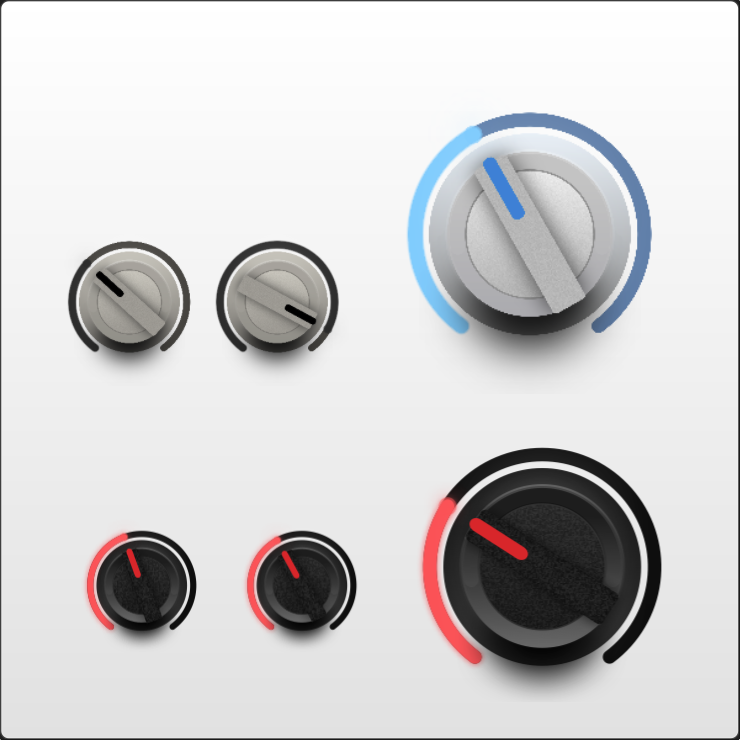
      These are examples compiled in HISE (600x600 canvas). White knobs are PNG filmstrips. Black knobs are LAF.
      Screenshot 2026-07-23 at 1.46.07 AM.png

      lalalandsynthL 1 Reply Last reply Reply Quote 1
      • lalalandsynthL
        lalalandsynth @Chazrox
        last edited by lalalandsynth

        @Chazrox "how your export will look in Snapshot (transparent background),"

        Am i thick I cant see how i can set background to alpha?

        https://trikk.studio/
        https://www.instagram.com/trikkstudio/

        ChazroxC 1 Reply Last reply Reply Quote 0
        • ChazroxC
          Chazrox @lalalandsynth
          last edited by

          @lalalandsynth The background is transparent by default when you export. 👍

          lalalandsynthL 1 Reply Last reply Reply Quote 1
          • D
            digi
            last edited by

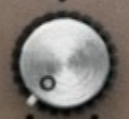
            Any suggestions for getting this kinda radial brushed metal look? Thanks in advance.
            86f3379e-180b-43cd-a29e-96b9c2411a87-CleanShot 2026-07-24 at 13.11.23.png

            ChazroxC 1 Reply Last reply Reply Quote 0
            • lalalandsynthL
              lalalandsynth @Chazrox
              last edited by

              @Chazrox

              Crazy suggestion but might be very cool

              ,858a9d42-4981-42f5-849c-b5d6e89319ed-image.png

              If there was a way to have that inner highlight on the pointer be like in photoshop , Global light , then it would change as I rotate , this would add a lot of realism as i basically want to drop it on this one since it stays in the same spot as I rotate.

              Also maybe a gradient on the highlight line as it cuts off and is hard to use, nice but could be nicer :)

              https://trikk.studio/
              https://www.instagram.com/trikkstudio/

              1 Reply Last reply Reply Quote 0
              • ChazroxC
                Chazrox @digi
                last edited by

                @digi @lalalandsynth Let me look into both of these. 👍

                lalalandsynthL 1 Reply Last reply Reply Quote 1
                • lalalandsynthL
                  lalalandsynth @Chazrox
                  last edited by

                  @Chazrox If you do maybe global light could be useful for more stuff, not sure , would have to look

                  https://trikk.studio/
                  https://www.instagram.com/trikkstudio/

                  ChazroxC 1 Reply Last reply Reply Quote 0
                  • ChazroxC
                    Chazrox @lalalandsynth
                    last edited by

                    @lalalandsynth gets kinda tricky offsetting rotations. I'll give it a try!

                    lalalandsynthL 1 Reply Last reply Reply Quote 1
                    • lalalandsynthL
                      lalalandsynth @Chazrox
                      last edited by

                      @Chazrox yeah, no doubt. Its not essential.

                      https://trikk.studio/
                      https://www.instagram.com/trikkstudio/

                      1 Reply Last reply Reply Quote 0
                      • ChazroxC
                        Chazrox
                        last edited by Chazrox

                        A couple updates:

                        Expandable left column:
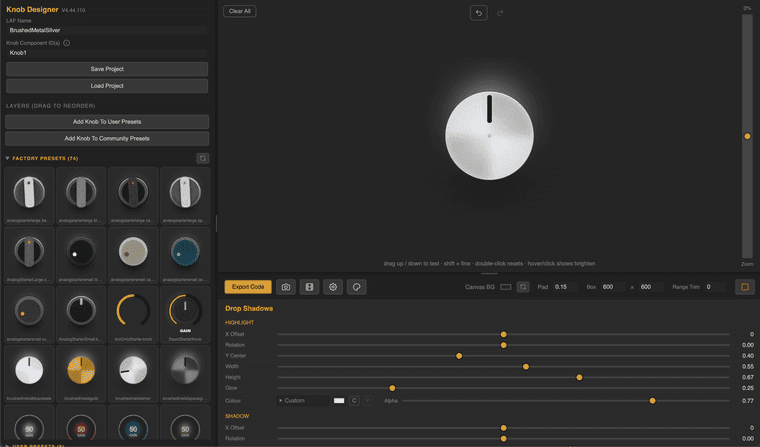
                        Screenshot 2026-07-26 at 11.34.02 AM.png

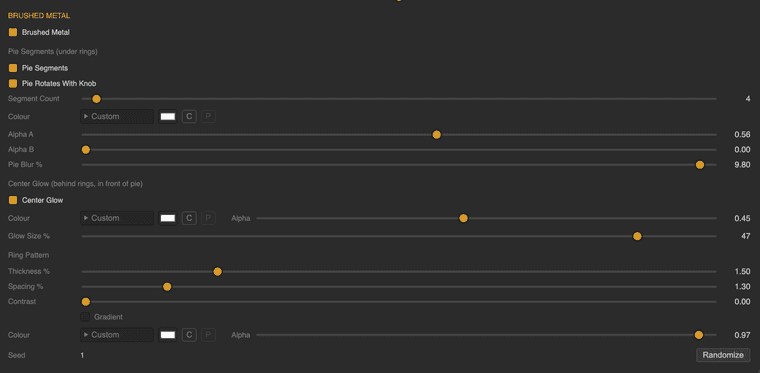
                        Brushed Metal (ish) parameters on "CAP" layer element:
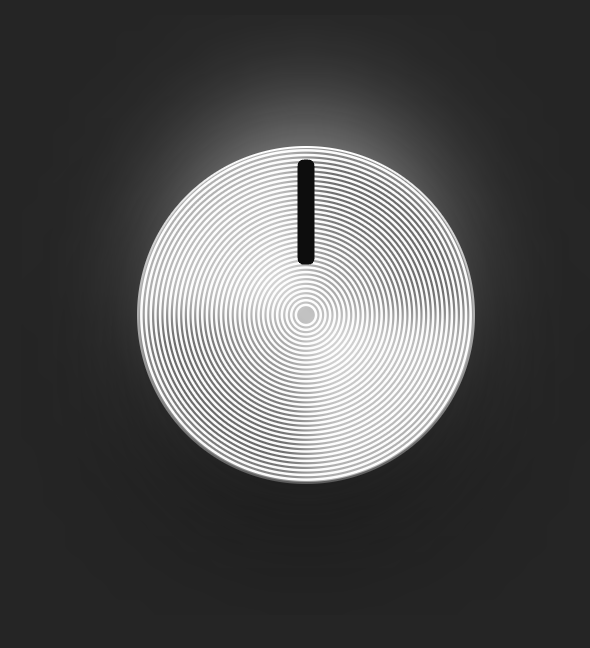
                        Screenshot 2026-07-26 at 11.32.38 AM.png

                        Screenshot 2026-07-26 at 11.36.03 AM.png

                        You can now delete all layers and add them back as you please.
                        Right Click to choose from optional layer elements to load into layers list.
                        Right Click also offers 'Duplicate' option.
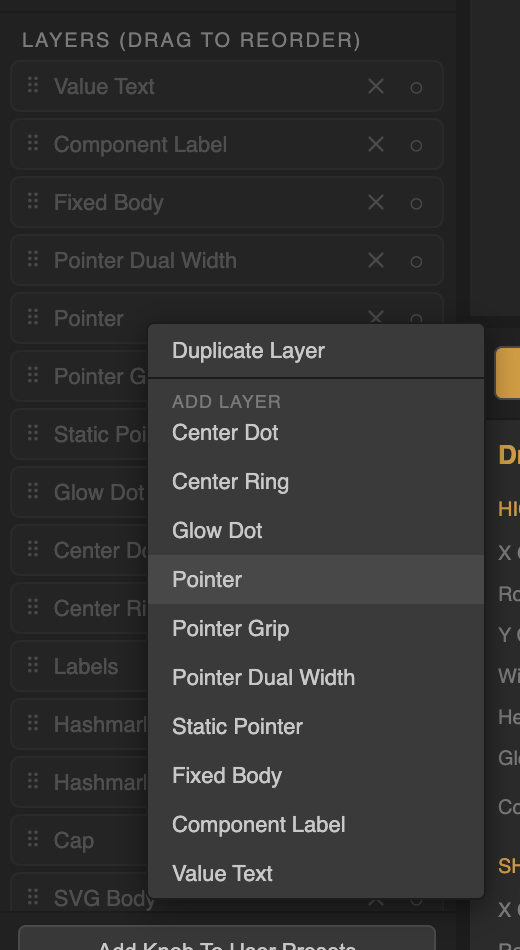
                        Screenshot 2026-07-26 at 11.32.05 AM.png

                        ...Plus a few aesthetic updates.

                        Hope you're enjoying the app.

                        Fresh Link:
                        https://rox-knob-builder-for-hise.netlify.app/

                        1 Reply Last reply Reply Quote 2
                        • First post
                          Last post

                        22

                        Online

                        2.4k

                        Users

                        13.9k

                        Topics

                        120.8k

                        Posts