Forum
    • Categories
    • Register
    • Login

    Volume Doesn’t Change

    Scheduled Pinned Locked Moved General Questions
    3 Posts 3 Posters 48 Views
    Loading More Posts
    • Oldest to Newest
    • Newest to Oldest
    • Most Votes
    Reply
    • Reply as topic
    Log in to reply
    This topic has been deleted. Only users with topic management privileges can see it.
    • J
      justinfitzmusic
      last edited by

      Hi there,
      I’m new to HISE and this is probably a very basic question so apologise in advance
      -I'm adding in my samples and when i hit my keyboard i can see the green marker going up or down depending on how hard i hit it but the actual volume i hear still remains the same what am i doing wrong, cheers
      Justin

      LindonL griffinboyG 2 Replies Last reply Reply Quote 0
      • LindonL
        Lindon @justinfitzmusic
        last edited by

        @justinfitzmusic have you added a velocity modulator to the Gain of the Sampler?

        HISE Development for hire.
        www.channelrobot.com

        1 Reply Last reply Reply Quote 0
        • griffinboyG
          griffinboy @justinfitzmusic
          last edited by

          @justinfitzmusic

          The green marker is just showing you the velocity values the sampler is "receiving"

          It won't actually do anything with that received information, unless you do something like @Lindon said: add a velocity modulator to modulate something!

          For volume, just apply a velocity modulator to gain:
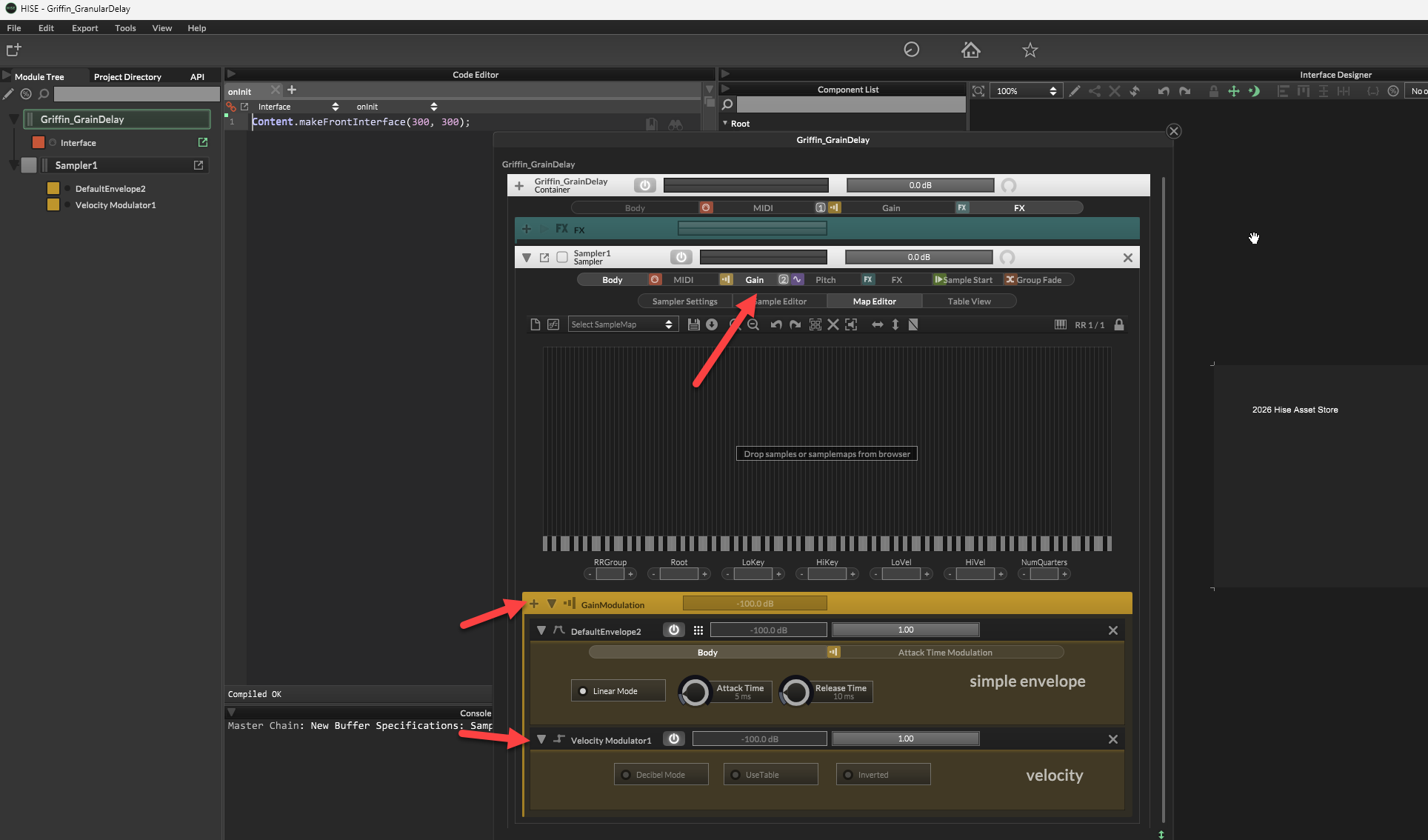
          602bdb89-e71b-4534-841d-4810c02eca1d-image.png

          1 Reply Last reply Reply Quote 0
          • First post
            Last post

          14

          Online

          2.4k

          Users

          13.7k

          Topics

          119.5k

          Posts
