Forum
    • Categories
    • Register
    • Login

    How can I bring a 3rd party font into my HISE Project and apply it to the preset browser and labels and comboboxes?

    Scheduled Pinned Locked Moved Scripting
    13 Posts 2 Posters 95 Views
    Loading More Posts
    • Oldest to Newest
    • Newest to Oldest
    • Most Votes
    Reply
    • Reply as topic
    Log in to reply
    This topic has been deleted. Only users with topic management privileges can see it.
    • David HealeyD
      David Healey @duma
      last edited by

      @duma Not sure what you mean by script box.

      Free HISE Bootcamp Full Course for beginners.
      YouTube Channel - Public HISE tutorials
      My Patreon - HISE tutorials

      D 1 Reply Last reply Reply Quote 0
      • D
        duma @David Healey
        last edited by

        @David-Healey where all the code goes*

        D 1 Reply Last reply Reply Quote 0
        • D
          duma @duma
          last edited by

          @duma code editor**

          David HealeyD 1 Reply Last reply Reply Quote 0
          • David HealeyD
            David Healey @duma
            last edited by

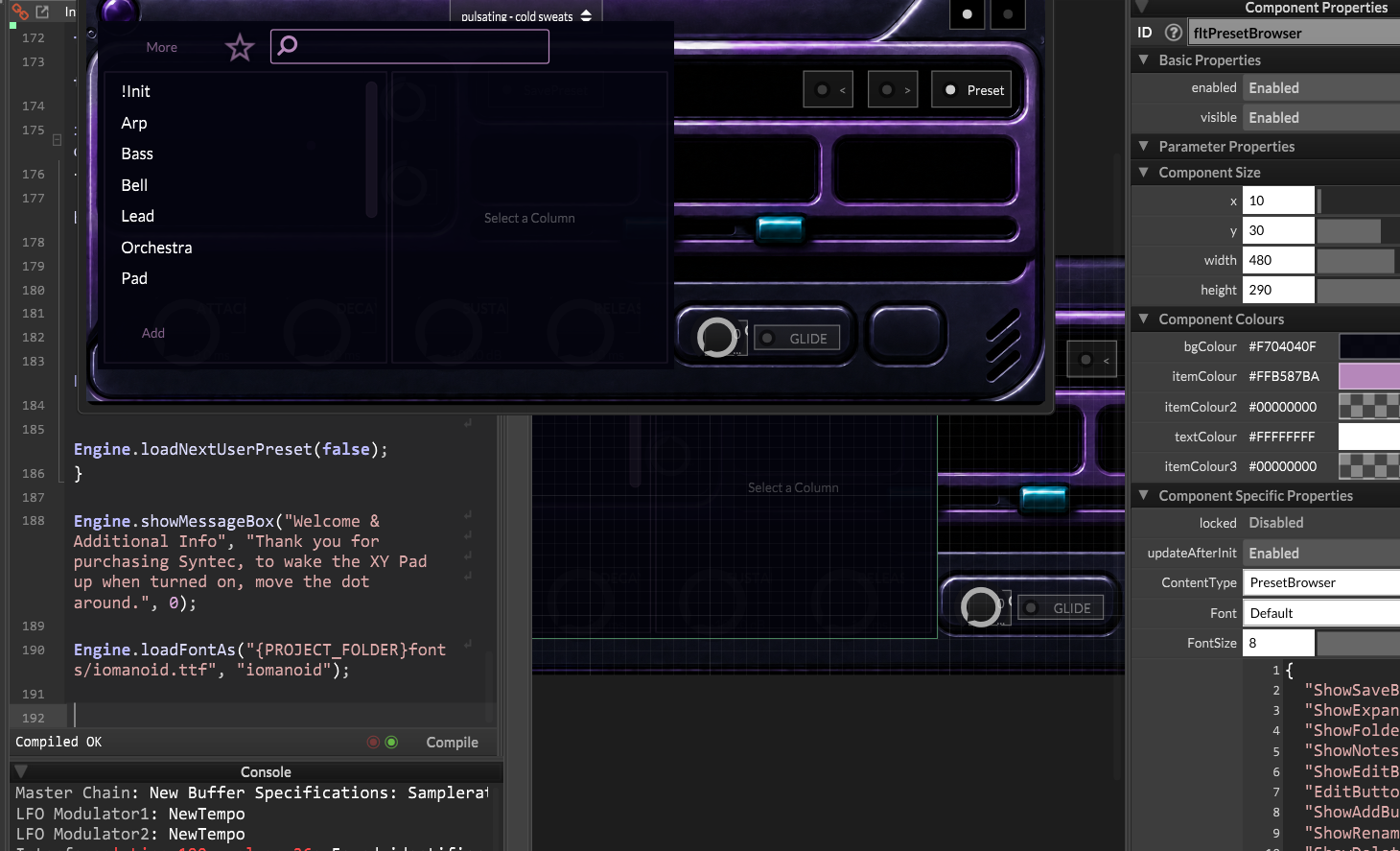
            @duma Yes the script goes there. There's an example in the docs: https://docs.hise.dev/scripting/scripting-api/engine/index.html#loadfontas

            Free HISE Bootcamp Full Course for beginners.
            YouTube Channel - Public HISE tutorials
            My Patreon - HISE tutorials

            D 1 Reply Last reply Reply Quote 0
            • D
              duma @David Healey
              last edited by

              @David-Healey It didn't do anything image_2026-05-10_203230115.png

              David HealeyD 1 Reply Last reply Reply Quote 0
              • David HealeyD
                David Healey @duma
                last edited by

                @duma you need to select the font you loaded

                Free HISE Bootcamp Full Course for beginners.
                YouTube Channel - Public HISE tutorials
                My Patreon - HISE tutorials

                D 1 Reply Last reply Reply Quote 0
                • D
                  duma @David Healey
                  last edited by

                  @David-Healey Where because it isn't built into the HISE official standalone

                  David HealeyD 1 Reply Last reply Reply Quote 0
                  • David HealeyD
                    David Healey @duma
                    last edited by

                    @duma Once you've loaded it in the script it will be available in the drop down

                    Free HISE Bootcamp Full Course for beginners.
                    YouTube Channel - Public HISE tutorials
                    My Patreon - HISE tutorials

                    D 1 Reply Last reply Reply Quote 0
                    • D
                      duma @David Healey
                      last edited by

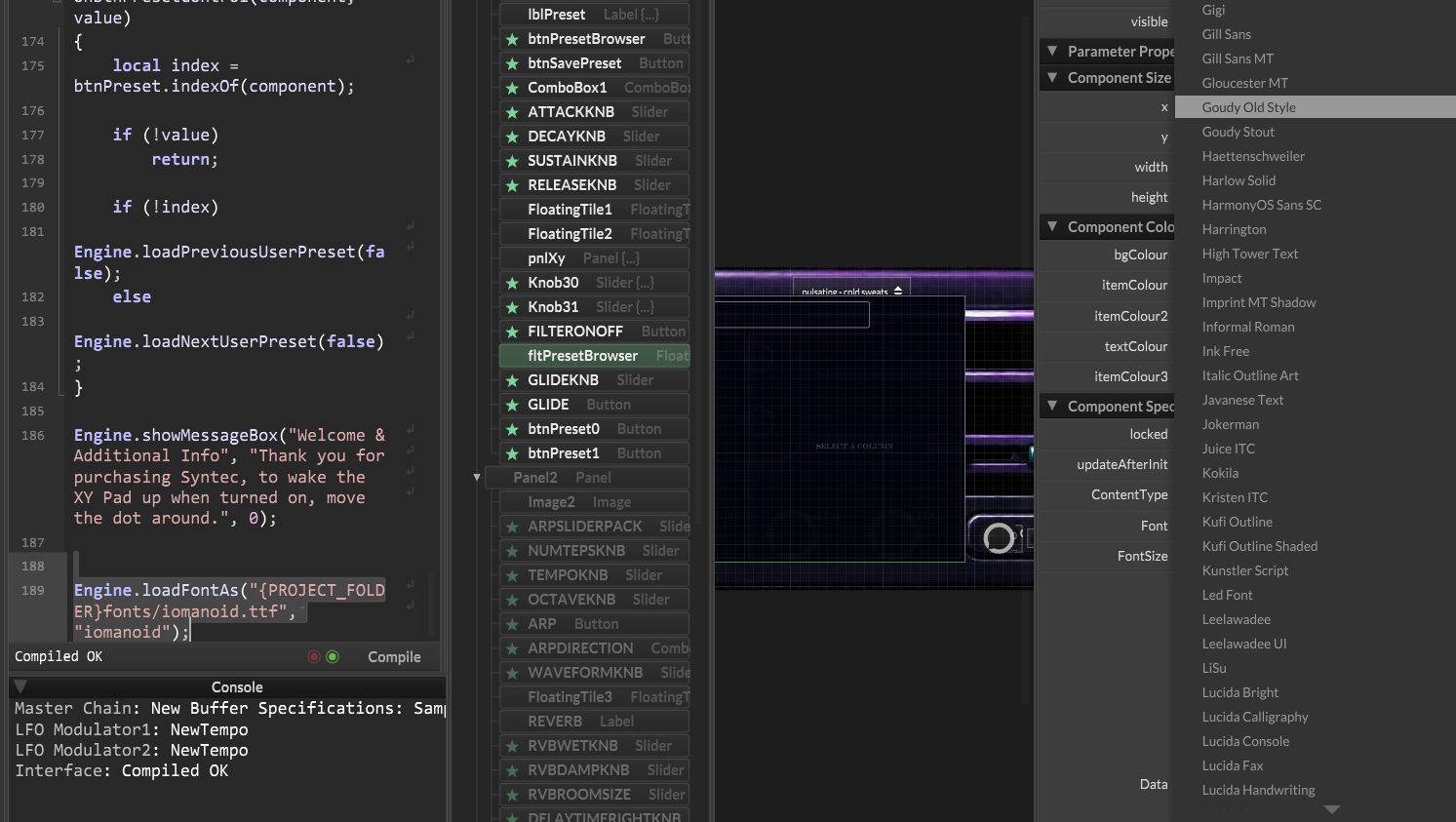
                      @David-Healey I've loaded it but It's not showing up in the font selector image_2026-05-11_211836102.png
                      David HealeyD 1 Reply Last reply Reply Quote 0
                      • David HealeyD
                        David Healey @duma
                        last edited by

                        @duma It will appear near the top of the list - not in alphabetical order.

                        These are custom fonts I've loaded (below Source Code Pro)
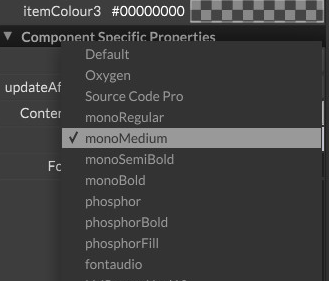
                        20adaa6a-fa7b-4e6a-921b-2a4e779c37fe-image.png

                        Free HISE Bootcamp Full Course for beginners.
                        YouTube Channel - Public HISE tutorials
                        My Patreon - HISE tutorials

                        1 Reply Last reply Reply Quote 0
                        • First post
                          Last post

                        8

                        Online

                        2.3k

                        Users

                        13.7k

                        Topics

                        118.9k

                        Posts