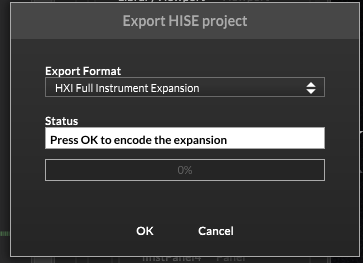
Full Instrument Expansions - how, what where....
-
@Lindon sigh..but not in the actual Player....
HISE Development for hire.
www.channelrobot.com -
grrrr..nope cant get it to load in the compiled plugin either....
HISE Development for hire.
www.channelrobot.com -
HISE Development for hire.
www.channelrobot.com -
@Lindon yes, and sure send the project over
-
So this led me to the answer
Console.print(FileSystem.getFolder(FileSystem.Expansions).toString(0));It returns the folder inside the project folder instead of the App Data folder.
So I checked what I was doing in Rhapsody, and in my project folder's Expansions folder, I have a Link file with the path to the Expansions folder in AppData. It basically does the opposite of the "Link Expansions to Project" setting in project preferences.
Free HISE Bootcamp Full Course for beginners.
YouTube Channel - HISE tutorials
My Patreon - More HISE tutorials -
@David-Healey said in Full Instrument Expansions - how, what where....:
So this led me to the answer
Console.print(FileSystem.getFolder(FileSystem.Expansions).toString(0));It returns the folder inside the project folder instead of the App Data folder.
So I checked what I was doing in Rhapsody, and in my project folder's Expansions folder, I have a Link file with the path to the Expansions folder in AppData. It basically does the opposite of the "Link Expansions to Project" setting in project preferences.
oh now Im in a nightmare of managing windows accounts and symlinks...
HISE Development for hire.
www.channelrobot.com -
@Lindon Well I think you could get around this by using the project's expansions folder as if it is the app data folder and enabling the Link Expansions to Project folder when testing the compiled version on your machine - just remember to disable it before sending to other people.
Free HISE Bootcamp Full Course for beginners.
YouTube Channel - HISE tutorials
My Patreon - More HISE tutorials -
@David-Healey looks like Im going to have to as even tho Im the Admin powershell and cmd prompt are saying I dont have privilidges
HISE Development for hire.
www.channelrobot.com -
OK so that worked OK.... it loads and plays something..... so essentially I could (every time I want to test the compiled player or expansion), just copy the expansion form the Player Project to the Player AppData folder and it would work with the compiled Player???
HISE Development for hire.
www.channelrobot.com -
@Lindon Yes
Free HISE Bootcamp Full Course for beginners.
YouTube Channel - HISE tutorials
My Patreon - More HISE tutorials -
@David-Healey except damn it the loaded expansion doesn't know anything about the sample maps!!!!!!!
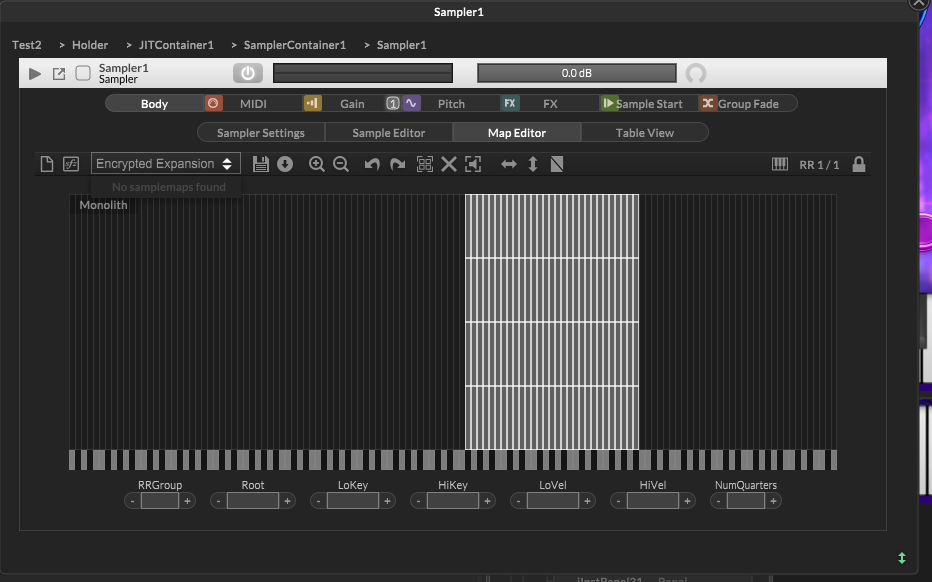
Where should I [put these in this work around....???
HISE Development for hire.
www.channelrobot.com -
@Lindon The sample maps are part of the hxi, you don't mess with them from the player project, you do that in the expansion's own project.
Free HISE Bootcamp Full Course for beginners.
YouTube Channel - HISE tutorials
My Patreon - More HISE tutorials -
@David-Healey yes thanks I know that, however when I put the expansion in the Players Expansion folder as a work around - it allows the Player to load the expansion,(great) and play the sample set it was loaded with (great again).
But look above, at the image I just posted, when I load the expansion in HISE there is no sample map set listed in the expansion Sampler.......it says Encrypted Expansion in the drop down, and when I open it it says "No samplemaps found"
So Im right back at the place I was in this morning.....
HISE Development for hire.
www.channelrobot.com -
@Lindon said in Full Instrument Expansions - how, what where....:
But look above, at the image I just posted, when I load the expansion in HISE there is no sample map set listed in the expansion Sampler.......
Is that the expansion project or the player project > loading the expansion?
Free HISE Bootcamp Full Course for beginners.
YouTube Channel - HISE tutorials
My Patreon - More HISE tutorials -
@David-Healey said in Full Instrument Expansions - how, what where....:
@Lindon said in Full Instrument Expansions - how, what where....:
But look above, at the image I just posted, when I load the expansion in HISE there is no sample map set listed in the expansion Sampler.......
Is that the expansion project or the player project > loading the expansion?
its the Player project loading the expansion.....
HISE Development for hire.
www.channelrobot.com -
@Lindon Then that is the expected result, you can't edit the embedded sample map.
Free HISE Bootcamp Full Course for beginners.
YouTube Channel - HISE tutorials
My Patreon - More HISE tutorials -
@David-Healey I dont want to edit it, I want to load another one.....are you saying I can only do that programatically in an Expansion?
HISE Development for hire.
www.channelrobot.com -
@Lindon Im going to need to embed possibly up to 100 sample maps....
-
@Lindon Yes you should treat it just like it would be for the user.
Free HISE Bootcamp Full Course for beginners.
YouTube Channel - HISE tutorials
My Patreon - More HISE tutorials -
@David-Healey said in Full Instrument Expansions - how, what where....:
@Lindon Yes you should treat it just like it would be for the user.
Sorry I dont understand what this means....are you saying the HISE sampler "view" isnt available for Expansion stored maps?
HISE Development for hire.
www.channelrobot.com