Forum
    • Categories
    • Register
    • Login

    Full Instrument Expansions - how, what where....

    Scheduled Pinned Locked Moved General Questions
    65 Posts 2 Posters 344 Views
    Loading More Posts
    • Oldest to Newest
    • Newest to Oldest
    • Most Votes
    Reply
    • Reply as topic
    Log in to reply
    This topic has been deleted. Only users with topic management privileges can see it.
    • LindonL
      Lindon @Lindon
      last edited by

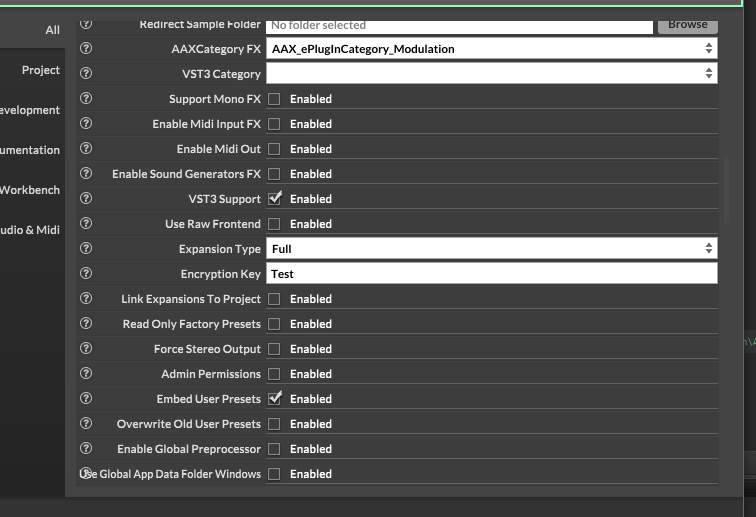
      @Lindon this is right yes?

      74903ab5-d943-4584-a416-cfd1b8470922-image.png

      HISE Development for hire.
      www.channelrobot.com

      David HealeyD 1 Reply Last reply Reply Quote 0
      • David HealeyD
        David Healey @Lindon
        last edited by David Healey

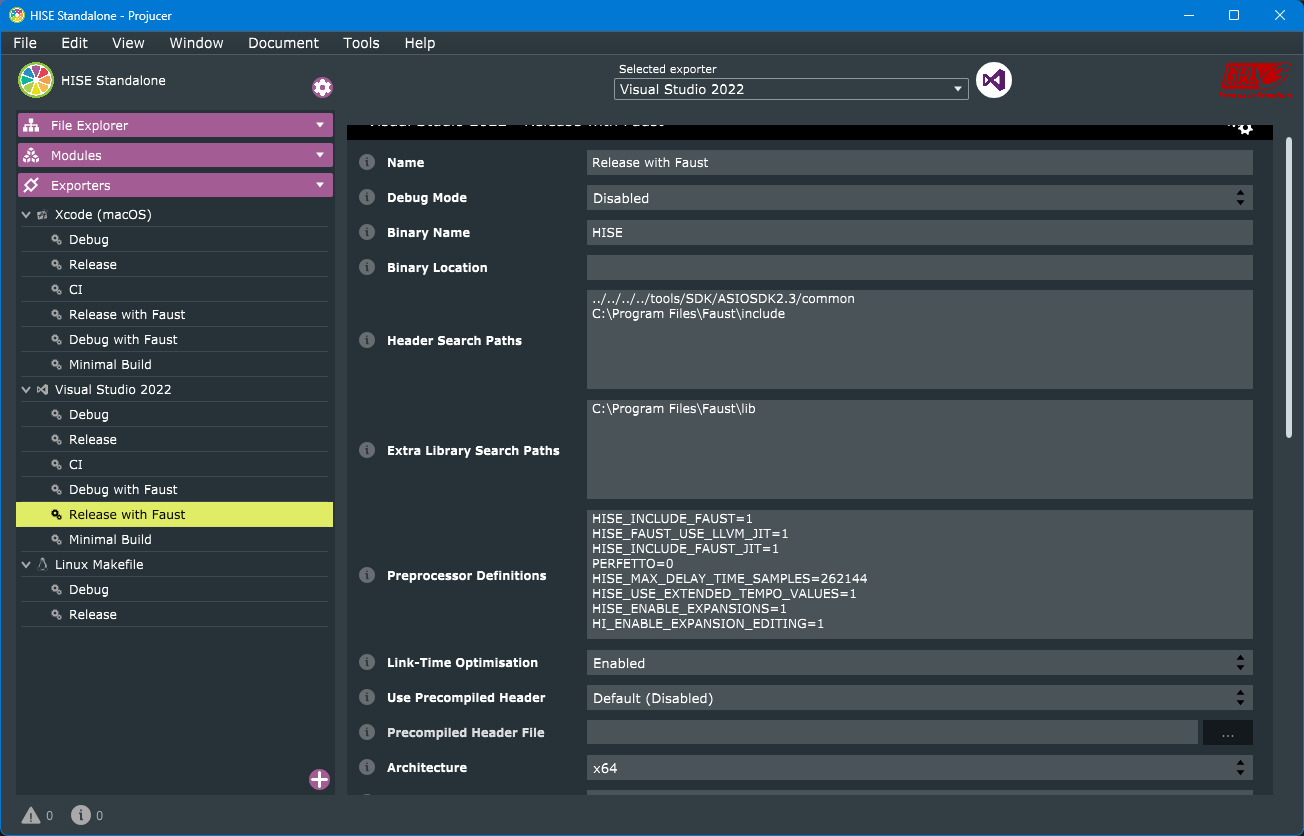
        @Lindon Looks correct. I just noticed I'm compiling HISE with the HISE_ENABLE_EXPANSIONS=1 and HI_ENABLE_EXPANSION_EDITING=1 preprocessor definition2, I don't know if they are required though.

        In your expansion projects you should leave the Expansion Type set to Disabled.

        Free HISE Bootcamp Full Course for beginners.
        YouTube Channel - Public HISE tutorials
        My Patreon - HISE tutorials

        LindonL 1 Reply Last reply Reply Quote 0
        • LindonL
          Lindon @David Healey
          last edited by

          @David-Healey looks like Im not - so let me go try that...(why was it working before tho?)

          HISE Development for hire.
          www.channelrobot.com

          David HealeyD 1 Reply Last reply Reply Quote 0
          • David HealeyD
            David Healey @Lindon
            last edited by

            @Lindon Dunno, just trying to find any differences between our setups.

            Free HISE Bootcamp Full Course for beginners.
            YouTube Channel - Public HISE tutorials
            My Patreon - HISE tutorials

            LindonL 1 Reply Last reply Reply Quote 0
            • LindonL
              Lindon @David Healey
              last edited by

              @David-Healey yeah...so doing this:

              355f058d-98da-4560-ae9b-b44020b08679-image.png

              HISE Development for hire.
              www.channelrobot.com

              LindonL David HealeyD 2 Replies Last reply Reply Quote 0
              • LindonL
                Lindon @Lindon
                last edited by

                @David-Healey -- sadly no different. Still not finding any expansions...

                HISE Development for hire.
                www.channelrobot.com

                LindonL 1 Reply Last reply Reply Quote 0
                • LindonL
                  Lindon @Lindon
                  last edited by

                  ..built an all new test loader - same problem - so its not the project, its something Im (not) doing...

                  HISE Development for hire.
                  www.channelrobot.com

                  LindonL 1 Reply Last reply Reply Quote 0
                  • LindonL
                    Lindon @Lindon
                    last edited by

                    @David-Healey how long has this been working for you? Im on a HISE from April last year....

                    HISE Development for hire.
                    www.channelrobot.com

                    1 Reply Last reply Reply Quote 0
                    • David HealeyD
                      David Healey @Lindon
                      last edited by

                      @Lindon I've been using it for years

                      Free HISE Bootcamp Full Course for beginners.
                      YouTube Channel - Public HISE tutorials
                      My Patreon - HISE tutorials

                      LindonL 1 Reply Last reply Reply Quote 0
                      • LindonL
                        Lindon @David Healey
                        last edited by

                        @David-Healey Im all out of ideas.....can I send you the test loader and the expansion?

                        HISE Development for hire.
                        www.channelrobot.com

                        LindonL 1 Reply Last reply Reply Quote 0
                        • LindonL
                          Lindon @Lindon
                          last edited by Lindon

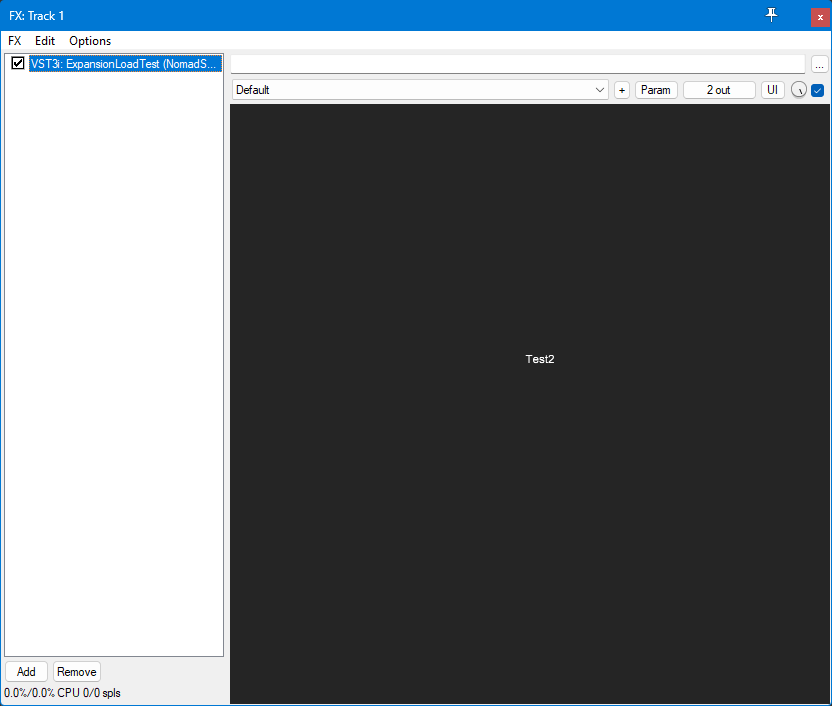
                          @David-Healey oh, well... its working in the compiled plugin...

                          a8608ba3-3317-4469-b7b9-29ebfeb7519a-image.png

                          just not in HISE itself....

                          HISE Development for hire.
                          www.channelrobot.com

                          LindonL 1 Reply Last reply Reply Quote 0
                          • LindonL
                            Lindon @Lindon
                            last edited by

                            @Lindon sigh..but not in the actual Player....

                            HISE Development for hire.
                            www.channelrobot.com

                            LindonL 1 Reply Last reply Reply Quote 0
                            • LindonL
                              Lindon @Lindon
                              last edited by

                              grrrr..nope cant get it to load in the compiled plugin either....

                              HISE Development for hire.
                              www.channelrobot.com

                              LindonL 1 Reply Last reply Reply Quote 0
                              • LindonL
                                Lindon @Lindon
                                last edited by

                                @David-Healey
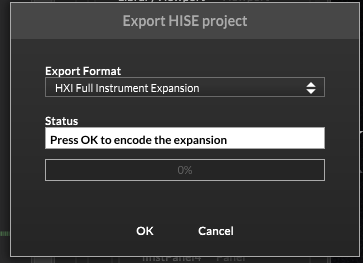
                                Grasping at straws..

                                431bce66-5aa4-401b-82bc-dd8fea0d1bd7-image.png

                                This is what you are doing?

                                HISE Development for hire.
                                www.channelrobot.com

                                David HealeyD 1 Reply Last reply Reply Quote 0
                                • David HealeyD
                                  David Healey @Lindon
                                  last edited by

                                  @Lindon yes, and sure send the project over

                                  Free HISE Bootcamp Full Course for beginners.
                                  YouTube Channel - Public HISE tutorials
                                  My Patreon - HISE tutorials

                                  1 Reply Last reply Reply Quote 0
                                  • David HealeyD
                                    David Healey
                                    last edited by

                                    So this led me to the answer Console.print(FileSystem.getFolder(FileSystem.Expansions).toString(0));

                                    It returns the folder inside the project folder instead of the App Data folder.

                                    So I checked what I was doing in Rhapsody, and in my project folder's Expansions folder, I have a Link file with the path to the Expansions folder in AppData. It basically does the opposite of the "Link Expansions to Project" setting in project preferences.

                                    Free HISE Bootcamp Full Course for beginners.
                                    YouTube Channel - Public HISE tutorials
                                    My Patreon - HISE tutorials

                                    LindonL 1 Reply Last reply Reply Quote 0
                                    • LindonL
                                      Lindon @David Healey
                                      last edited by

                                      @David-Healey said in Full Instrument Expansions - how, what where....:

                                      So this led me to the answer Console.print(FileSystem.getFolder(FileSystem.Expansions).toString(0));

                                      It returns the folder inside the project folder instead of the App Data folder.

                                      So I checked what I was doing in Rhapsody, and in my project folder's Expansions folder, I have a Link file with the path to the Expansions folder in AppData. It basically does the opposite of the "Link Expansions to Project" setting in project preferences.

                                      oh now Im in a nightmare of managing windows accounts and symlinks...

                                      HISE Development for hire.
                                      www.channelrobot.com

                                      David HealeyD 1 Reply Last reply Reply Quote 0
                                      • David HealeyD
                                        David Healey @Lindon
                                        last edited by

                                        @Lindon Well I think you could get around this by using the project's expansions folder as if it is the app data folder and enabling the Link Expansions to Project folder when testing the compiled version on your machine - just remember to disable it before sending to other people.

                                        Free HISE Bootcamp Full Course for beginners.
                                        YouTube Channel - Public HISE tutorials
                                        My Patreon - HISE tutorials

                                        LindonL 1 Reply Last reply Reply Quote 0
                                        • LindonL
                                          Lindon @David Healey
                                          last edited by

                                          @David-Healey looks like Im going to have to as even tho Im the Admin powershell and cmd prompt are saying I dont have privilidges

                                          HISE Development for hire.
                                          www.channelrobot.com

                                          LindonL 1 Reply Last reply Reply Quote 0
                                          • LindonL
                                            Lindon @Lindon
                                            last edited by

                                            @David-Healey

                                            OK so that worked OK.... it loads and plays something..... so essentially I could (every time I want to test the compiled player or expansion), just copy the expansion form the Player Project to the Player AppData folder and it would work with the compiled Player???

                                            HISE Development for hire.
                                            www.channelrobot.com

                                            David HealeyD 1 Reply Last reply Reply Quote 0
                                            • First post
                                              Last post

                                            24

                                            Online

                                            2.3k

                                            Users

                                            13.6k

                                            Topics

                                            118.4k

                                            Posts