Portamento control using knobs and button
-
So I check a previous portamento question or forum and I received this code. I wanna know hot to alter it to work by using a knob to control how much slide a sound has when gliding to another note and to have an on & off switch
/** Portamento & Glide Example This example shows how to implement a monophonic synth behaviour by only keeping a single voice alive and retuning the start note to the last played note number using a pitch fade event. It also demonstrates the usage of the fix object factory which can be considered as a best practice for anything related to voice logic. */ Content.makeFrontInterface(600, 600); // This is a constant glide time, but you can simply make this dynamic and react to pitch delta / // velocity or a UI element. const var FADE_TIME = 100; // Usually you would put this into a script processor of a sound generator // but for demonstrating purposes we tuck all of this into the main Interface script Synth.deferCallbacks(false); // A fix object factory is created once with a JSON object as prototype and allows you to create // data structures with a fixed memory layout and named properties (hence the name). const var f = Engine.createFixObjectFactory({ "id": -1, "noteNumber": -1, "time": 0.0 }); // Create a stack that will hold the actively played notes. const var noteStack = f.createStack(256); // This will store the note information of the first note (and all further notes // will use this a reference to figure out the pitch factor). reg startNote = f.create(); // Create a single object with the prototype layout that is used // for inserting / removing elements from the stack. We'll modify this // object and then pass it to the stack so it can do native comparison // functions etc. reg scratchObject = f.create(); // This function will determine which note to play if you release // a key while another one is still held. inline function findNewNote() { // We'll pick the simplest logic possible: // just pick the first match that comes along your way // You can implement a more fine-grained logic here (eg. use the oldest note, // use the lowest note, etc). for(s in noteStack) { // the syntax is this weird so you can simply swap the condition // for another one... if(true) { scratchObject.noteNumber = s.noteNumber; scratchObject.id = s.id; scratchObject.time = s.time; break; } } updatePitch(); } // Instead of playing new notes, this function will bend the original note to whatever // pitch is currently played... inline function updatePitch() { local delta = scratchObject.noteNumber - startNote.noteNumber; Synth.addPitchFade(startNote.id, FADE_TIME, delta, 0); } -
@duma like it says put this in a script processor, add a knob for your slide time, and use its value wherever FADE_TIME is being used....
-
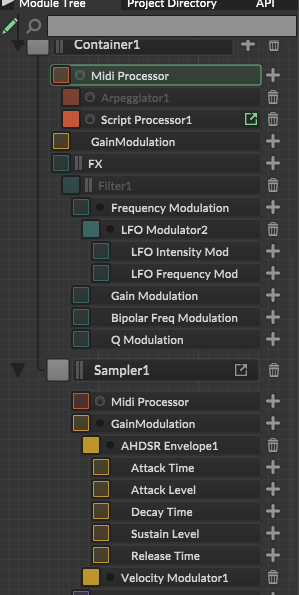
@Lindon in this script processor?
-
@duma it just made a whole new interface and im lost please tell me exactly what I should do
-
@duma go do Daves bootcamp course.
-
@Lindon I've done it fully, please just tell me what I need to do
-
@duma if you dont understand what script processors are, how they work, how to use them then you need to go find that out first.
-
@Lindon Dude, all Im asking for you to do is help me and guide me, im asking nicely
-
@duma I am helping you and guiding you.
-
@duma said in Portamento control using knobs and button:
Content.makeFrontInterface(600, 600);
Remove this
-
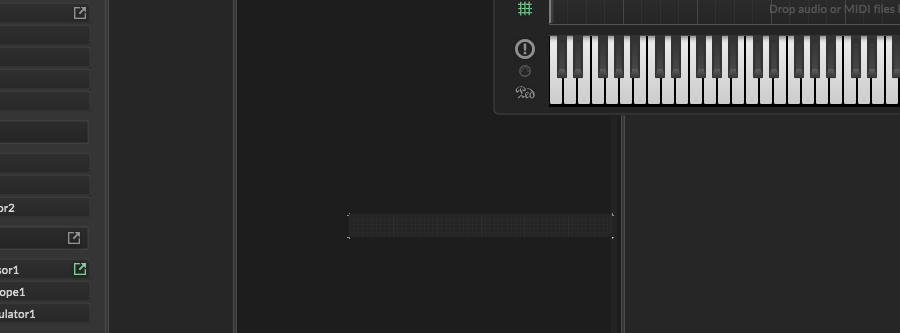
@David-Healey done but It still opens an interface way smaller
-
@duma All MIDI processors have an interface. These blog posts might help:
https://audiodevschool.com/exploring-hise-built-in-factory-scripts/
https://audiodevschool.com/hise-community-scripts-and-snippets/ -
@David-Healey Alright I understand how am I going to connect this code to a knob on my main interface and a button aswell

