Plugin Shows Sample Installation Panels on Startup Even After Configuration
-
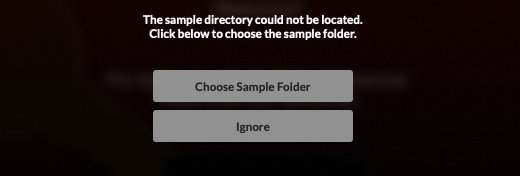
Hi, I added these commands so the sample installation panels wouldn’t appear when starting the plugin, but they still show up. Does anyone know why this might be happening? Thanks

-
@lijas90 Try this one instead
HISE_DEACTIVATE_OVERLAY=1Free HISE Bootcamp Full Course for beginners.
YouTube Channel - HISE tutorials
My Patreon - More HISE tutorials -
@David-Healey said in Plugin Shows Sample Installation Panels on Startup Even After Configuration:
HISE_DEACTIVATE_OVERLAY=1
Eureka! Thanks David, you always save me.

-
@David-Healey how do you only show the "choose sample folder" and not the HR1 install samples one...I just want to make the user manually choose the samples folder on first open...and what does "ENABLE_APPLE_SANDBOX=0" do? first time seeing that one
-
@johnmike said in Plugin Shows Sample Installation Panels on Startup Even After Configuration:
how do you only show the "choose sample folder" and not the HR1 install samples one
This is all that should be required. Try it and report back
HISE_SAMPLE_DIALOG_SHOW_INSTALL_BUTTON=0@johnmike said in Plugin Shows Sample Installation Panels on Startup Even After Configuration:
"ENABLE_APPLE_SANDBOX=0"
The default is 0, so there is never any need to use this. You would set it to 1 if you wanted to enable the sandbox, but I have no idea why you would want that either or exactly what it would do.
-
@David-Healey Got it...thanks so much! I was wondering the same thing about the sandbox thing...was trying to make sure I wasn't missing something lol