Errors in Visual Studio 2025 compiling hise
-
@Nater Cool. Let me know if you run into any limitations with it. I'm going to see if I can use the 2025 version. If I can I'll update the lesson notes in the Bootcamp - hopefully I won't need to redo the video.
-
@David-Healey one step forward, one step back. lol.
Downloading 2022 was a success, but when I did the debug with faust it gave me this warning.
The build tools for v145 (Platform Toolset = 'v145') cannot be found. To build using the v145 build tools, please install v145 build tools. Alternatively, you may upgrade to the current Visual Studio tools by selecting the Project menu or right-click the solution, and then selecting "Retarget solution".
-
@Nater Open the Visual Studio installer and add the platform toolset
-
@David-Healey There's no option to install that from the 2022 installer, only up to v143. Do I need to download the 2025 version to get the v145?
-
@Nater said in Errors in Visual Studio 2025 compiling hise:
There's no option to install that from the 2022 installer, only up to v143. Do I need to download the 2025 version to get the v145?
It sounds like something has been messed up because of the previous attempt with VS2025. Have you tried cleaning the build before compiling?
-
@David-Healey yes, I'm getting the same error after doing clean solution & clean HISE standalone app.
-
This post is deleted! -
@Nater I'm installing vs25 now, I'll report back once I've tested
-
So it looks like the latest IPP installer isn't aware of VS 2025

@Nater How are you getting on with VS22?
-
I was able to build with VS25 and IPP, but I had to enable IPP manually by adding the paths into the project within VS. I followed the instructions here: https://www.intel.com/content/www/us/en/docs/ipp/get-started-guide-oneapi-windows/2022-2/overview.html
I think we should continue to use VS22 until IPP has integration with VS25.
VS prompted me to install Platform Toolset 143, which I did. Apart from that I had no other issues.
-
@David-Healey 2022 was wanting me to install the v145, which I didn't have in my installer. So I'm kinda stuck right now.
-
@Nater said in Errors in Visual Studio 2025 compiling hise:
2022 was wanting me to install the v145
Can you show me a screenshot?
-
-
@Nater Hmm it's strange that it's trying to use v145 in the first place.
Open the project properties and set the toolset to v143
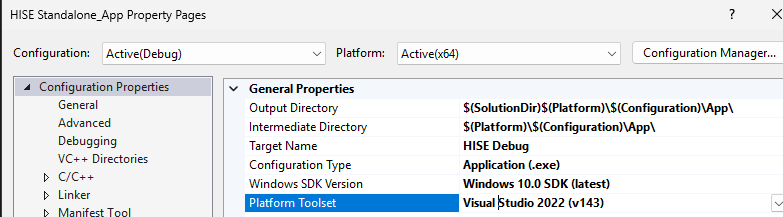
-
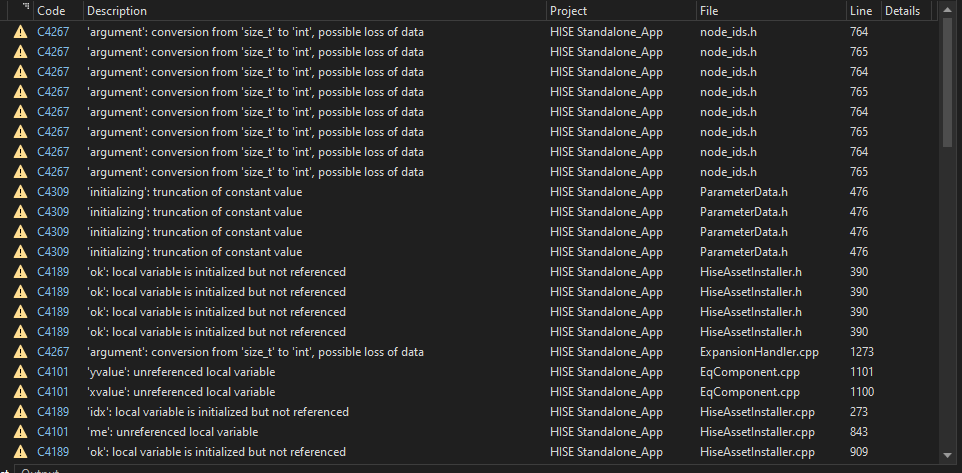
@David-Healey I changed it to v143 like you said, but now get a hole huge list of errors.
-
@Nater Those are warnings (yellow triangle), you can ignore those.
-
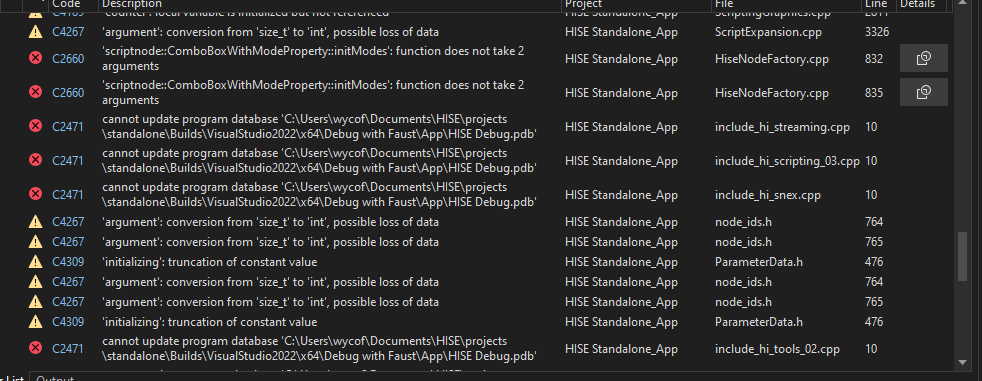
@David-Healey here's some red ones. It failed.
-
@Nater Which commit of HISE are you building?
-
@David-Healey I'm not sure where to find that again. It was the most recent a few days ago.
-
@Nater That one isn't building for anyone currently. Try the one from the end of November.

