Forum
    • Categories
    • Register
    • Login

    Setting the alpha of a color individually?

    Scheduled Pinned Locked Moved General Questions
    16 Posts 2 Posters 1.6k Views
    Loading More Posts
    • Oldest to Newest
    • Newest to Oldest
    • Most Votes
    Reply
    • Reply as topic
    Log in to reply
    This topic has been deleted. Only users with topic management privileges can see it.
    • Felix WF
      Felix W
      last edited by

      Is it possible to set the alpha of a color individually?
      Instead of first var colour and then float alpha

      var colour, float alpha
      

      //I am a new student at HISE._
      //Windows11 & MacOS Ventura 13.6.7_

      David HealeyD 1 Reply Last reply Reply Quote 0
      • David HealeyD
        David Healey @Felix W
        last edited by

        @CatABC

        Not 100% sure what you mean, you can use Colours.withAlpha().

        Or you can use a hex value like 0x55ffffff

        Free HISE Bootcamp Full Course for beginners.
        YouTube Channel - Public HISE tutorials
        My Patreon - HISE tutorials

        Felix WF 1 Reply Last reply Reply Quote 0
        • Felix WF
          Felix W @David Healey
          last edited by

          @d-healey I just want to set the Alpha value without adding the color value

          //I am a new student at HISE._
          //Windows11 & MacOS Ventura 13.6.7_

          David HealeyD 1 Reply Last reply Reply Quote 0
          • David HealeyD
            David Healey @Felix W
            last edited by

            @CatABC The alpha value of what?

            Free HISE Bootcamp Full Course for beginners.
            YouTube Channel - Public HISE tutorials
            My Patreon - HISE tutorials

            Felix WF 1 Reply Last reply Reply Quote 0
            • Felix WF
              Felix W @David Healey
              last edited by

              @d-healey The whole thing is this, I set different keyboard colors for different samplemaps, and after I used the button to change the keyboard key color, when I switched to another samplemap, the keyboard color of the previous samplemap was not overwritten, so I wanted to set the alpha value separately to avoid the problem of color not changing.

              inline function onbtnEnsC1Control(component, value)
              {	
              	if (value){
              		eventId = Synth.playNote(24, 100);
              		Engine.setKeyColour(24, 0x800000FF);
              	}		
              	else
              		Engine.setKeyColour(24, 0x500000FF);
              };
              Content.getComponent("btnEnsC1").setControlCallback(onbtnEnsC1Control);
              

              samplemap1

              73b05393-843c-4497-b812-7e4d218f4291-image.png
              samplemap2
              2bf101f6-f14a-48c5-9f49-9de18375b503-image.png

              In the above two pictures, C0 and G0 of samplemap2 should have no color, and C#3-G#3 should be blue, but they are not changed.

              	if (value == 1){
                      local Ens = [24, 25, 26, 27, 28, 29, 31, 36, 37, 38, 39, 40, 43, 44, 45, 46, 47, 86];			   	
              		for (i = 0; i < Ens.length; i++)
              			{
              				Engine.setKeyColour(Ens[i], 0x500000FF);
              			};
              		local solo = [48, 50, 52, 55, 60, 61, 62, 63, 65, 66, 67, 68, 84];			   	
              		for (i = 0; i < solo.length; i++)
              			{
              				Engine.setKeyColour(solo[i], 0x5000FF00);
              			};
                      }
              	if (value == 2){
                      local Ens2 = [36, 38, 40, 43, 48, 50, 52, 55, 60, 62, 64, 67, 84];		   	
                      		for (i = 0; i < Ens2.length; i++)
                      			{
                      				Engine.setKeyColour(Ens2[i], Colours.withAlpha(Colours.blue, 0.3));
                      			};
                       }

              

              //I am a new student at HISE._
              //Windows11 & MacOS Ventura 13.6.7_

              David HealeyD 1 Reply Last reply Reply Quote 0
              • David HealeyD
                David Healey @Felix W
                last edited by

                @CatABC

                You need to "reset" your keyboard before assigning the new colours. You can do that like this

                for (i = 0; i < 128; i++)
                    Engine.setKeyColour(i, 0x0);
                

                Free HISE Bootcamp Full Course for beginners.
                YouTube Channel - Public HISE tutorials
                My Patreon - HISE tutorials

                Felix WF 1 Reply Last reply Reply Quote 0
                • Felix WF
                  Felix W @David Healey
                  last edited by

                  @d-healey
                  This doesn't seem to work, am I doing something wrong?

                  if (value == 2){
                      for (i = 0; i < 128; i++)
                            {
                      		Engine.setKeyColour(i, 0x0);
                      	   }
                  
                       local Ens2 = [36, 38, 40, 43, 48, 50, 52, 55, 60, 62, 64, 67, 84];		   	
                             for (i = 0; i < Ens2.length; i++)
                          	{
                          		Engine.setKeyColour(Ens2[i], Colours.withAlpha(Colours.blue, 0.3));
                          	};
                           }
                  

                  5096f792-7d50-440a-b3d2-8897f2fb614a-image.png

                  //I am a new student at HISE._
                  //Windows11 & MacOS Ventura 13.6.7_

                  David HealeyD 1 Reply Last reply Reply Quote 0
                  • David HealeyD
                    David Healey @Felix W
                    last edited by

                    @CatABC You don't need to put the reset within the if statement, it can go before all of your keyboard colouring code.

                    Free HISE Bootcamp Full Course for beginners.
                    YouTube Channel - Public HISE tutorials
                    My Patreon - HISE tutorials

                    Felix WF 1 Reply Last reply Reply Quote 0
                    • Felix WF
                      Felix W @David Healey
                      last edited by Felix W

                      @d-healey Unfortunately, he still has the same result. My guess is that because I used a button to trigger the color change, when the button value does not change, it will continue to keep the button callback result.
                      What should I write in the else of the button to make it return to the color before it changed?

                      //I am a new student at HISE._
                      //Windows11 & MacOS Ventura 13.6.7_

                      David HealeyD 1 Reply Last reply Reply Quote 0
                      • David HealeyD
                        David Healey @Felix W
                        last edited by

                        @CatABC can you make a minimal snippet that shows the problem?

                        Free HISE Bootcamp Full Course for beginners.
                        YouTube Channel - Public HISE tutorials
                        My Patreon - HISE tutorials

                        Felix WF 2 Replies Last reply Reply Quote 0
                        • Felix WF
                          Felix W @David Healey
                          last edited by

                          @d-healey ChangeColor.zip
                          The code snippet didn't seem to show the problem, so I uploaded a project, and along the way I found the source of the problem. When the button is in a Panel, it causes the problem.

                          //I am a new student at HISE._
                          //Windows11 & MacOS Ventura 13.6.7_

                          1 Reply Last reply Reply Quote 0
                          • Felix WF
                            Felix W @David Healey
                            last edited by

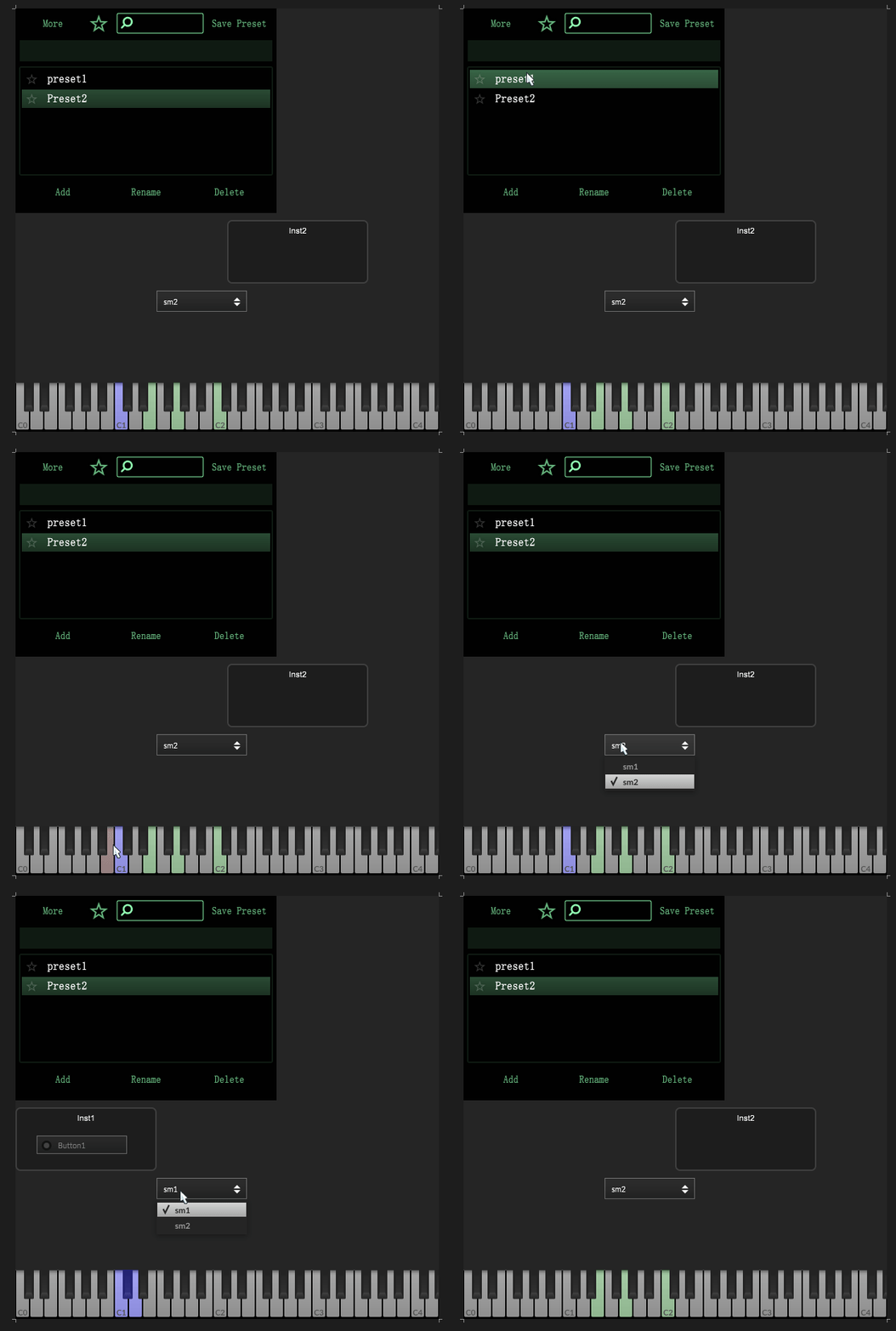
                            @d-healey There is no problem switching with Combobox, but there is a problem with switching with preset browsers

                            //I am a new student at HISE._
                            //Windows11 & MacOS Ventura 13.6.7_

                            David HealeyD 1 Reply Last reply Reply Quote 0
                            • David HealeyD
                              David Healey @Felix W
                              last edited by

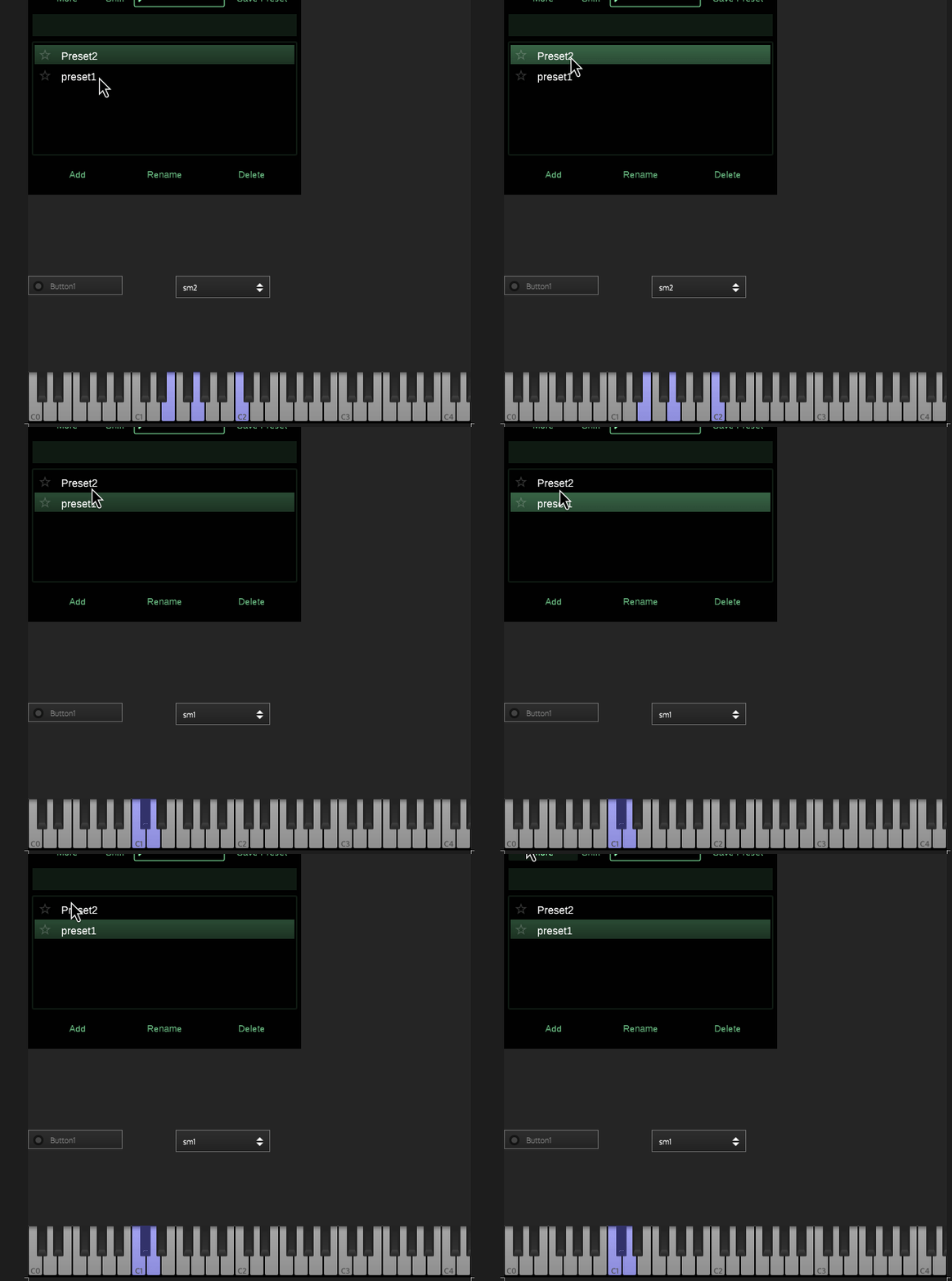
                              @CatABC This is what I see in your project, looks like it's working?
                              Peek 2025-01-14 15-09.gif

                              Free HISE Bootcamp Full Course for beginners.
                              YouTube Channel - Public HISE tutorials
                              My Patreon - HISE tutorials

                              Felix WF 1 Reply Last reply Reply Quote 0
                              • Felix WF
                                Felix W @David Healey
                                last edited by

                                @d-healey Oh, sorry, I forgot to save the latest data when I was testing the code snippet,
                                ChangeColor2.zip
                                1.gif

                                //I am a new student at HISE._
                                //Windows11 & MacOS Ventura 13.6.7_

                                David HealeyD 1 Reply Last reply Reply Quote 0
                                • David HealeyD
                                  David Healey @Felix W
                                  last edited by

                                  @CatABC Turn off saveInPreset for your button.

                                  Free HISE Bootcamp Full Course for beginners.
                                  YouTube Channel - Public HISE tutorials
                                  My Patreon - HISE tutorials

                                  Felix WF 1 Reply Last reply Reply Quote 0
                                  • Felix WF
                                    Felix W @David Healey
                                    last edited by

                                    @d-healey Ahaha,god,It's so simple
                                    Feeling mine so stupid。,Thanks very much David, you solved my problem again.😙 😙 😙

                                    //I am a new student at HISE._
                                    //Windows11 & MacOS Ventura 13.6.7_

                                    1 Reply Last reply Reply Quote 1
                                    • First post
                                      Last post

                                    29

                                    Online

                                    2.1k

                                    Users

                                    13.0k

                                    Topics

                                    112.5k

                                    Posts