When I export my vst into fl studio it has latency or something, NEED HELP
-
@David-Healey You think it's better I just start from scratch ?? Like start the HISE download from scratch
-
@duma said in When I export my vst into fl studio it has latency or something, NEED HELP:
You think it's better I just start from scratch ?? Like start the HISE download from scratch
Yes, but which video are you following?
-
@David-Healey It was the compiling hise as a standalone video
-
@duma said in When I export my vst into fl studio it has latency or something, NEED HELP:
It was the compiling hise as a standalone video
I've made a few. Are you watching the one in the HISE Bootcamp course?
-
@David-Healey
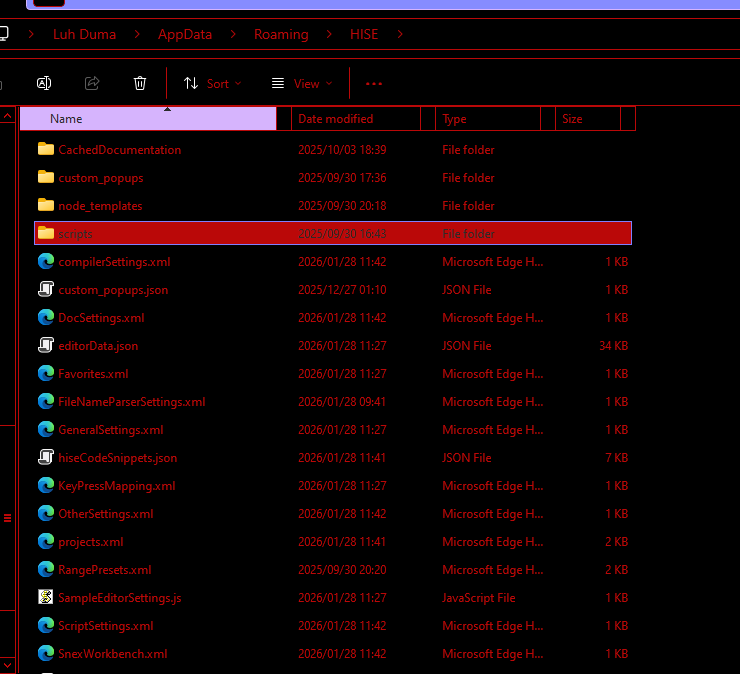 do u think this may be the problem, these are older files i didnt update the hise file at first but ive done itnow i just dont know what these ones are
 -
@David-Healey Yes it was that one
-
@duma
 can I use this??
 -
@duma yes you shouldn't need to change anything in there. You can remove those files if you want, HISE will recreate them
-
@David-Healey Alright you know what I just want to forget abut the anylisers how do I fix the problem of latency and cpu going crazy because theres this 1 vst that opens quickly with 444 sounds and i plan to make mine have 400 but every time i open it takes long and uses up a lot of cpu
-
@duma
Did you test it in Reaper?
Did you disable time stretching in the sampler and recompile your plugin? -
@David-Healey I have no clue how to use reaper i opened it briefly and was overwhelmed haha what am I using it for exactly? and also I need time stretch on because I have arp samples
-
@duma said in When I export my vst into fl studio it has latency or something, NEED HELP:
what am I using it for exactly?
To see if the problem only occurs in FL Studio or not. FL Studio is notorious for having edge case issues.
@duma said in When I export my vst into fl studio it has latency or something, NEED HELP:
also I need time stretch on because I have arp samples
That doesn't answer the question. Did you test with it disabled to see if the problem goes away, if it does then we know what the cause of the problem is.
-
@David-Healey heres an example video of how i want it to work, basically I delegted the library which is why there was no sound but before this vst had 0 lag and u see how I was able to just open it and it opened quickly and the cpu on fl studio didnt go up how do I make that possible with this vst because at this point i've recompiled hise 5 times to no avail I keep ending up on a dead end vid.zip
-
@duma That link isn't working, I'm also not clear on what you're saying.
Have you disabled time stretching and recompiled your plugin?
-
@David-Healey Yes multiple times and it hasnt solved the issue
-
@duma said in When I export my vst into fl studio it has latency or something, NEED HELP:
Yes multiple times and it hasnt solved the issue
And you've removed the analysers and recompiled?
-
@David-Healey No I just turned them off on hise
-
@duma said in When I export my vst into fl studio it has latency or something, NEED HELP:
No I just turned them off on hise
You need to recompile your plugin after making changes in HISE.
Deleting them is probably the best way to test, I'm not sure if they still contribute to cpu load even when bypassed. You can make a backup of your project first.
-
-
@duma Have you recompiled your plugin with the analysers removed and time stretching disabled?
