Compiling HISE with Faust issue (Linux)
-
@David-Healey
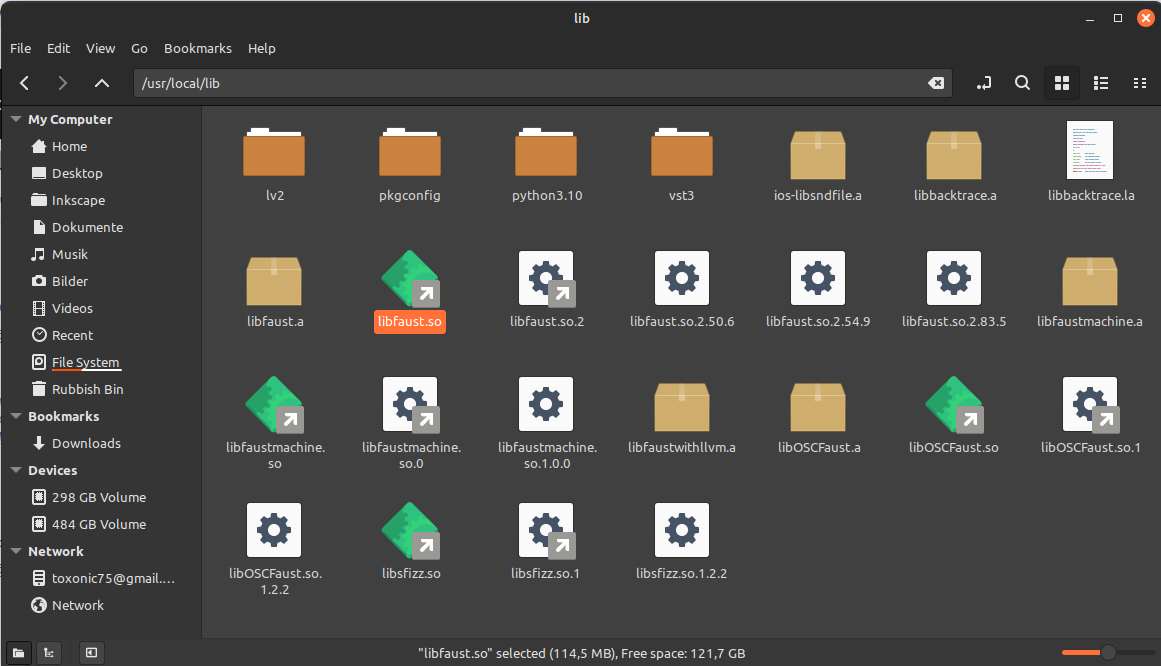
So, the master branch of HISE works with Faust. I opened an existing project and added a ScriptFX, and the Faust scripts work there. I can’t tell you why the master branch was able to compile — it’s a mystery to me.What also confuses me is the fact that there apparently is no libfaust.so on my system. The symlink to the shared library libfaust.so in /usr/local/lib is, by the way, 114 MB in size… how can that be? The file cannot be traced back to an original file.
-
@toxonic Hmm does the master branch include its own copy of faust?
Free HISE Bootcamp Full Course for beginners.
YouTube Channel - HISE tutorials
My Patreon - More HISE tutorials -
@David-Healey
How can I find that out? It doesn’t seem to be the case — at least no libfaust.so is included.
This is, what I get, when checking libfile.so if it's a file, and what it's linking againsttoxonic@toxonic-Vector-GP66-12UGS:~$ file /usr/local/lib/libfaust.so /usr/local/lib/libfaust.so: symbolic link to libfaust.so.2 toxonic@toxonic-Vector-GP66-12UGS:~$ ldd /usr/local/lib/libfaust.so linux-vdso.so.1 (0x00007ffc2f5d3000) libz.so.1 => /lib/x86_64-linux-gnu/libz.so.1 (0x00007f1b0350e000) libtinfo.so.6 => /lib/x86_64-linux-gnu/libtinfo.so.6 (0x00007f1b034dc000) libstdc++.so.6 => /lib/x86_64-linux-gnu/libstdc++.so.6 (0x00007f1b032b0000) libm.so.6 => /lib/x86_64-linux-gnu/libm.so.6 (0x00007f1b031c9000) libgcc_s.so.1 => /lib/x86_64-linux-gnu/libgcc_s.so.1 (0x00007f1b031a9000) libc.so.6 => /lib/x86_64-linux-gnu/libc.so.6 (0x00007f1b02f80000) /lib64/ld-linux-x86-64.so.2 (0x00007f1b09bda000) -
@David-Healey This is the
lddoutput for the HISE master branch binary. It seems to link against/usr/local/lib/libfaust.so.2toxonic@toxonic-Vector-GP66-12UGS:~$ ldd '/home/toxonic/Repos/HISE/projects/standalone/Builds/LinuxMakefile/build/HISE Standalone.faust' linux-vdso.so.1 (0x00007ffd3b922000) libasound.so.2 => /lib/x86_64-linux-gnu/libasound.so.2 (0x00007f6c490d5000) libfreetype.so.6 => /lib/x86_64-linux-gnu/libfreetype.so.6 (0x00007f6c4900d000) libGL.so.1 => /lib/x86_64-linux-gnu/libGL.so.1 (0x00007f6c48f86000) libfaust.so.2 => /usr/local/lib/libfaust.so.2 (0x00007f6c428fe000) libstdc++.so.6 => /lib/x86_64-linux-gnu/libstdc++.so.6 (0x00007f6c426d2000) libm.so.6 => /lib/x86_64-linux-gnu/libm.so.6 (0x00007f6c425e9000) libgcc_s.so.1 => /lib/x86_64-linux-gnu/libgcc_s.so.1 (0x00007f6c425c9000) libc.so.6 => /lib/x86_64-linux-gnu/libc.so.6 (0x00007f6c423a0000) /lib64/ld-linux-x86-64.so.2 (0x00007f6c49200000) libpng16.so.16 => /lib/x86_64-linux-gnu/libpng16.so.16 (0x00007f6c42365000) libz.so.1 => /lib/x86_64-linux-gnu/libz.so.1 (0x00007f6c42349000) libbrotlidec.so.1 => /lib/x86_64-linux-gnu/libbrotlidec.so.1 (0x00007f6c4233b000) libGLdispatch.so.0 => /lib/x86_64-linux-gnu/libGLdispatch.so.0 (0x00007f6c42281000) libGLX.so.0 => /lib/x86_64-linux-gnu/libGLX.so.0 (0x00007f6c4224d000) libtinfo.so.6 => /lib/x86_64-linux-gnu/libtinfo.so.6 (0x00007f6c4221b000) libbrotlicommon.so.1 => /lib/x86_64-linux-gnu/libbrotlicommon.so.1 (0x00007f6c421f8000) libX11.so.6 => /lib/x86_64-linux-gnu/libX11.so.6 (0x00007f6c420b8000) libxcb.so.1 => /lib/x86_64-linux-gnu/libxcb.so.1 (0x00007f6c4208c000) libXau.so.6 => /lib/x86_64-linux-gnu/libXau.so.6 (0x00007f6c42086000) libXdmcp.so.6 => /lib/x86_64-linux-gnu/libXdmcp.so.6 (0x00007f6c4207e000) libbsd.so.0 => /lib/x86_64-linux-gnu/libbsd.so.0 (0x00007f6c42066000) libmd.so.0 => /lib/x86_64-linux-gnu/libmd.so.0 (0x00007f6c42059000) -
@toxonic said in Compiling HISE with Faust issue (Linux):
It seems to link against /usr/local/lib/libfaust.so.2
And that file exists on your system?
Free HISE Bootcamp Full Course for beginners.
YouTube Channel - HISE tutorials
My Patreon - More HISE tutorials -
@David-Healey yep, it's in usr/local/lib
-
@toxonic Does your symlink of
libfaust.sopoint tolibfaust.so.2? -
@toxonic yeah:
ls -l /usr/local/lib/libfaust.so lrwxrwxrwx 1 root root 28 Jan 13 15:02 /usr/local/lib/libfaust.so -> /usr/local/lib/libfaust.so.2 -
@toxonic Hmmm, what about adding a symlink here
/usr/lib/x86_64-linux-gnu/libfaust.soto point to it as well?Free HISE Bootcamp Full Course for beginners.
YouTube Channel - HISE tutorials
My Patreon - More HISE tutorials -
@David-Healey
Sorry, I was offline for a while! Yeah, crazy — it worked! For whatever reason, it’s compiling now!
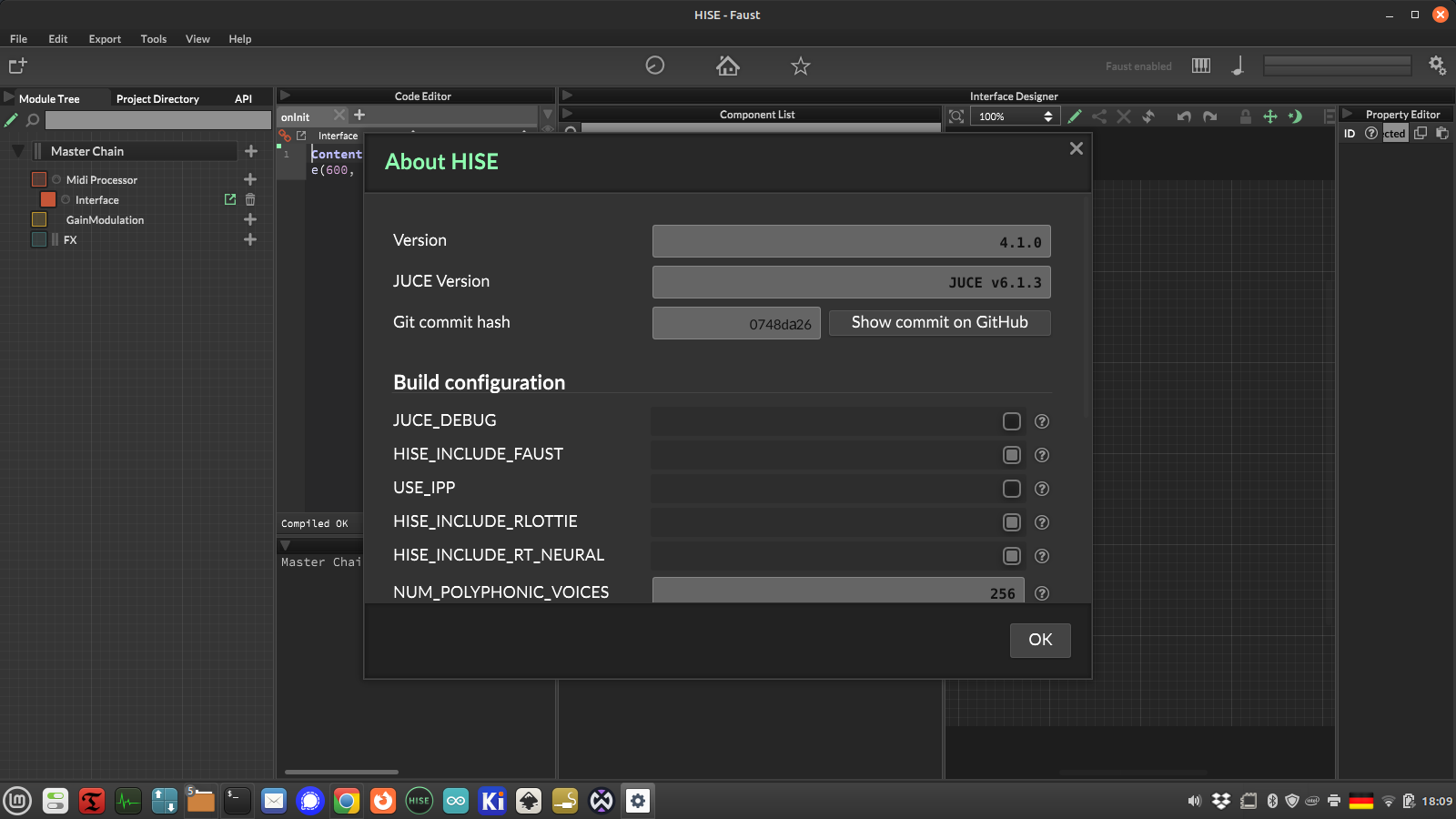
Still the sameversion number like the master branch, is this correct?
well,
cc -fuse-ld=mold -Wl,--trace -lfaust -x c /dev/null 2>&1 | grep libfaustnow outputs:trace: /usr/lib/x86_64-linux-gnu/libfaust.so -
@toxonic Yes that commit hash is correct :)
Free HISE Bootcamp Full Course for beginners.
YouTube Channel - HISE tutorials
My Patreon - More HISE tutorials -
@David-Healey However, I still have no idea why this works now and apparently runs without any issues for all other Linux users. Is this something that should be changed in the HISE source code, or is it a problem with my system? Any idea?
-
@toxonic I've searched the HISE source code for
/usr/lib/x86_64-linux-gnu/libfaust.soand there are no hardcoded references so I think it's just that the linker expects it in that location, but I'm not entirely sure.I guess when you install faust using make install it puts it in a different location than if you used your distro's package.
Free HISE Bootcamp Full Course for beginners.
YouTube Channel - HISE tutorials
My Patreon - More HISE tutorials -
@David-Healey said in Compiling HISE with Faust issue (Linux):
I've searched the HISE source code for /usr/lib/x86_64-linux-gnu/libfaust.so and there are no hardcoded references so I think it's just that the linker expects it in that location, but I'm not entirely sure.
Yeah, i did that as well ... also just for
libfaustand checked each occurence but found nothing!
However, thank you for youtr patience! I just would really like to know, how to avoid that in future... ;-) -
@toxonic said in Compiling HISE with Faust issue (Linux):
Build with LLVM version 14.0.0
This LLVM version is very old BTW, I suggest using a more recent one if possible.
-
@sletz thanks for your reply, I tried upgrading LLVM via the
llvm.shfrom https://apt.llvm.org/, which seemed to work fine, but for some reasonllvm-config --versionstill outputs 14.0.0
I checked my LLVM packages in synaptic, and I see that both versions are installed. How can I tell my system to use the most recent version on my system (20)? -
@toxonic You can use update alternatives. Here are instructions for gcc
https://askubuntu.com/questions/26498/how-to-choose-the-default-gcc-and-g-version
Free HISE Bootcamp Full Course for beginners.
YouTube Channel - HISE tutorials
My Patreon - More HISE tutorials -
@David-Healey
Ahhh, great! :-)